10 Working with Multi-Parts
Groove Synthesis
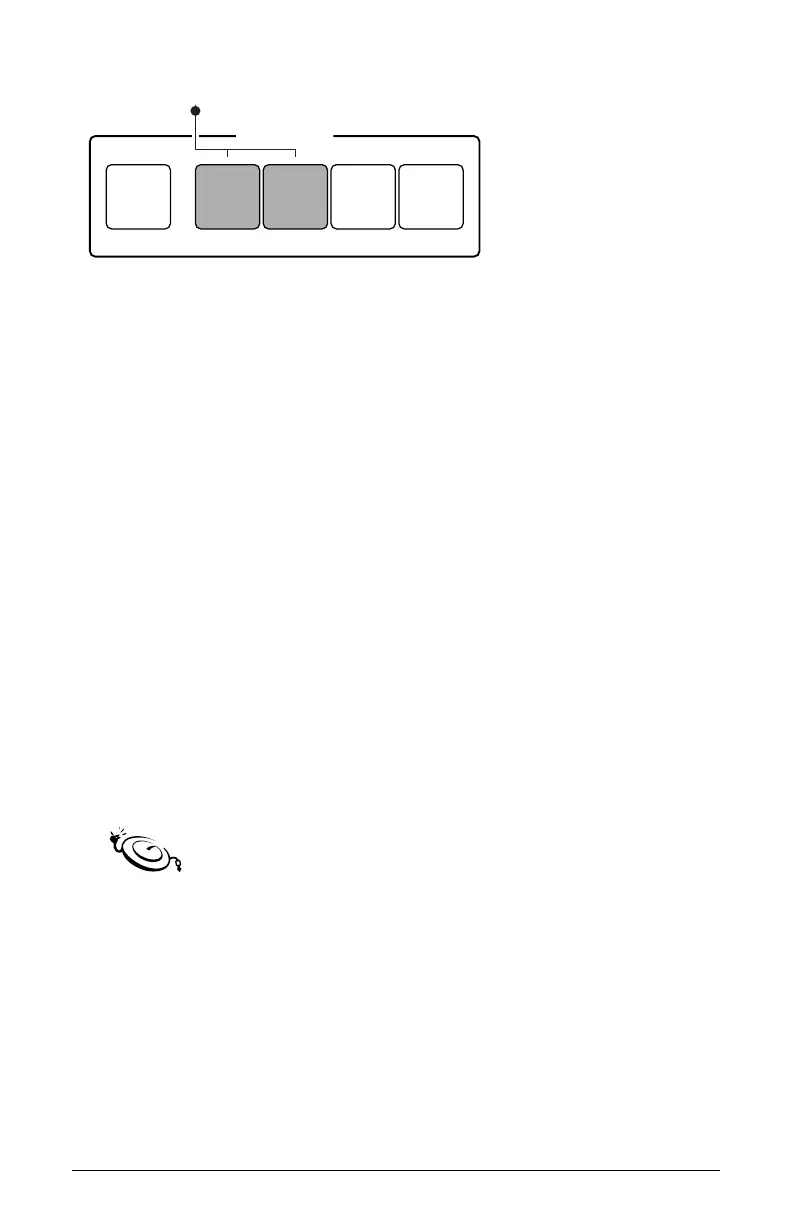
MULTI-PART
MODE 1 2 3 4
Parts 1 and 2 are active
Multi-Part buttons
Creating a Multi-Part Program
When you select a program, one or more parts will be active and the
button(s) corresponding to these active parts will be lit. At least one part
will also be blinking. The blinking part indicates which part you are edit-
ing when you turn a knob or adjust a parameter. You can edit more than
one part at a time by selecting multiple parts simultaneously for editing.
Any edits will be applied to all selected parts.
• If a Multi-Part button is lit, that corresponding part is active and
audible in the current program.
• If a Multi-Part button is not lit, that corresponding part is not active and
not audible in the current program.
• If a Multi-Part button is lit and blinking, that part is active, audible, and
selected for editing.
• If a Multi-Part button is lit but not blinking, that part is active and
audible, but not selected for editing.
When more than one part is selected for editing, you can hold down one
of the buttons until it stops blinking to change which part is displayed on the screen. In
addition, when you hold down the mode button to select multiple parts for editing, the
last button that you release will designate the part that is displayed on the screen.
To toggle an unlit (inactive) multi-part on:
• Press any unlit Multi-Part button. It becomes lit and ashes, indicating
that is active, audible, and selected for editing.
To toggle a lit (active) multi-part off:
• Press any lit Multi-Part button. It becomes unlit and is no longer active
or audible in the current program.



 To Next Page