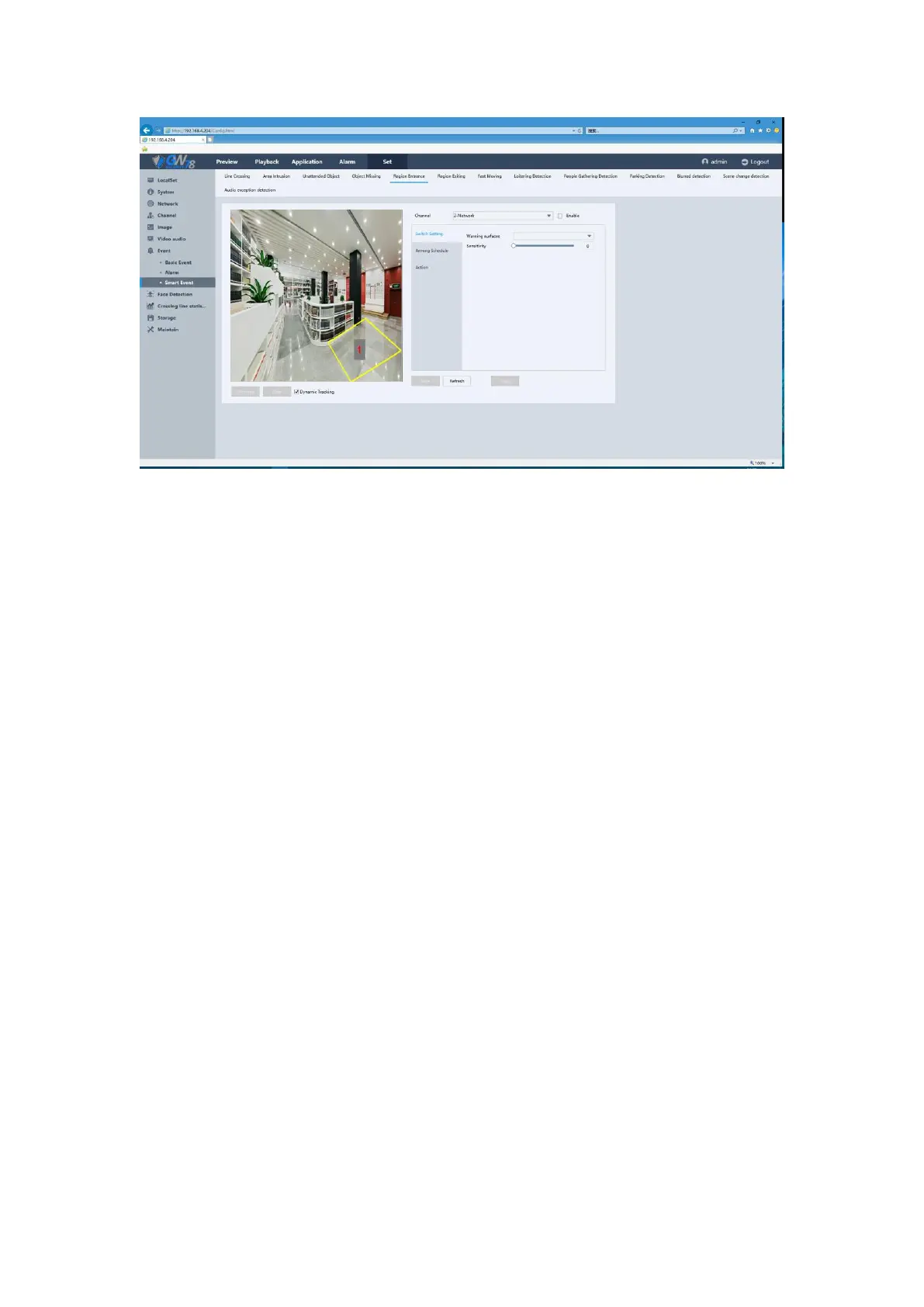
Figure 5-43 Region Entrance Setting
Region Entrance function detects people, vehicle or other objects which enter in a forbidden pre-
defined virtual region from outside, and some certain actions can be taken when the alarm is
triggered.
Plot area: Set the detect areas.
Sensitivity: Change the sensitivity of the Area Intrusion. The higher the sensitivity, the
easier to trigger alarm.
Channel: Can be set for each channel.
Enable: Area Intrusion enabled switch.
Arming Schedule: Set the alarm time.
Action: Include alarm output, show message, buzzer, send Emails, alarm recording, PTZ
Act and tour.
5.6.7.3.6 Region Exiting
Click the Set ->Event -> Smart Event -> Region Exiting. As show in figure 5-44.



 To Next Page