Type: Search type includes: “System”, “Config”, “Storage”, “Alarm”, “Record”,
“Account”, ”Clear”, and ”Playback”.
Start time/End time: Set the period of time you want to search.
Search: After you set the time period and search type click the search button, and the
device can save up to 4096 logs.
Prev/Next: It can shows 1000 logs in one page, and you can check on more by clicking
“Prev/Next” button.
Clear: Delete all log information.
Filter: On this page you can chose whether cover the log after it’s full, and decide which
type operation log you want to save.
Detect: Detect the USB device.
Export: Export the operations log into a USB flash drive.
4.5 Backup
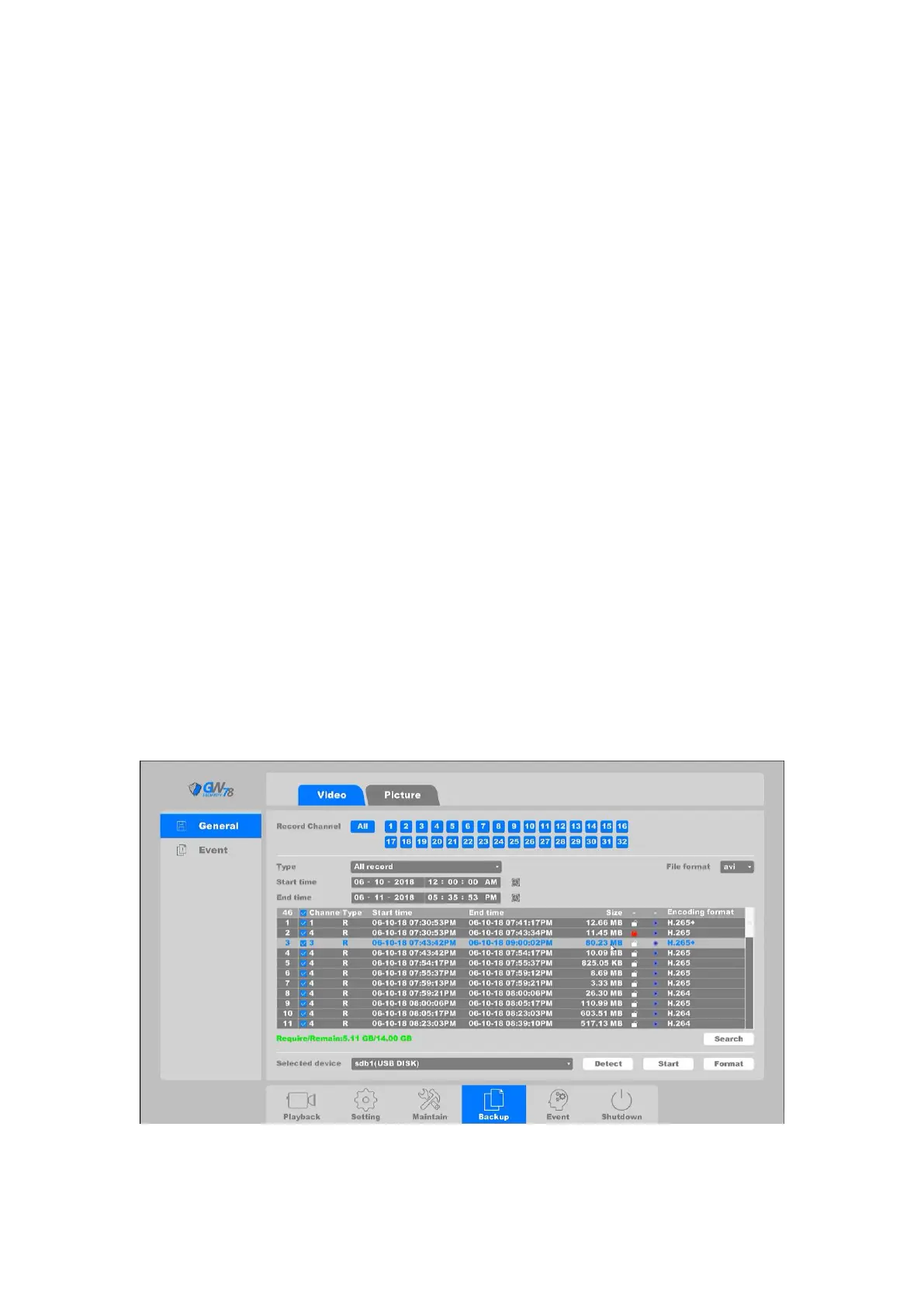
Click the backup button to enter the backup interface.
Detect: Detect the USB flash drive you have plugged into the NVR.
Format: Format the USB drive.
4.5.1 General
4.5.1.1 Video backup
Click on "Backup ->General -> Video", as shown in figure 4-83..
Figure 4-83 Backup General Video File



 To Next Page