Quickly enter and locate a channel in channel management interface.
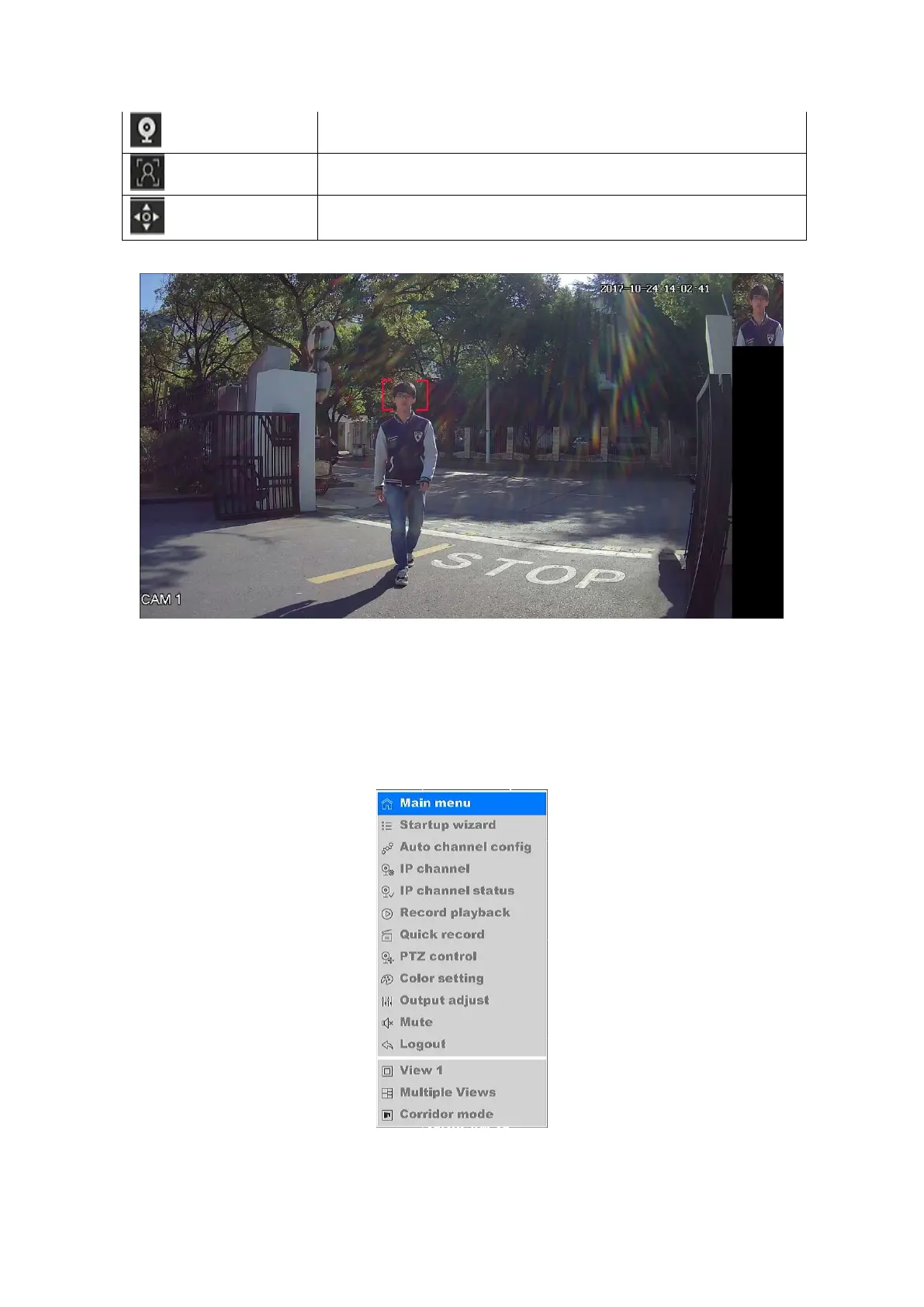
Quickly enable a blank area in preview to show the people’s face
detected by the camera.(As shown in Figure 4-4)
Quickly enter PTZ control interface.
Table4-2 Description of the Quick Setting Toolbar
Figure 4-4 Face Detection
4.2.4 Desktop shortcut menu
In preview mode you can right click mouse to access the desktop shortcut menu, as shown in
figure 4-5.
Figure 4-5 Desktop shortcut menu



 To Next Page