4.7.4.5 Face search
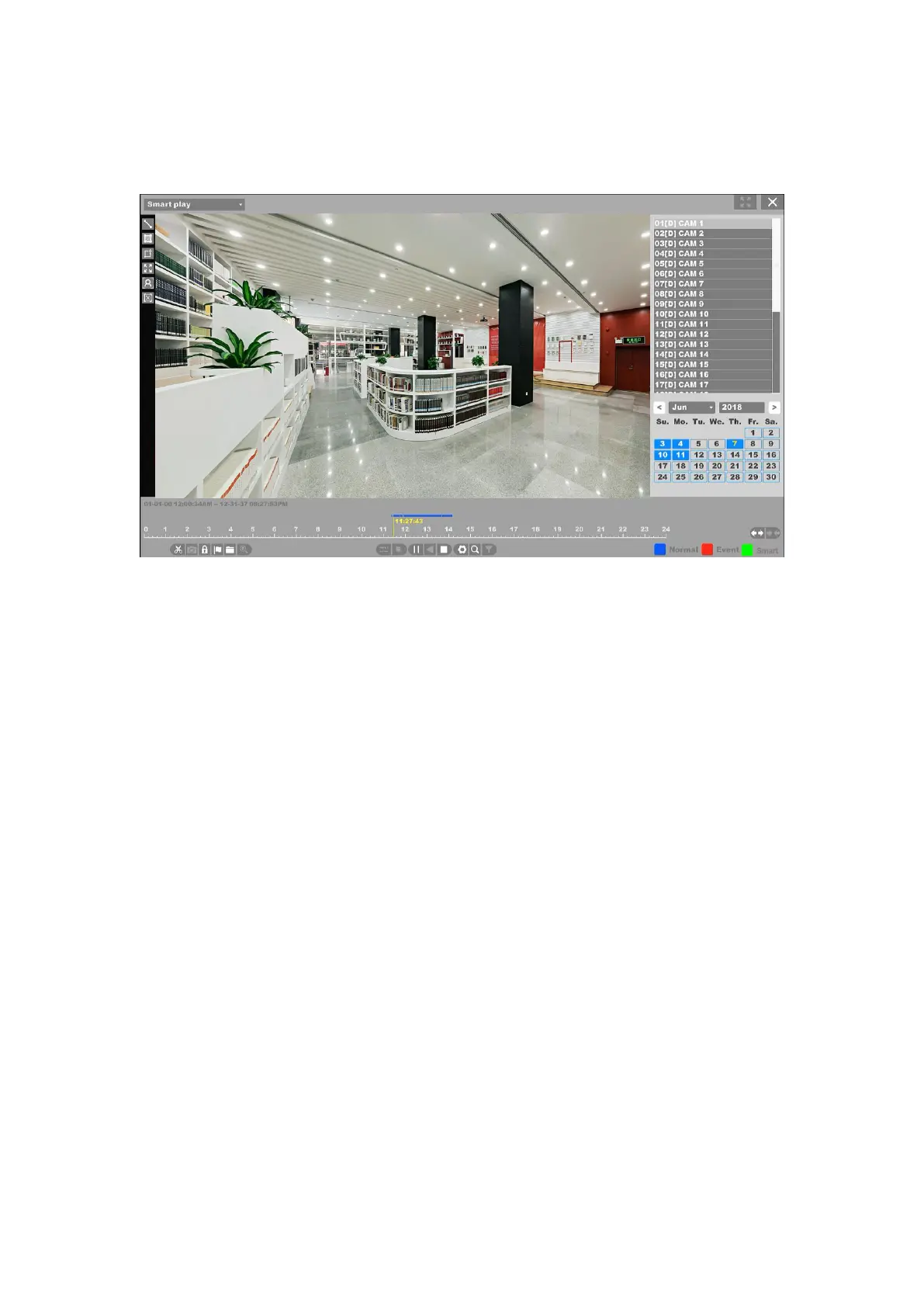
Figure 4-118 Smart Playback – Face Search
1. First you need select a channel and click “Play”, then the icon of “Face search” can be
active. The full video interface will be detected by default;
2. Click “Setting” button you can specify some setting for playback like “Skip Non-Focus
Video” and specify the playback speed for Non-Concerned Video and Attention-Video, also you
can specify the time before and after the events from 0 to 600 seconds.
3. Click “Search” button then the result will be shown like figure 4-114, video with
people’s face will be marked color “green”, and the video will be played by the setting as you
made at step 2.
Note:
Smart Play only work with Qualvision IPCs which support these features.
4.7.4.6 Clear all
When you click this button that means clear all the lines and rectangles you have drawn before.
Then you can draw new lines and specify new rules.
4.7.4 Time Division play
Select the “Time Division Play” enters the time division playback mode.


 To Next Page