NO.: Hard disk serial number.
Status: Shows HDD self-test status and results.
Last test time: The last time you test HDD.
Temperature: Shows HDD temperature in real-time.
Life time (hours): Shows how long the time have you used this HDD.
Note:
We provide two type of self-test: brief and extended. Extended type will be taking a
little longer time than brief type. And you can stop while it’s been self-testing if you want.
4.4.4 Config
4.4.4.1 Backup
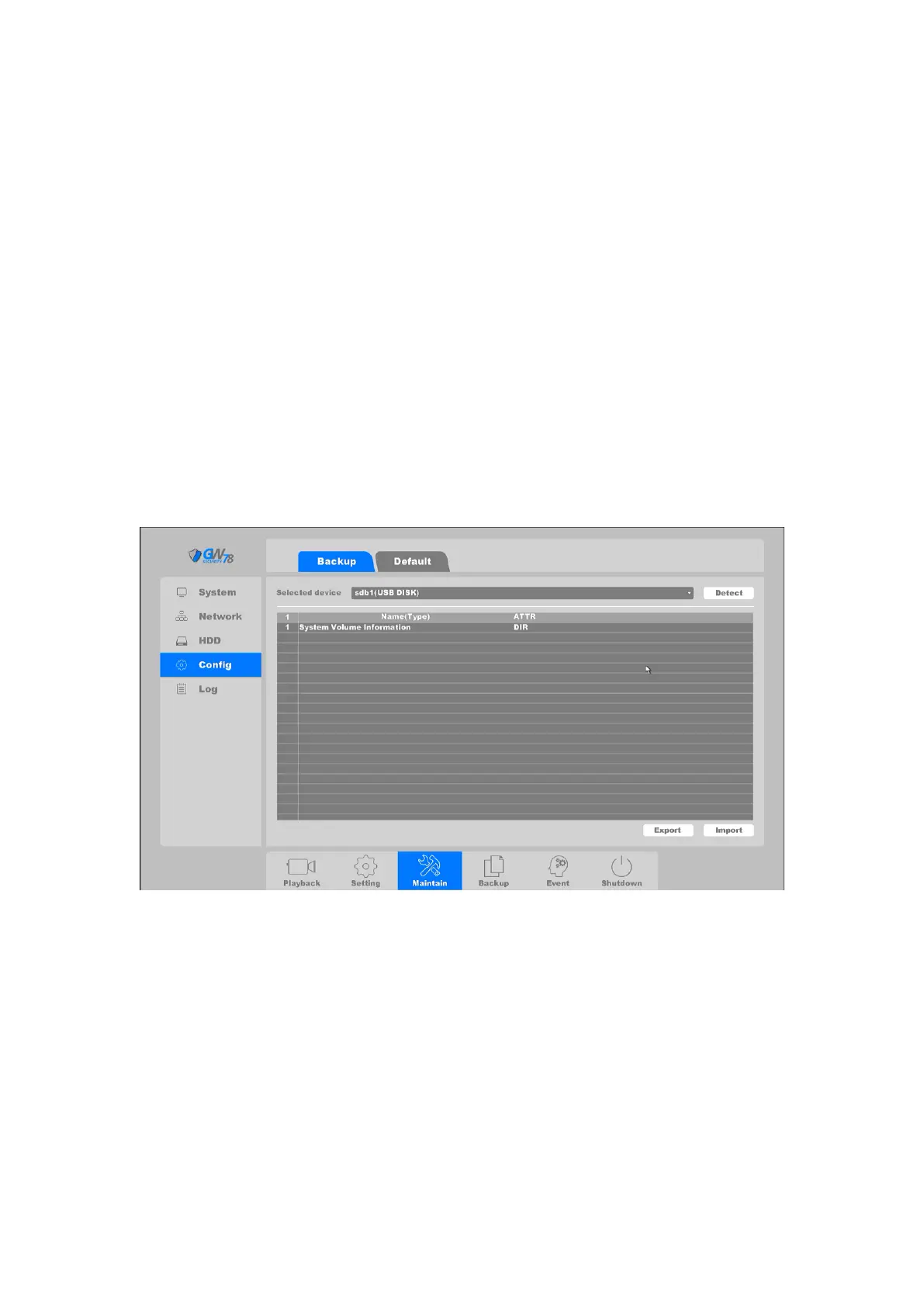
Click on the "Maintain -->Config ->Backup", as shown in figure 4-80. On this page you can backup
device parameters into a USB flash disk to reconfigure your NVR back to specific settings.
Figure 4-80 Backup Setting Status
Detect: Detects a USB device.
Name (type): File name and file type, and the backup file is in a “.coi” type.
ATTR: Shows the file type.
Export: Export the parameters backup file into USB disk.
Import: Choose the backup file and click import button, your device parameters will
change into in accordance with the “.coi” file.
4.4.4.2 Default
Click on the "Maintain -->Config ->Default", as shown in figure 4-81.



 To Next Page