4.3 Settings
4.3.1 System
4.3.1.1 General setting
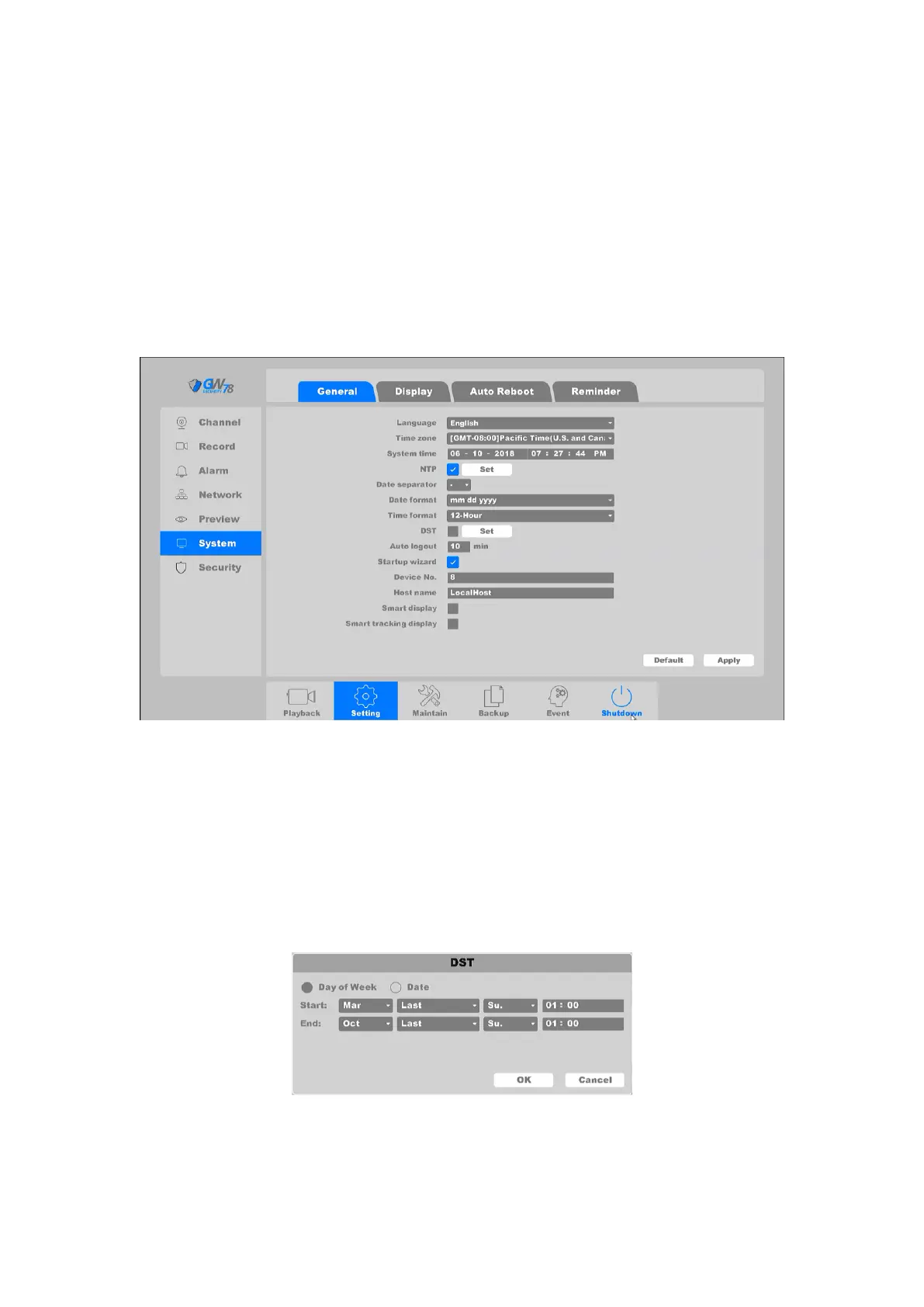
Click on "Main Menu-> Setting → System-> General ", as shown in Figure 4-10.
Figure 4-10 General
Language: Simplified Chinese, English, Italian, Russian, Portuguese, Turkish, Persian,
Arabic, Cesky.
Time zone: Select your corresponding time zone here.
System time: Set the system data and time.
Date format: Choose the data format: YYYYMMDD, MMDDYYYY, and DDMMYYYY.
Time format: Choose list separator of the data format: dot, beeline and solidus.
Time Format: Choose time format: 24-hour or 12-hour.
DST: Choose the summer time option and pop the dialog box as followed.
Figure 4-11 DST (week)



 To Next Page