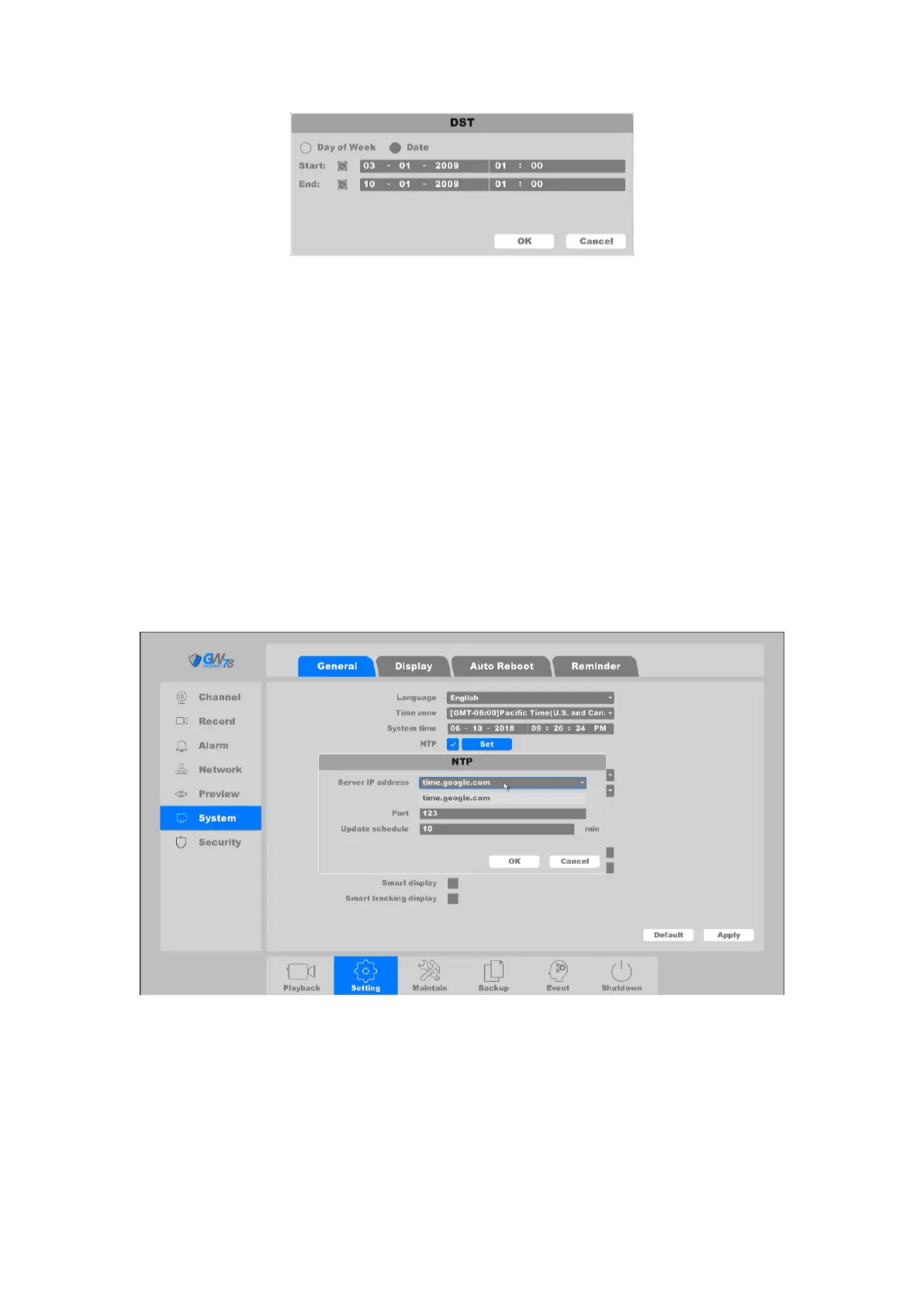
Figure 4-12 DST (date)
Auto Logout: The amount of time of inactivity before your account is logged out of NVR
Startup Wizard: The startup wizard can guide you to finish some important settings of
the NVR. You can also choose to skip this step, or make sure it never pops up again.
Device No: When you are using one remote control to control several NVRs, you can
give a number to each NVR as address for your management.
Host Name: NVR’s name
Smart display: It will display smart alarm line or area after you enable this function.
Smart tracking display: It will track the moving objects from the specified intelligent
alarm type.
NTP: A Network Time Protocol (NTP) Server can be configured on your NVR to ensure
the accuracy of system date/time.
Click "NTP” on this page, as shown in figure 4-13. This page can be set NTP server IP, server
port, update schedule.
Figure 4-13 NTP Setting
Server IP: The NTP Server IP address or host name. Support two built-in server IPs and
custom way.
Port: Port of NTP server.
Update Schedule: Time interval between the two synchronizing actions with NTP server.
The unit is in minutes.
Click the button Save to save the configuration.



 To Next Page