Note:
The time synchronization interval can be set from 1 to 65535min, and the default value
is 10 min. If the NVR is connected to a public network, you should use a NTP server that
has a time synchronization function, such as the server at the National Time Center.
4.3.1.2 Display setting
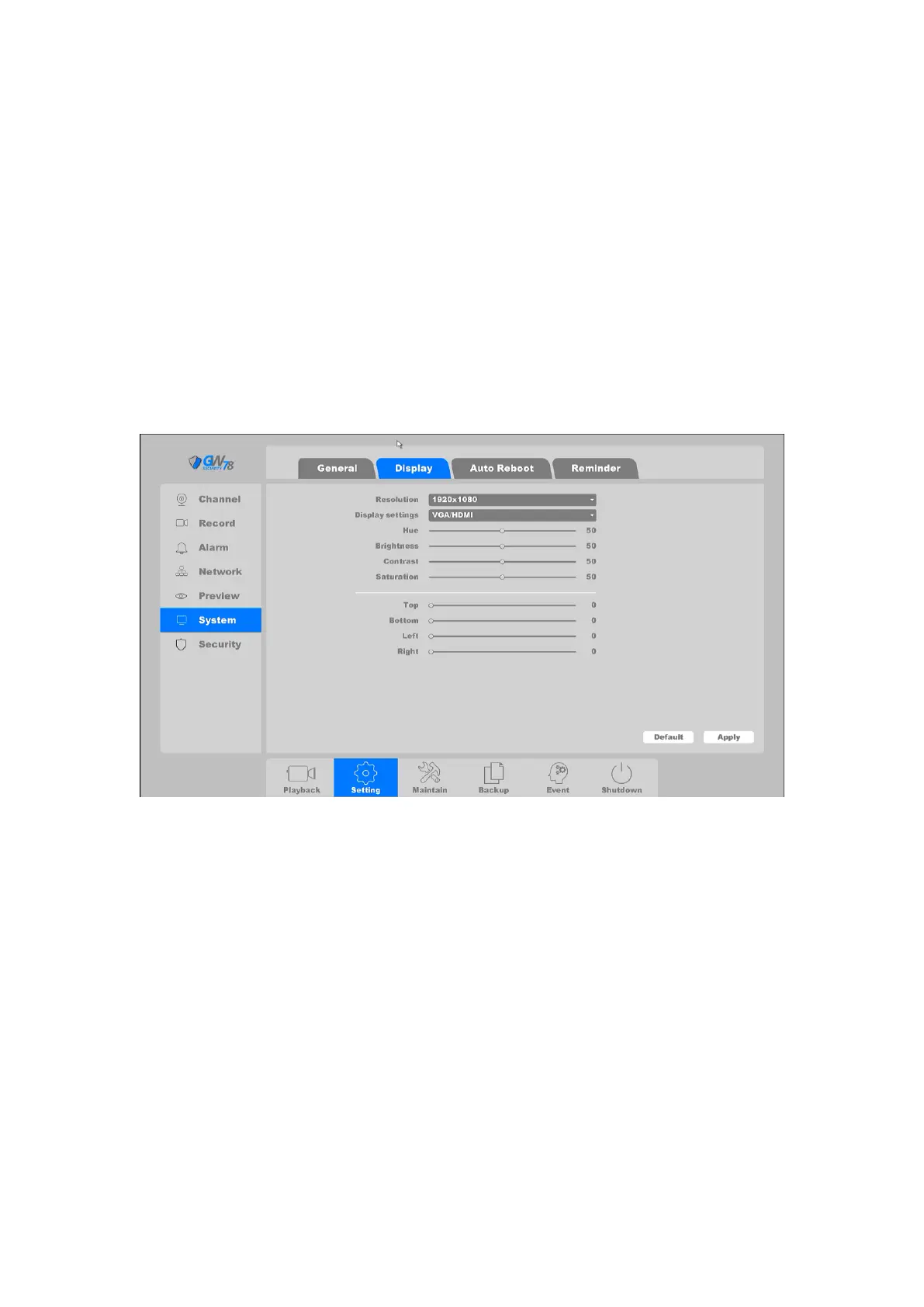
Click on the "Settings -> System ->Display", as shown in Figure 4-14. In this menu you can adjust
video output parameters.
Figure 4-14 Display
Note:
Please make sure your monitor support 4k if you choose display resolution as
4K(3840*2160);
If you set 4K but your monitor don’t support 4K, there will be no picture on the monitor,
if this happen please left click and right click mouse at the same time for at least 10
seconds, NVR will reboot with the lowest resolution(1024*768), then you need select
again the suitable resolution according to your monitor ability.



 To Next Page