4.3.1.3 Auto Reboot
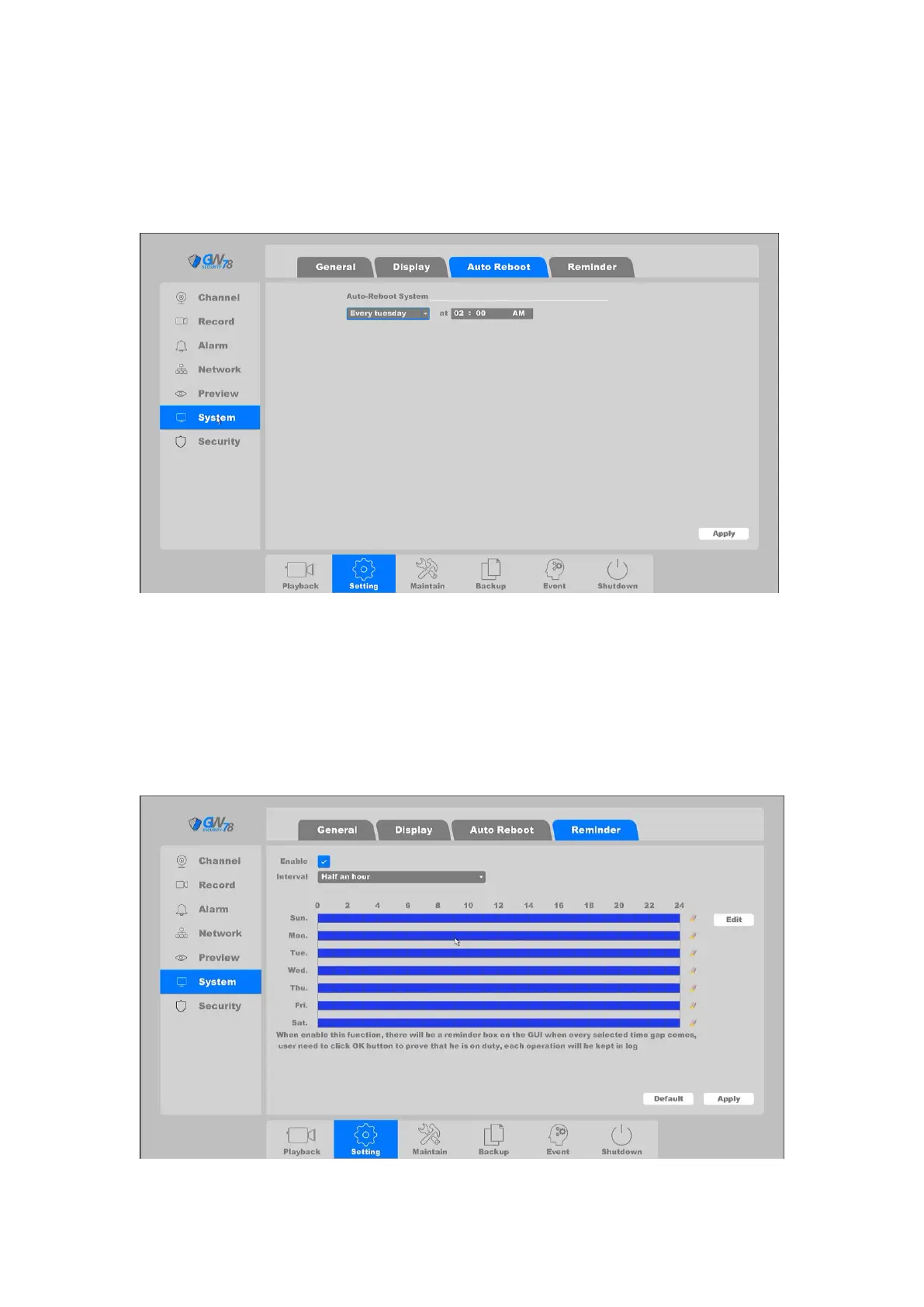
Click on "Setting -> System ->Auto Reboot", as shown in figure 4-15. You can set the auto reboot
time to maintain the device.
Figure 4-15 Auto Reboot
4.3.1.4 Reminder
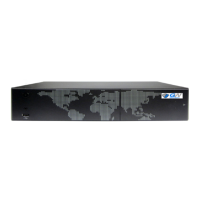
Click on "Setting -> System ->Reminder", as shown in figure 4-16. When enable this function,
there will be a reminder box on the GUI when every selected time gap comes, the user who view
the monitor need to click OK button to prove that he is on duty, each operation will be kept in log.
Figure 4-16 Reminder



 To Next Page