How to back up the recording:
1. Chose the record channel;
2. Chose the video file type: “All Record”, “Event Record”, “Timing Record”, “Manual
Record” four types. And
3. Select File Format: DAV/AVI (It is recommended to use the AVI file type for easiest
accessibility)
4. Set the time period you want to check, and click on the search button. And search
results column shows on the middle area. On this area you should chose the serial number of the
backup file you need.
5. Check on the “Require/Remain” bar, make sure the required space smaller than your
USB drive. And click start button to initialize backup.
Note:
The file status marked red as search result shows is the file you locked in the playback
interface. In case the file that you’re interesting covered by new files.
4.5.1.2 Picture
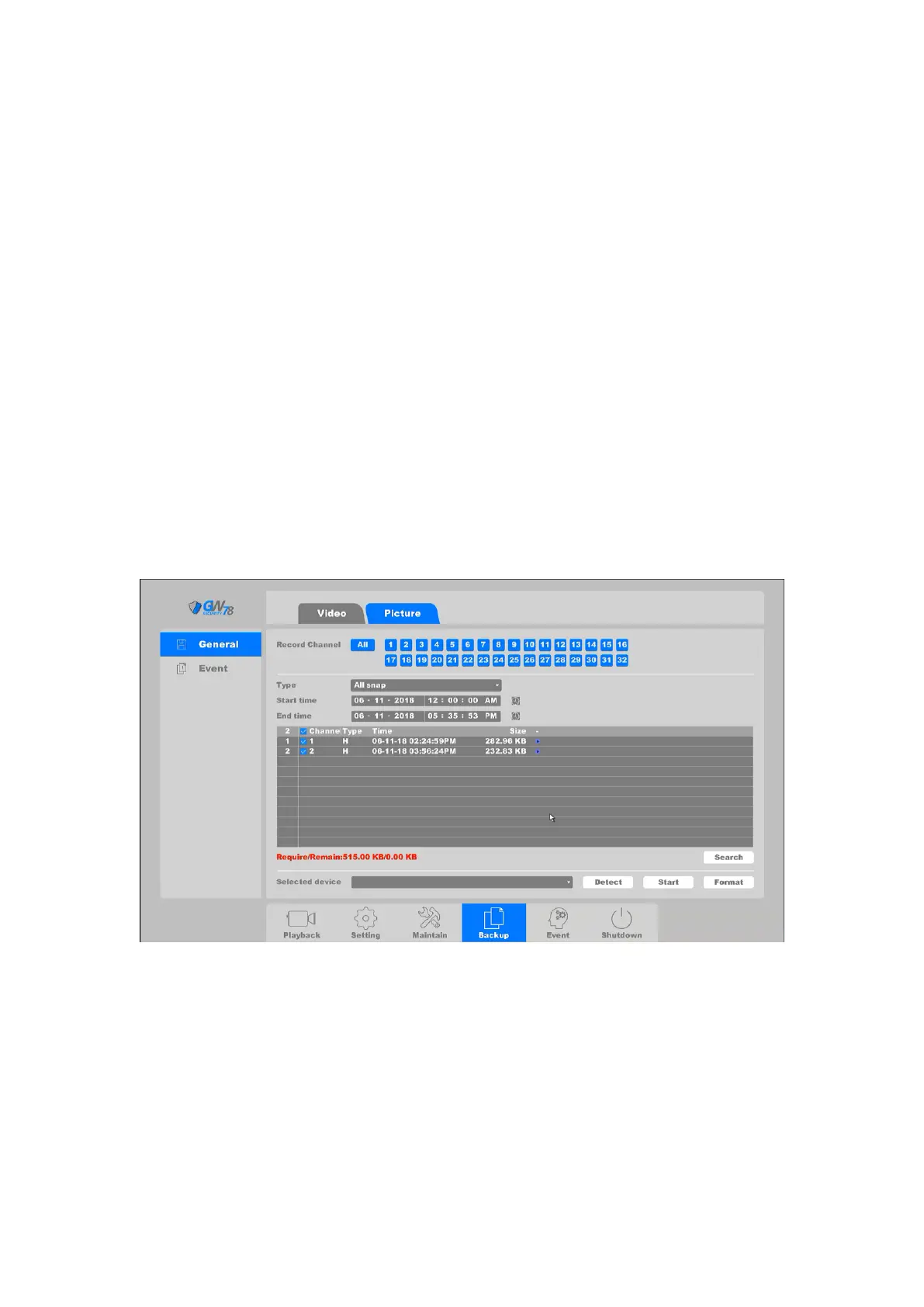
Click on "Backup ->General ->Picture", as shown in figure 4-84.
Figure 4-84 Backup Pictures
The operations of backup pictures is the same as videos, please refer to the previous part.
4.5.2 Event
Click on "Backup -> Event-> Video "into the graphical interface.



 To Next Page