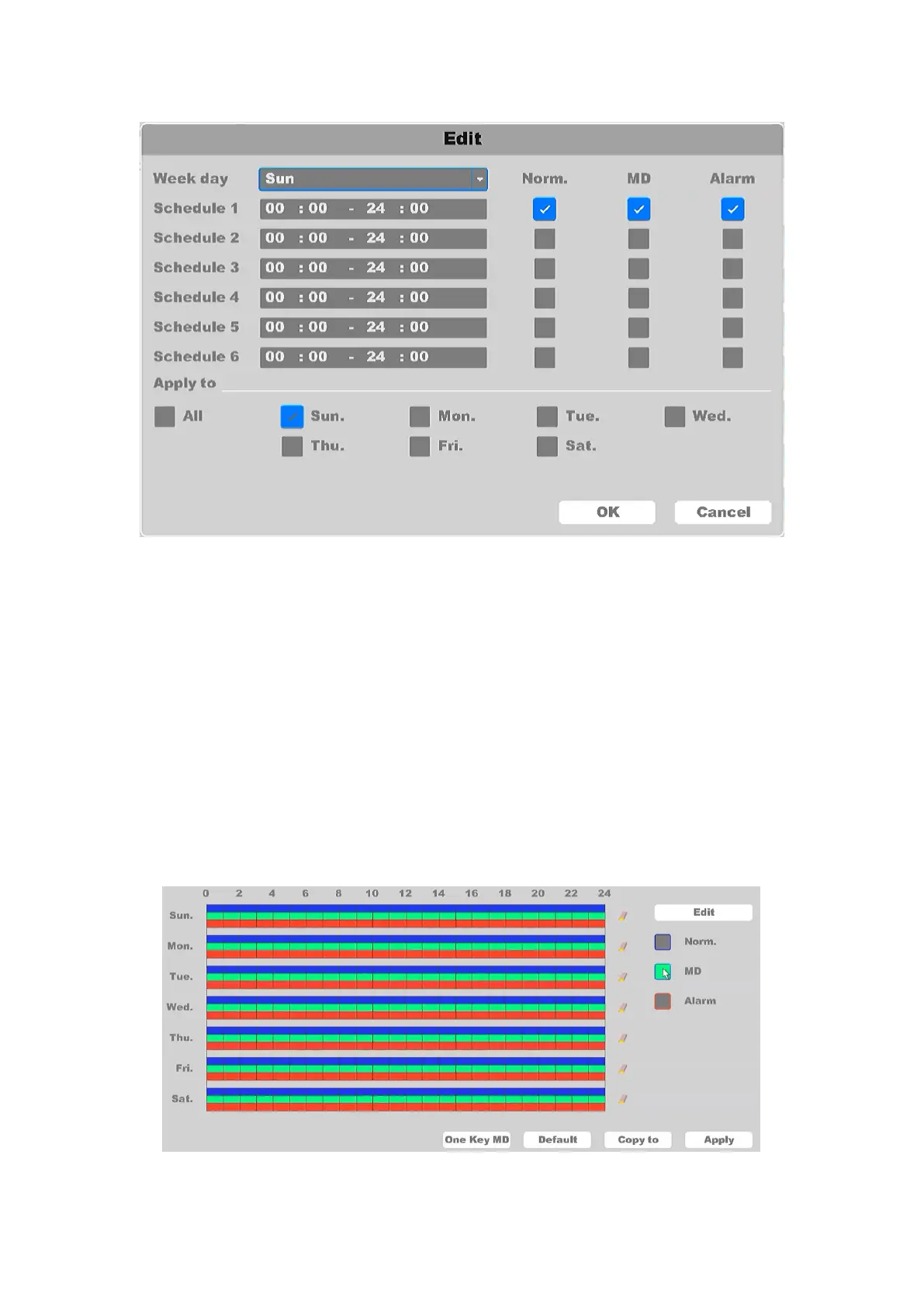
Figure 4-45 Record Plan Edit
Week Day: The day to set the schedule, from Sunday to Saturday.
Schedule 1-6: The time slot for the record, you can set 6 time slots for one day.
Norm.: Record as continuous, normal video.
MD: Record motion detection video trigger by motion alarm.
Alarm: Record alarm video trigger by Alarm-in Device.
You can check ” All” to select every day of the week day and set the schedule at the same time,
or check only the ones you need. If Norm, MD and Alarm are checked at the same time, it will
record in the priority of: Alarm > MD > Norm. That means if the three type of detection occurred
at the same time, the type of the record will be set as Alarm video.
You can also edit the schedule on the configuration graph screen, as shown in Figure 4-46.
Figure 4-46 Edit graph



 To Next Page