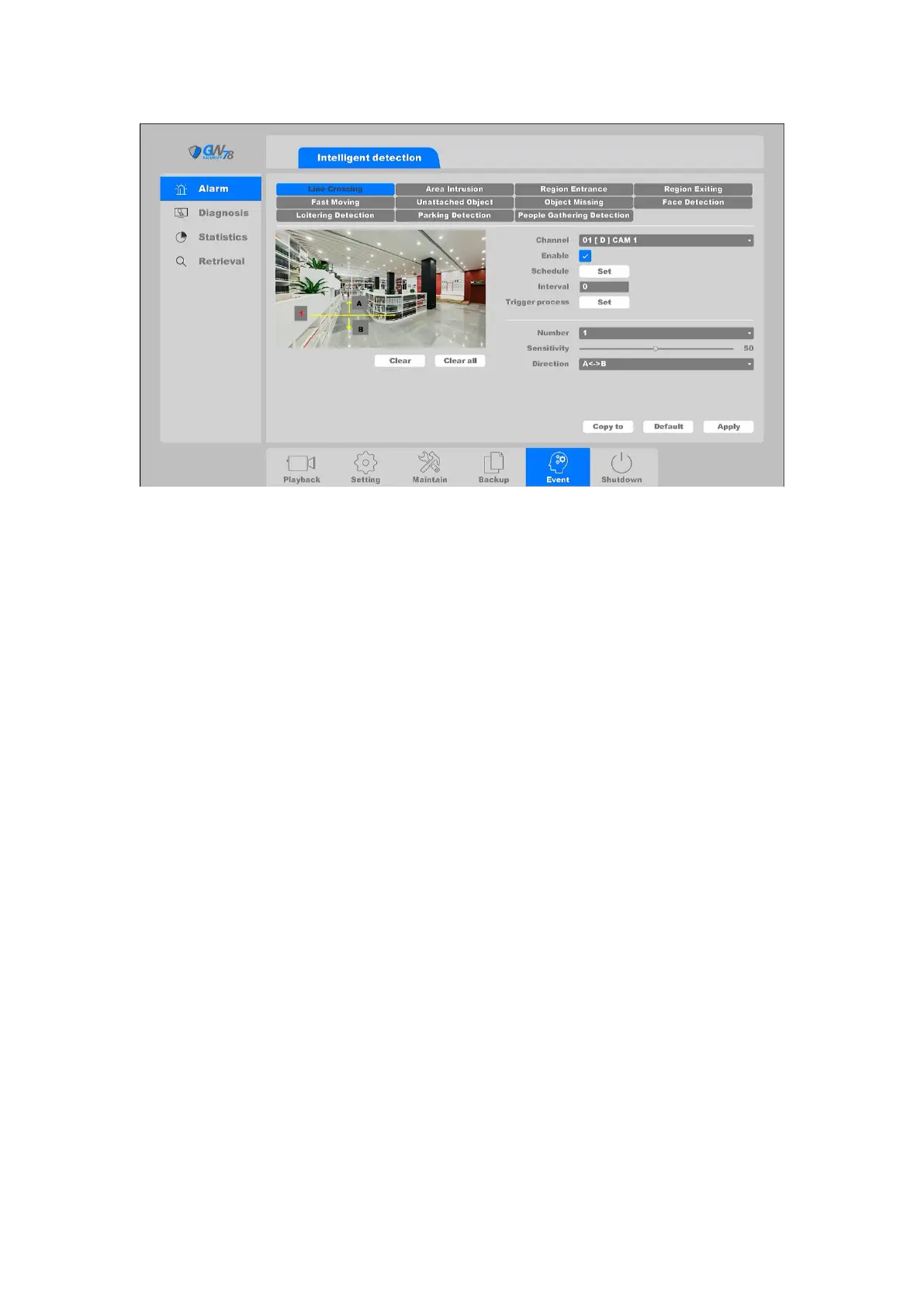
Figure 4-86 Line Crossing
Channel: Select the channel.
Enable: Crossing detection enable toggle.
Schedule: Set the time slot to detect crossing. You can take the setting of chapter
4.3.3.1 motion detection for reference.
Interval: Set the time interval of each crossing detection triggered.
Trigger process: Set the handling action of crossing detection; please take the setting of
chapter 4.3.3.1 motion detection for reference.
You can add a virtual line to the surveillance area using the following steps:
1. Choose the line number, the maximum number of the line is 4.
2. Select the direction: A<->B, A->B, B->A.
A<->B: Only the arrow on the B side shows; when an object going across the configured line
from either direction can be detected and alarms are triggered.
A->B: Only the object crossing the configured line from the A side to the B side can be
detected.
B->A: Only the object crossing the configured line from the B side to the A side can be
detected.
3. Adjust the sensitivity. Range from 1-100.The higher the value is, the more easily the
detection alarm can be triggered.
4. Click the Apply button to save the settings.



 To Next Page