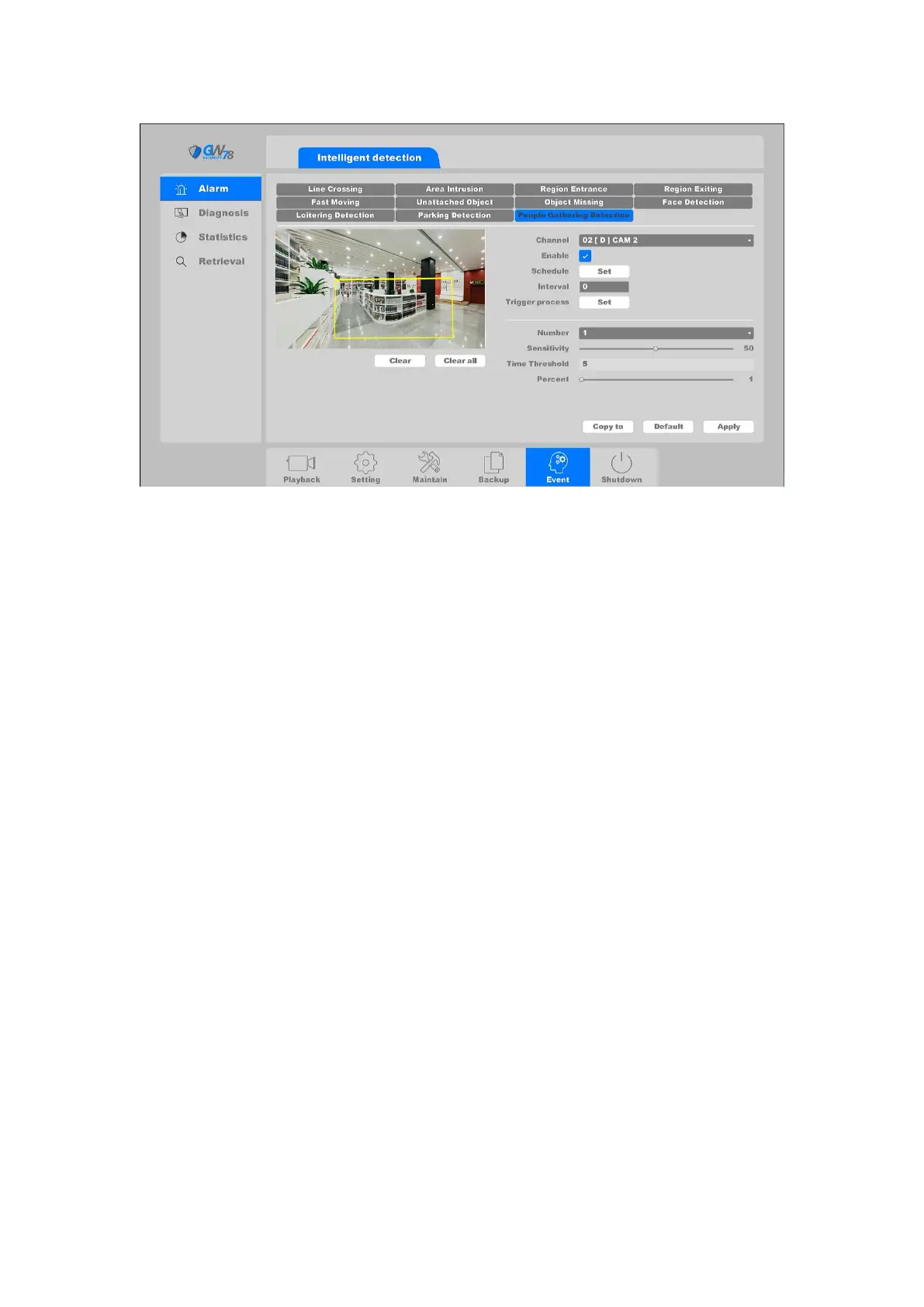
Figure 4-99 People Gathering Detection
Channel: Select the channel.
Enable: Loitering Detection enabled switch.
Schedule: Set the time slot to detect intrusion. You can take the setting of chapter
4.3.3.1 motion detection for reference.
Interval: Set the time interval of People Gathering Detection triggered.
Action: Set the handling action of intrusion detection; please take the setting of
chapter 4.3.3.1 motion detection for reference.
You can add a virtual area to the surveillance area using the following steps:
1. Choose the area number, the maximum number of the area is 4.
2. Adjust the sensitivity. Range from 1-100. The higher the value is, the more easily the
detection alarm can be triggered.
3. Set detect time threshold. For example, if you set the time threshold to 5 seconds and the
number of people in the pre-defind area crosses the max amount permitted for 3 seconds the
alarm will not be triggerd, the amount of people over the approved amount will have be there 5
secounds before an alarm is triggered.
4. Adjust the percent. Range from 1-100. The higher the value is, the more edge pixels needed
to trigger the detection alarm.
5. Click the Apply button to save the settings.
4.6.2 Diagnosis
4.6.2.1 Video diagnosis
Click on "Event->Diagnosis", there are another four types alarm in this page.
Note: Only GW78 series IP camera can support this feature, with protocol “Smart”.



 To Next Page