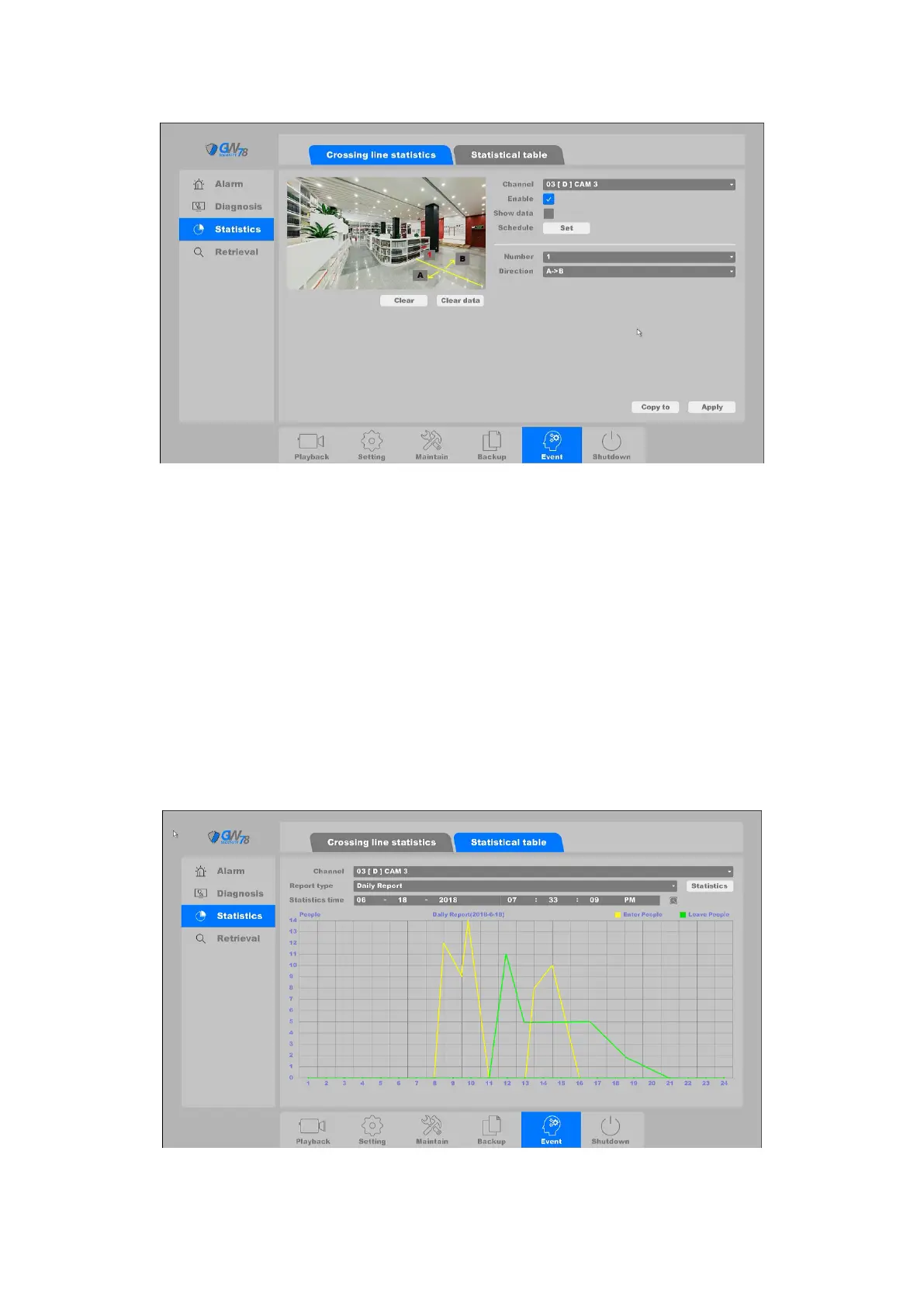
Figure 4-103 Crossing line statistics
Enable: Enable this function.
Show data: Control to show the number of how many people get in and out.
Schedule: Set the time slot for this function.
Number: User can set up to 4 lines to calculate how many people get in and out.
Direction: You can set the direction for the people getting in, the opposite direction is
for the people getting out. You can set A->B or B->A.
Note: Only GW78 series IP camera can support this feature, with protocol “Smart”.
4.6.3.2 Statistical table
Here will show the Statistics for the people counting, you can select Report type as daily report,
weekly report, monthly report or yearly report.
Figure 4-104 Crossing line statistics



 To Next Page