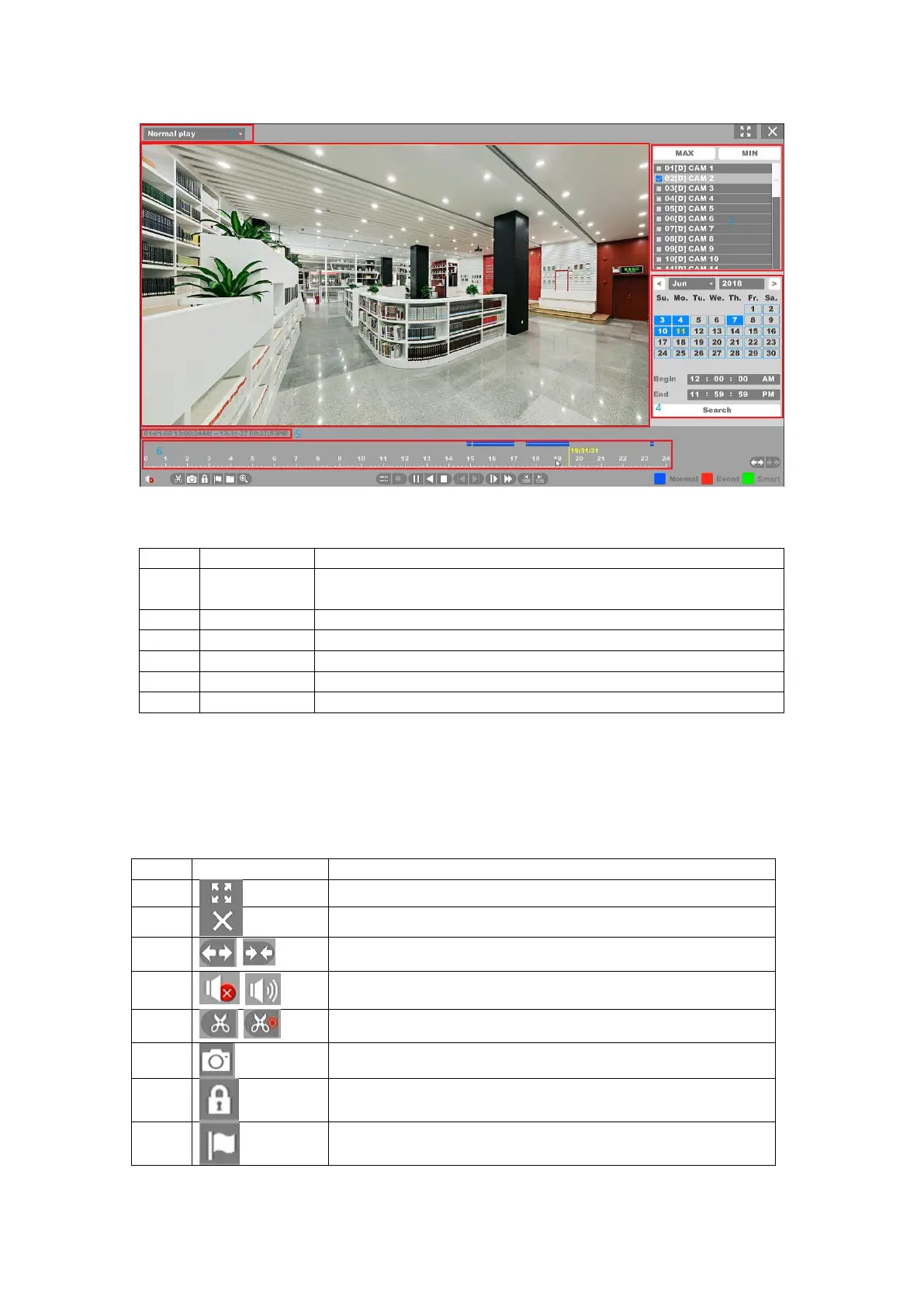
Figure 4-106 Main Interface of Playback
NVR support four types playback mode: “Normal Play”, “Event Play”,
“Label Play”, “Time Division Play”, “Normal Play (Picture)”
The windows display video
You can select the channels for playback in this area
Shows the date that have video files and marked blue
Shows the start time and the end time of files in HDD
Shows files playing course in this area.
Table 4-7 Area Functions Introduce of Playback
Note:
The second line shows all the files of the channels you selected. And the first line shows
the files of the channel you chose by mouse on the display area. And event files marked red,
normal files marked blue.
Full screen playback the channels
Close the playback interface back to preview interface
Change time line interval
Switch of playback channel audio
Cut the interest video of playing channel
Snap a picture of playing channel
Lock the file to prevent over writting in HDD
Default label, Label the file`



 To Next Page