User Manual
Page 15
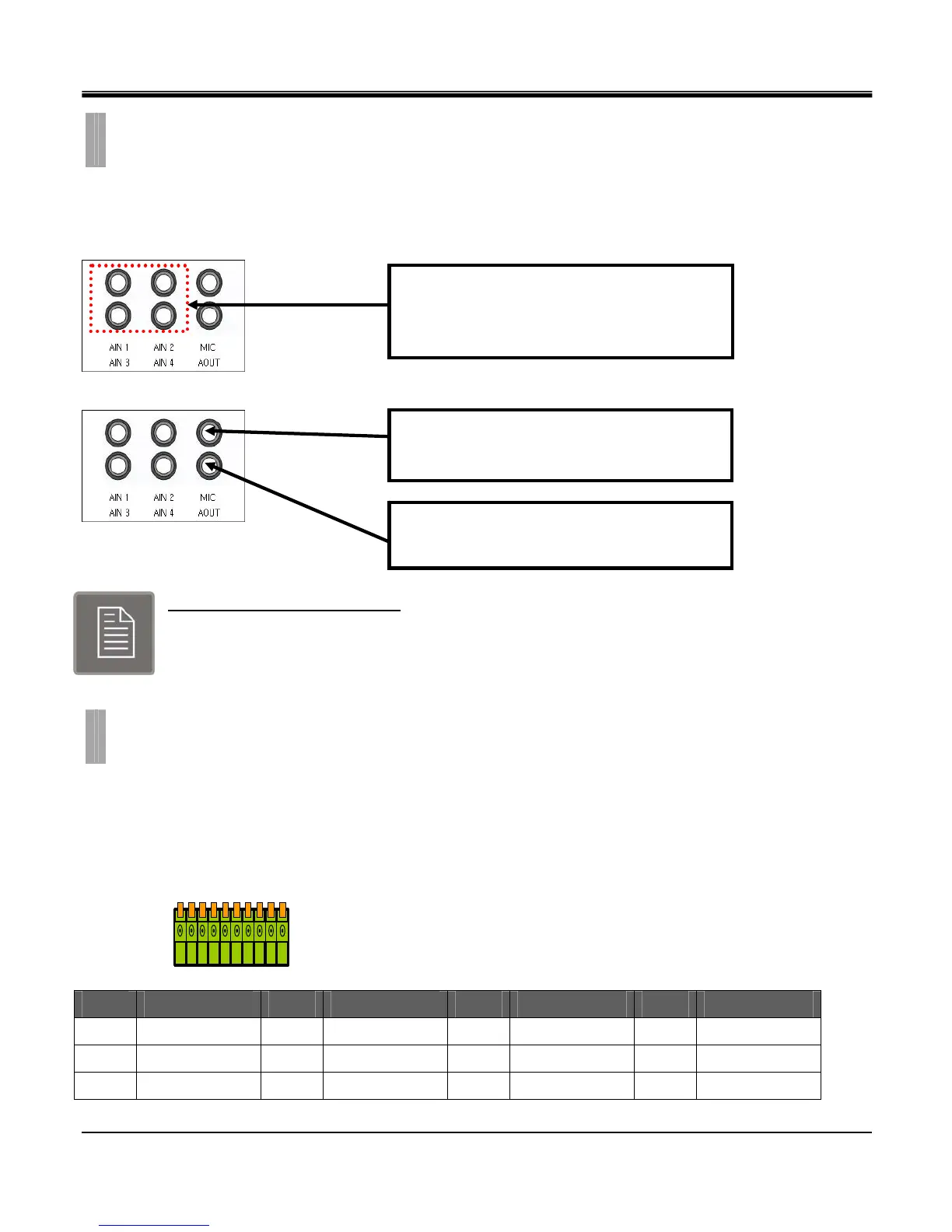
The audio connections of DVR are used for both recording and monitoring purposes. You have the option to disable both
audio recording and monitoring functions in the “Audio Setup Menu”.
Audio Input Signals Specification
Input Signal: Mono RCA, 1Vpp, 10 k ohm
Output Signal: Mono RCA, 1Vpp, 10 k ohm
Alarm inputs and outputs are supplied via the switch panel located on the rear of the DVR.
The switch terminal simplifies the use of various sensors and relays with our DVR.
The RS-485 ports are used to connect external PTZ cameras to the DVR.
However you will not have the ability to control the PTZ cameras remotely if you do so.
[4 Channel]
No Explain No Explain No Explain No Explain
1
RS485 D-
2
RS485 D+
3
RELAY-COM
4
RELAY-NC
5
RELAY-NO
6
GND
7
ALARM D4
8
ALARM D3
9
ALARM D2
10
ALARM D1
CHAPTER 2. HARDWARE CONFIGURATION
6. Audio Connections
CHAPTER 2. HARDWARE CONFIGURATION
7. External device Connections
Connect RCA/Composite audio compatible
cables with compatible RCA/Composite audio
connectors.
You may use any audio output device such as a
speaker system that supports RCA/Composite
You may use a microphone that supports
RCA/Composite Audio connections.



 To Next Page