User Manual
Page 31
Under the “DISPLAY" option in “MAIN SETUP" screen, you will see four tabs:“OSD", “MAIN", “SPOT"
and “VGA".
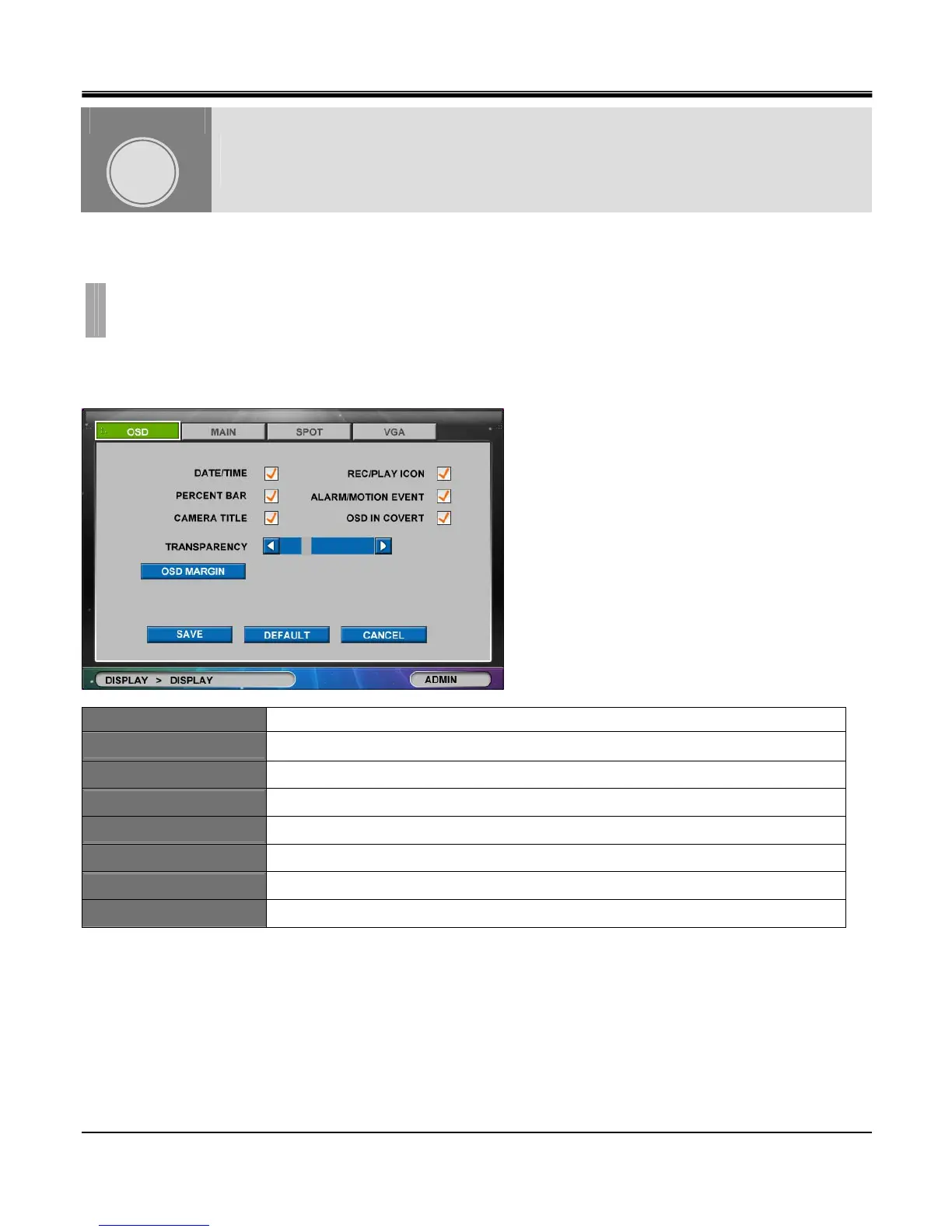
[1]OSD
OSD tab in “DISPLAY" window allows you to select what information you wish to display in Live and Playback screen
DATE/TIME Display Date/Time on Live screen.
PERCENT BAR Display recorded percentage on HDD on Live screen
CAMERA TITLE Display Camera Title on live screen.
REC/PLAY ICON Display currently recording type.
ALARM/MOTION EVENT Display Alarm/Motion icon on Live screen.
OSD IN COVERT Display Alarm/Motion icon on covert channel.
TRANSPARENCY Adjust transparency using Left Right arrow buttons (from -32 to +31).
OSD MARGIN Press OSD Margin button to set margin size
DISPLAY
CHAPTER 5. DISPLAY
1.DISPLAY
CHAPTER
5



 To Next Page