User Manual
Page 59
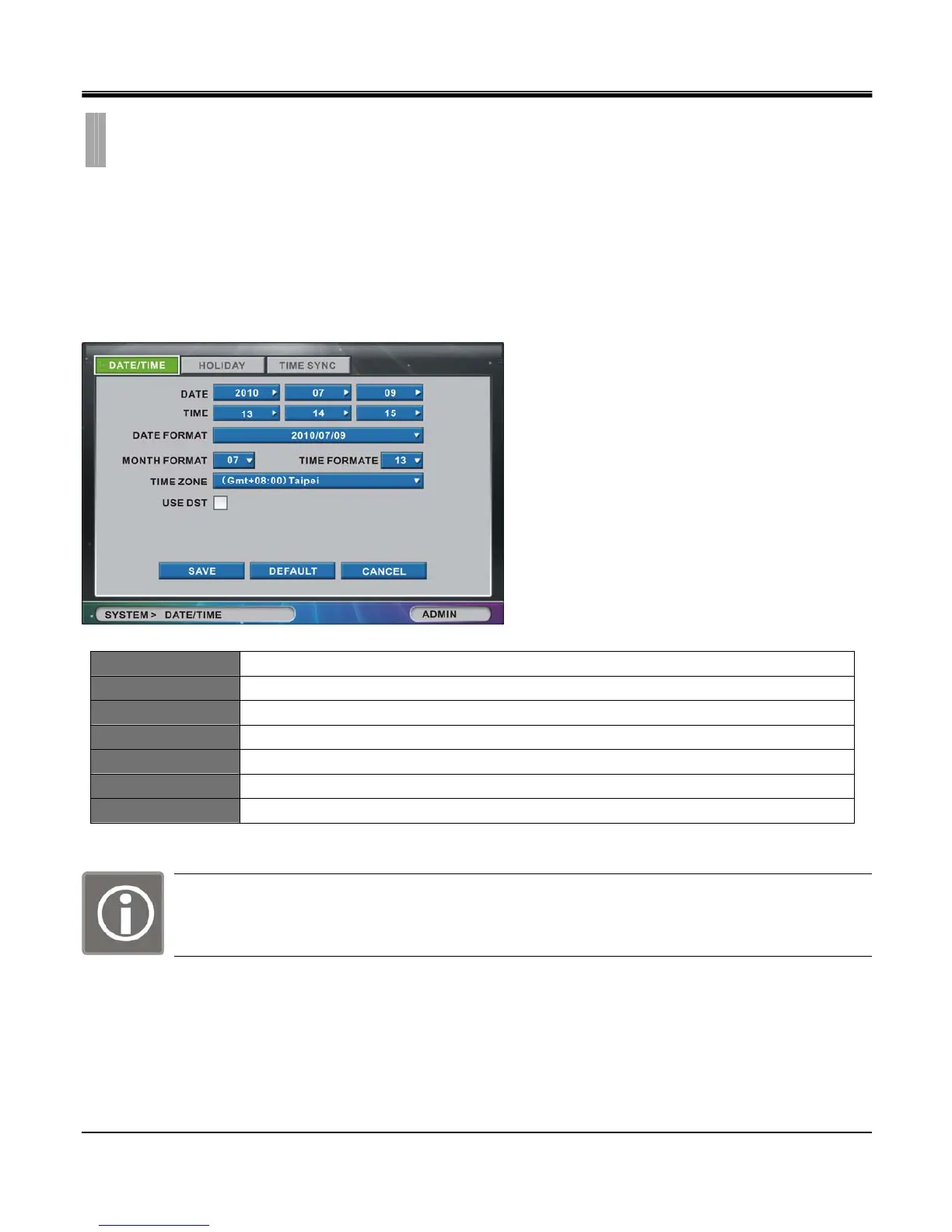
The “DATE/TIME" list option item is selectable from “SYSTEM" group icon.
By selecting “DATE/TIME" list option item, window with “DATE/TIME" tab, “HOLIDAY" tab and “TIME
SYNC" tab appears.
[1.DATE/TIME]
Set Date/Time of the DVR unit.
DATE Set Year, Month, Day. Year can be set from 2010 to 2099.
TIME Set Hour, Minute, Second.
DATE FORMAT Choose date format among YY/MM/DD, MM/DD/YY and DD/MM/YY.
MONTH FORMAT Choose month format between numbers and letters.
TIME FORMAT Choose 12-hour mode (am./pm.) or 24-hour-mode.
TIME ZONE Select area zone, and input current time.
USE DST Check box for Daylight Saving Time
Upon factory default operation, time and date is not affected.
Do not set time earlier than the time of the last recorded data
HDD format is required if Date and Time overlaps with existing recorded data.
CHAPTER 9. SYSTEM
2.DATE/TIME



 To Next Page