User Manual
Page 53
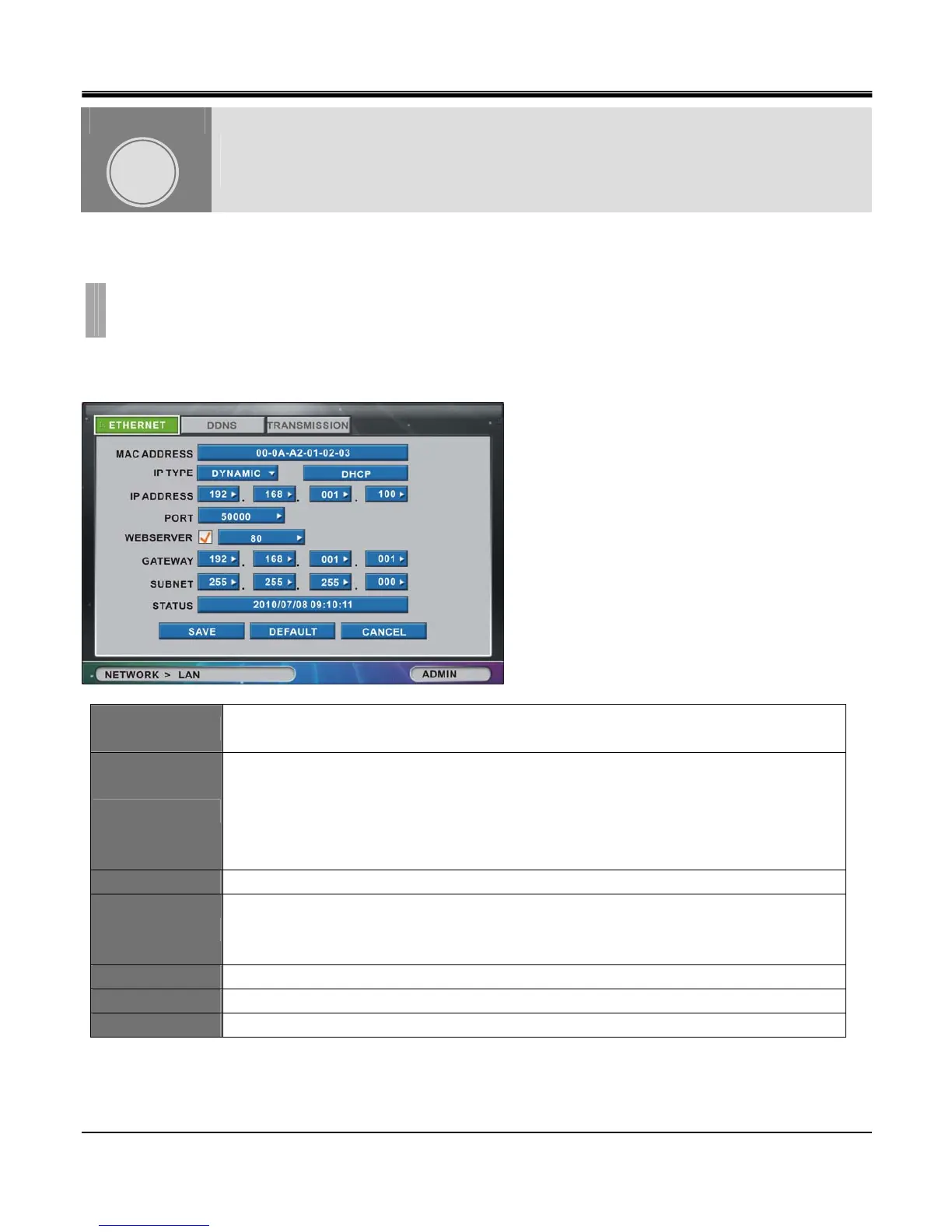
The“LAN"list option item option is selectable from“NETWORK"group icon.
By selecting ”LAN” list option item, window with“ETHERNET” tab,“DDNS” tab and“TRANSMISSION” tab appears
[1]ETHERNET
Set to enable viewing live screen or searching/backup recorded data on HDD remotely over the network.
MAC ADDRESS
Media Access Control protocol (MAC) address. This is unique ID given to Network Interface
Card (NIC) and is never duplicated. (Unique NIC ID)
IP TYPE
If Dynamic IP is selected, only IP Port can be set; If Static IP is selected, you can setup all
values. When Dynamic IP is selected, DHCP button will be activated.
When DHCP button is pressed then the DVR will negotiate with DHCP server device to obtain a
new lease of available IP given by DHCP server. As new IP is obtained current lease time will
show on Status box.
IP ADDRESS In case of Static IP, Type IP address in IP ADRESS window.
PORT
Port setup is configurable from 10 to 65000. 50000 is default port for the DVR. Some networks
may require router or firewall configuration to enable in-coming and out-going ports to be
opened. Consult your network administrator to open assigned port for the DVR.
WEB SERVER Select the checkbox ON or OFF to enable and disable Web Server option.
GATEWAY Available by pressing the GATEWAY button. (STATIC IP only)
SUBNET Available by pressing the SUBNET button. (STATIC IP only).
NETWORK
CHAPTER 8.NETWORK
1.LAN
CHAPTER
8



 To Next Page