User Manual
Page 54
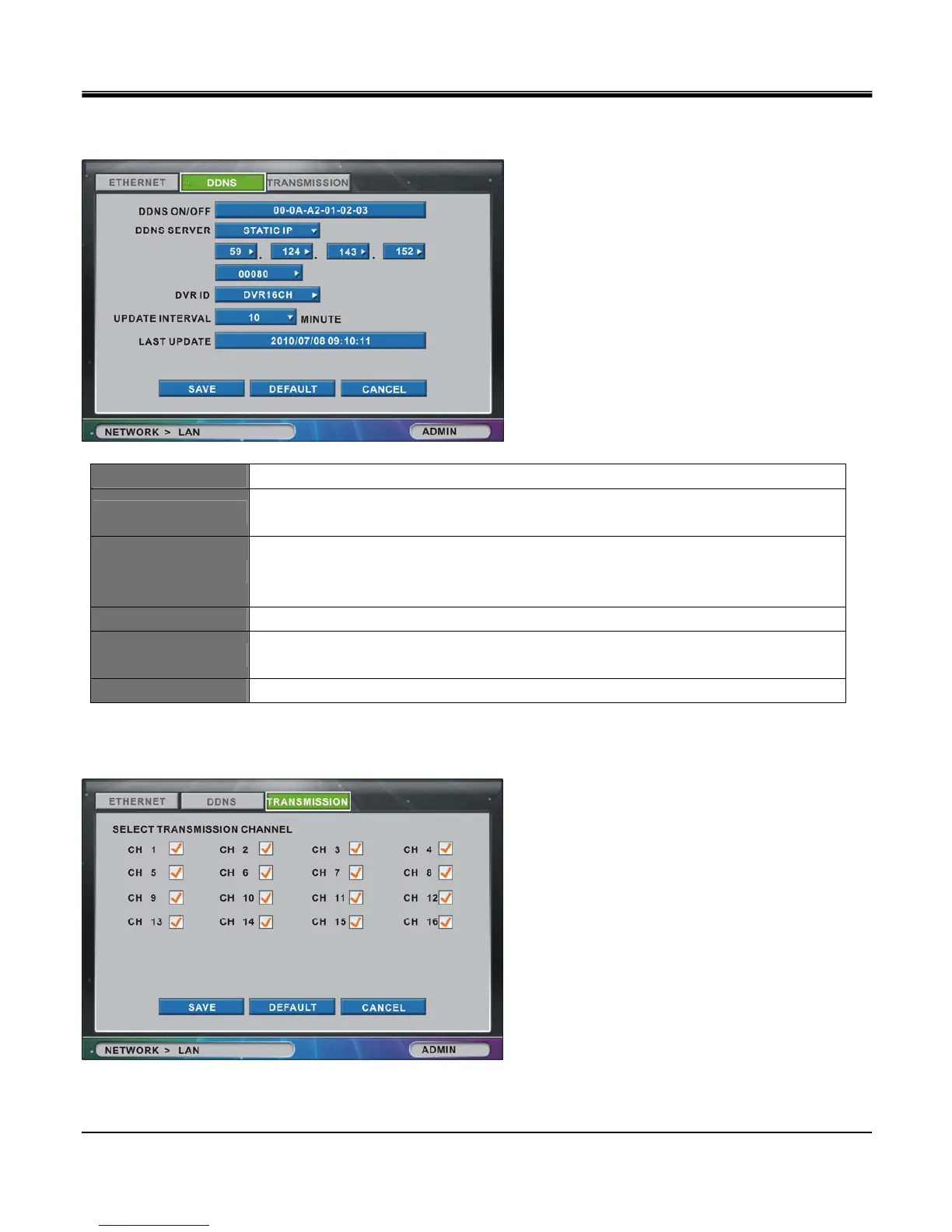
[2]DDNS
Set DDNS Server Connection.
DDNS ON/OFF Select On to enable, Off to disable the DDNS option.
DDNS SERVER
Input server domain name address.
Input server domain name, or select Static IP to input IP address manually
PORT
Contact your network administrator to enable inbound and outbound port on firewall.
Port setup is selectable from 10 to 65000. (Default Port provided for DDNS Server is 80),
(Currently, only the Port 80 will be usable in DDNS connection.)
DVR ID Input DVR ID for DDNS server. DDNS may not work if ID is duplicated.
UPDATE INTERVAL
Interval of updating DVR IP information to DDNS server.
Interval is selectable between 5,10,15,30,45,60, 120 minutes.
LAST UPDATE Displays the time of last update from DDNS server. (YY/MM/DD HH:MM:SS)
[3]TRANSMISSION
Image of selected channels will be transmitted to IRS viewer software



 To Next Page