User Manual
Page 57
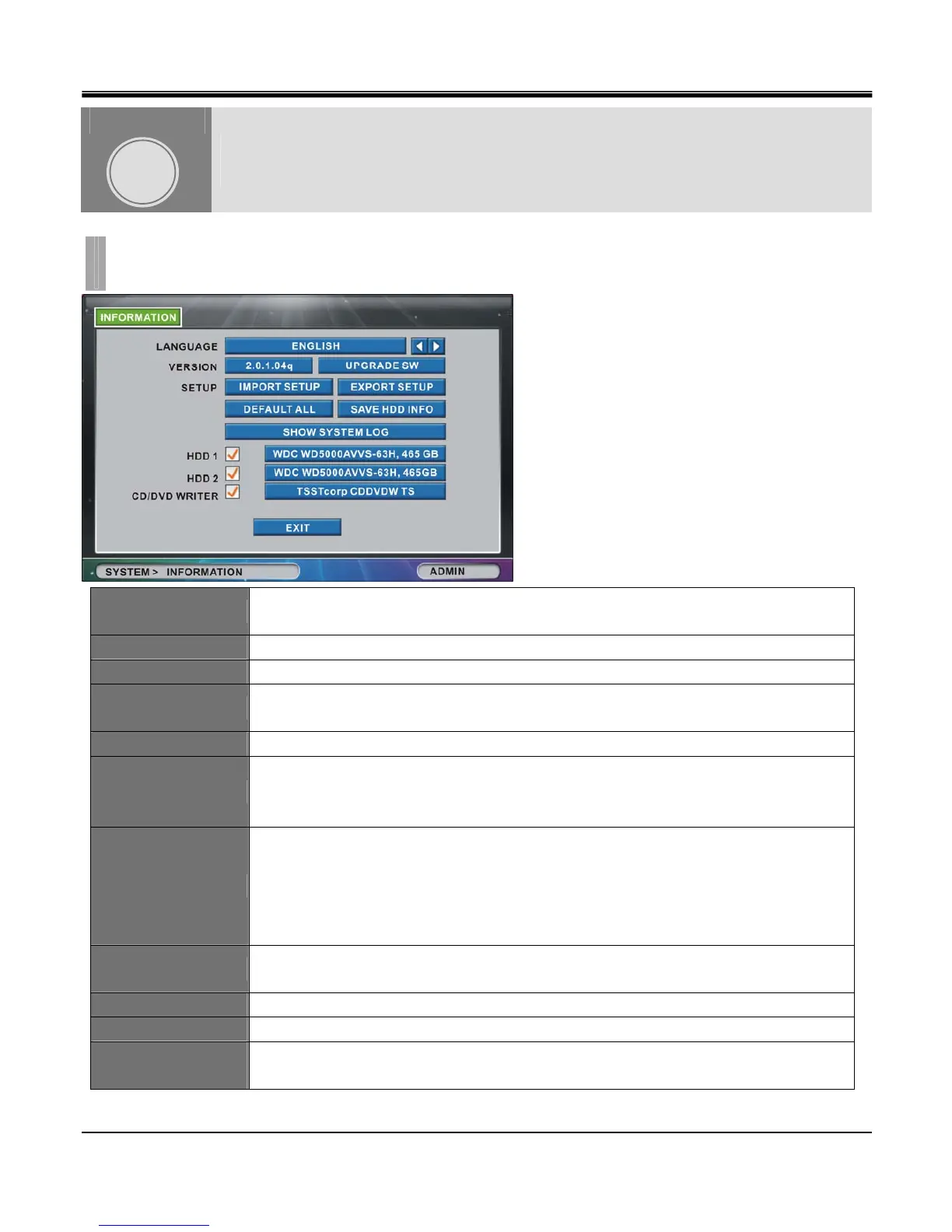
LANGUAGE
Set system language from English, Korean, Japanese, French, Spanish, Italian, Portuguese,
Dutch, Russian, German, Chinese, Turkish and Polish
VERSION Displays current firmware version for the DVR.
UPGRADE SW Button used to upgrade current firmware.
IMPORT SETUP
Copy and apply Setup values from other DVR unit.
EXPORT SETUP Save current DVR Setup values to USB storage.
DEFAULT ALL
Factory default for all menus.
If you run Default All, Time/Date and Password will be reset.
After Default All, you must set time/date and clear HDD for normal operation.
SAVE HDD INFO.
You must perform this operation before migrating installed hard disk drive from original DVR
to other DVR (Same Model, Same Channel, Same Firmware). If you do not perform this
procedure your data will not be transferable. If DVR has 2 HDD installed, you must memorize
the connection location (Primary, Secondary). The locations must be identical when
performing HDD migration
SHOW SYSTEM LOG
Show list of Start/End time of Panic Recording, Start/End time of Schedule recording, and
WHO/WHEN logged in.
HDD1,HDD2 Display Manufacturer/Size of hard disk drive.
CD/DVD WRITER Display Manufacturer of optical drive.
HDD1,HDD2,CD/DVD
WRITER CHECK BOX
Check checkbox to request information of connected device. If checkbox is not checked, it
skips detection to reduce booting time.
SYSTEM
CHAPTER 9. SYSTEM
1.INFORMATION
CHAPTER
9



 To Next Page