User Manual
Page 70
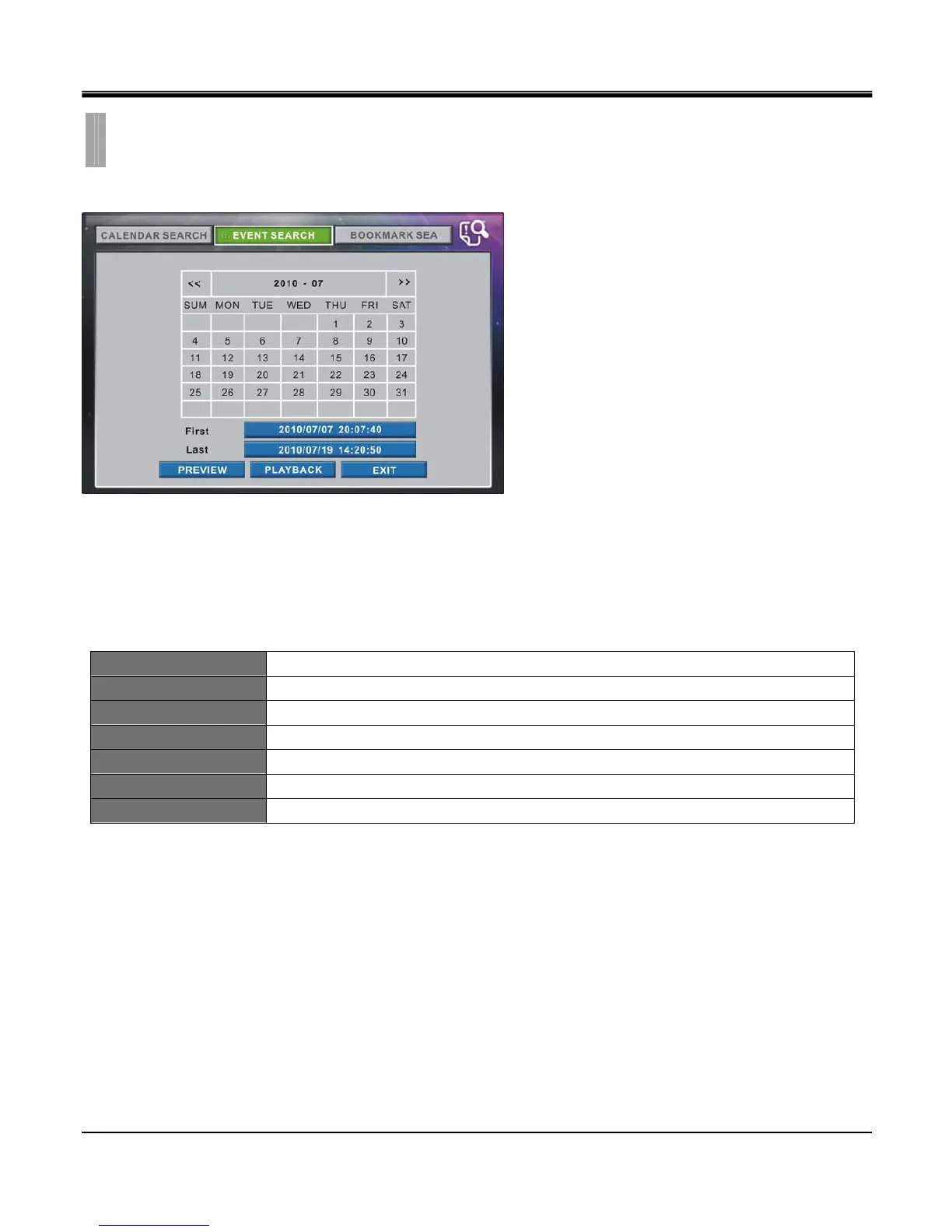
Recorded data for Event (Motion, Alarm, Loss, Panic) displays in Event Search.
The dates with available recorded video data will be shown in White. You can select the date by left clicking it with the
mouse. You may also use the directional keypad to select the date.
Event search does not require you to be logged in to view the available dates of recorded video data. However, you have
to be logged in to review the recorded video data. You must log in with an user account that has the rights to review
recorded video data.
<< Shows previous month.
>> Shows next month.
First Date/Time of the first event recorded.
Last Date/Time of the last event recorded.
PREVIEW Playback for 10 seconds from the set date/time and return to calendar search.
PLAYBACK Playback from the set date/time.
EXIT Exit search menu.
CHAPTER 10. SEARCH & PLAYBACK
2.EVENT SEARCH



 To Next Page