User Manual
Page 8
CHAPTER 2. HARDWARE CONFIGURATION
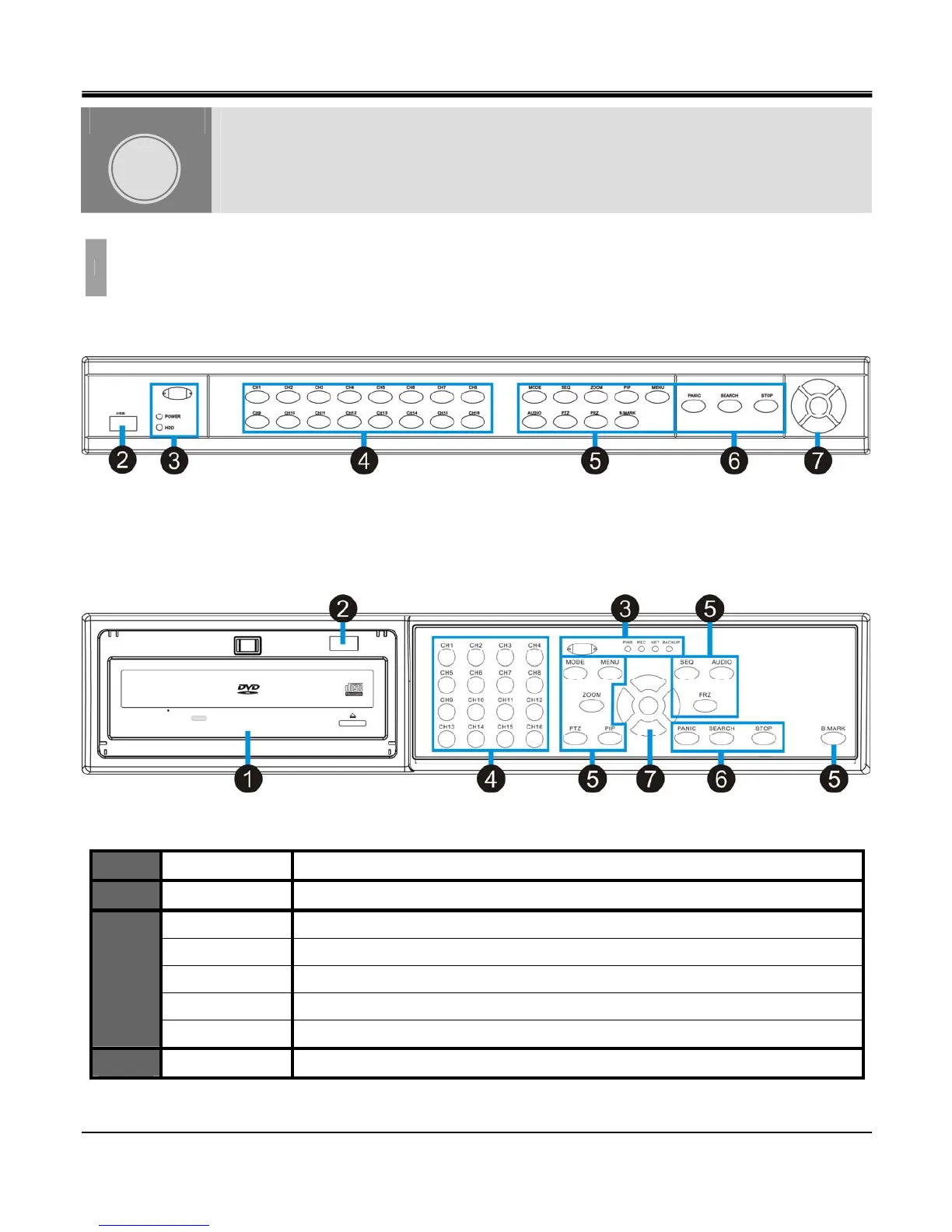
1. FRONT Panel Layout
[1U CASE]
[21U CASE]
1
DVD-R DRIVE
For Backup purposes.
2
USB PORT
Firmware Updates and USB backup
IR Receiver.
IR Remote Controller Receiver.
POWER LED
This LED will illuminate when the system is powered on
HDD LED
This LED will illuminate when there is activity on the HDD
NET LED
This LED will illuminate when there is a remote connection
3
BACKUP LED
This LED will illuminate when a back up is performed
4
CH1~CH16
This button is used to select a specific channel
HARDWARE
CONFIGURATION
CHAPTER
2



 To Next Page