User Manual
Page 43
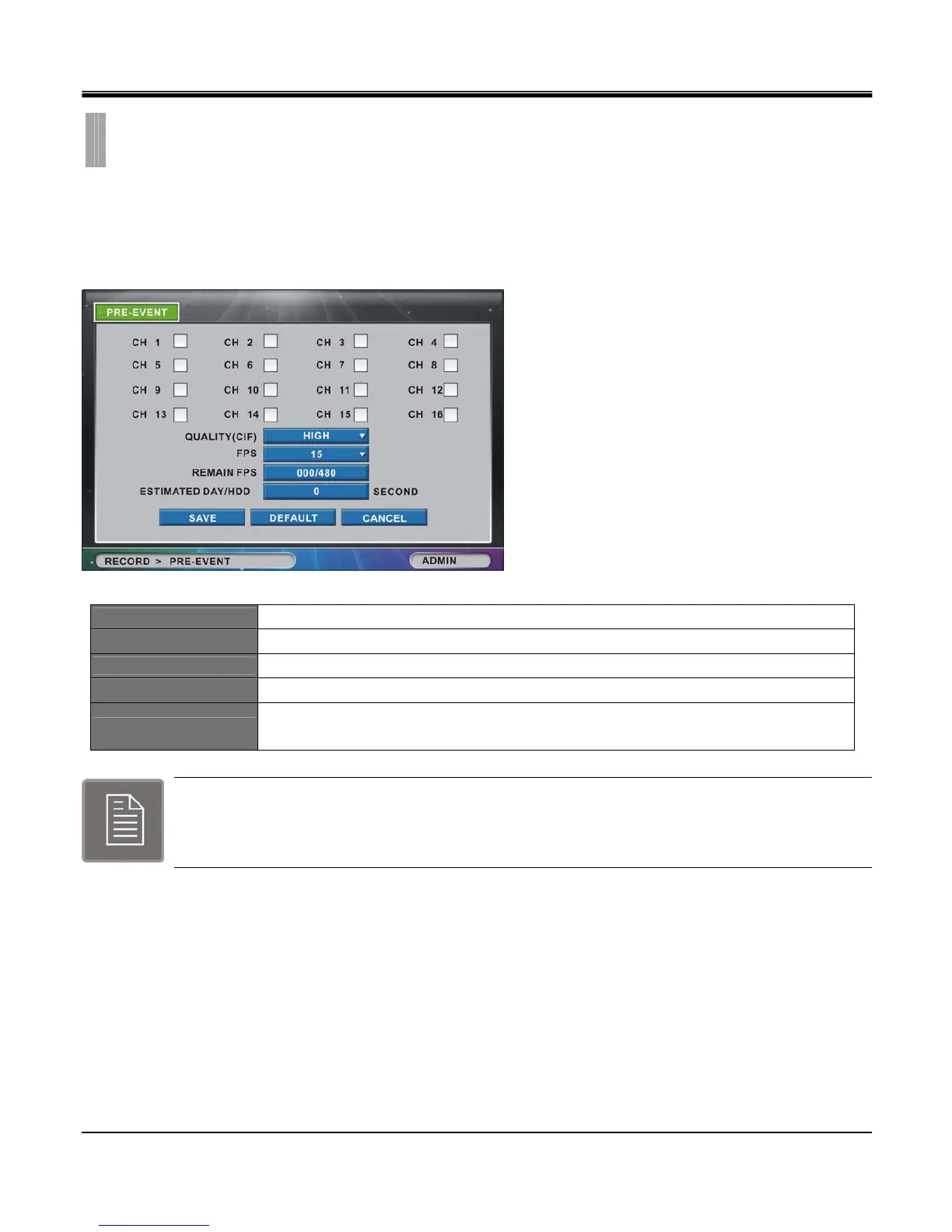
The “PRE-EVENT" list option item is selectable from “RECORD" group icon.
By selecting “PRE-EVENT" list option item, window with “PRE-EVENT" tab appears.
In “PRE-EVENT" tab window, set Quality and recording time for Pre-Event, which will save recorded data before event
occurs.
CHANNEL1~16
Select checkbox to turn on each camera on for pre-event recording.
QUALITY(CIF)
Set recording quality among Low, Normal, High and Very High.
FPS
Set frames per second between 1, 2, 3, 4, 5, 6, 7(8), 10(12), 15(25) & 30. (in fps)
REMAIN FPS
Remaining Frames per Second allowed for configuration.
ESTIMATED DAY/HDD
Pre-event recording time will automatically be calculated according to quality and FPS,
within the range of memory.
Note:
When the DVR is in the Time or Time+Event recording mode, it disregards the PRE-EVENT settings
and follows the Time or Time+Event setting.
CHAPTER 6. RECORD
3.PRE-EVENT



 To Next Page