User Manual
Page 65
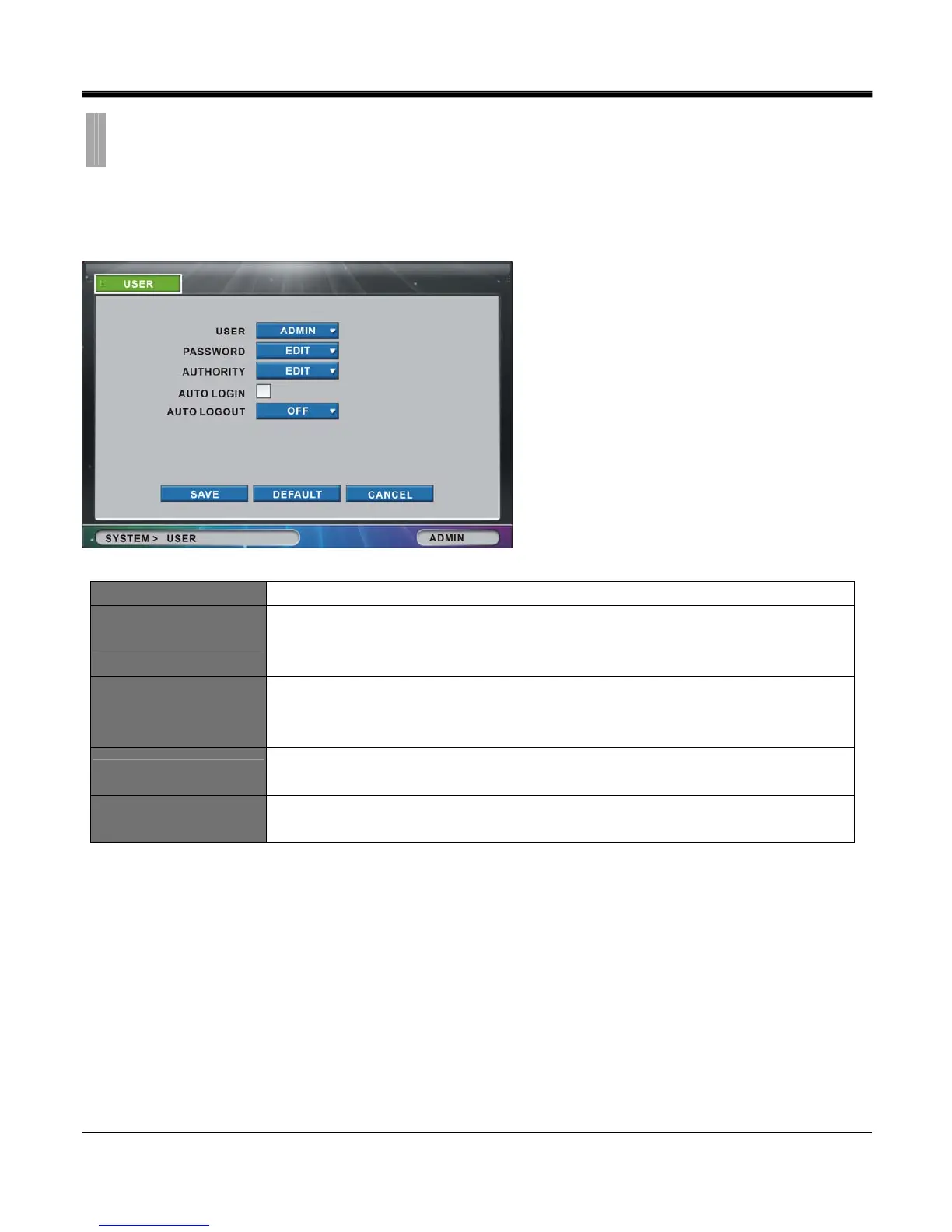
The “USER" list option item is selectable from “SYSTEM" group icon.
By selecting “USER" list option item, window with “USER" tab appears.
USER Choose between admin, manager, user 1 ~ user 8.
PASSWORD
Set password for each user grade.
(Maximum 8 characters. Upon selecting “EDIT" button it invokes “CHANGE
PASSWORD" popup window. Detailed illustration is shown on next page )
AUTHORITY
Admin can set authority to access to setting menu for each user grade.
(Upon selecting “EDIT" button it brings up “AUTORITY SETUP" popup window.
Detailed illustration is shown on next page)
AUTO LOGIN
Logs in automatically to setup menu without asking User and Password when turning the
DVR power on.
AUTO LOGOUT
Logs out automatically when certain time passes.
Time can be set to 1, 2, 3, 4, 5, 10 minutes.
CHAPTER 9. SYSTEM
4.USER



 To Next Page