User Manual
Page 86
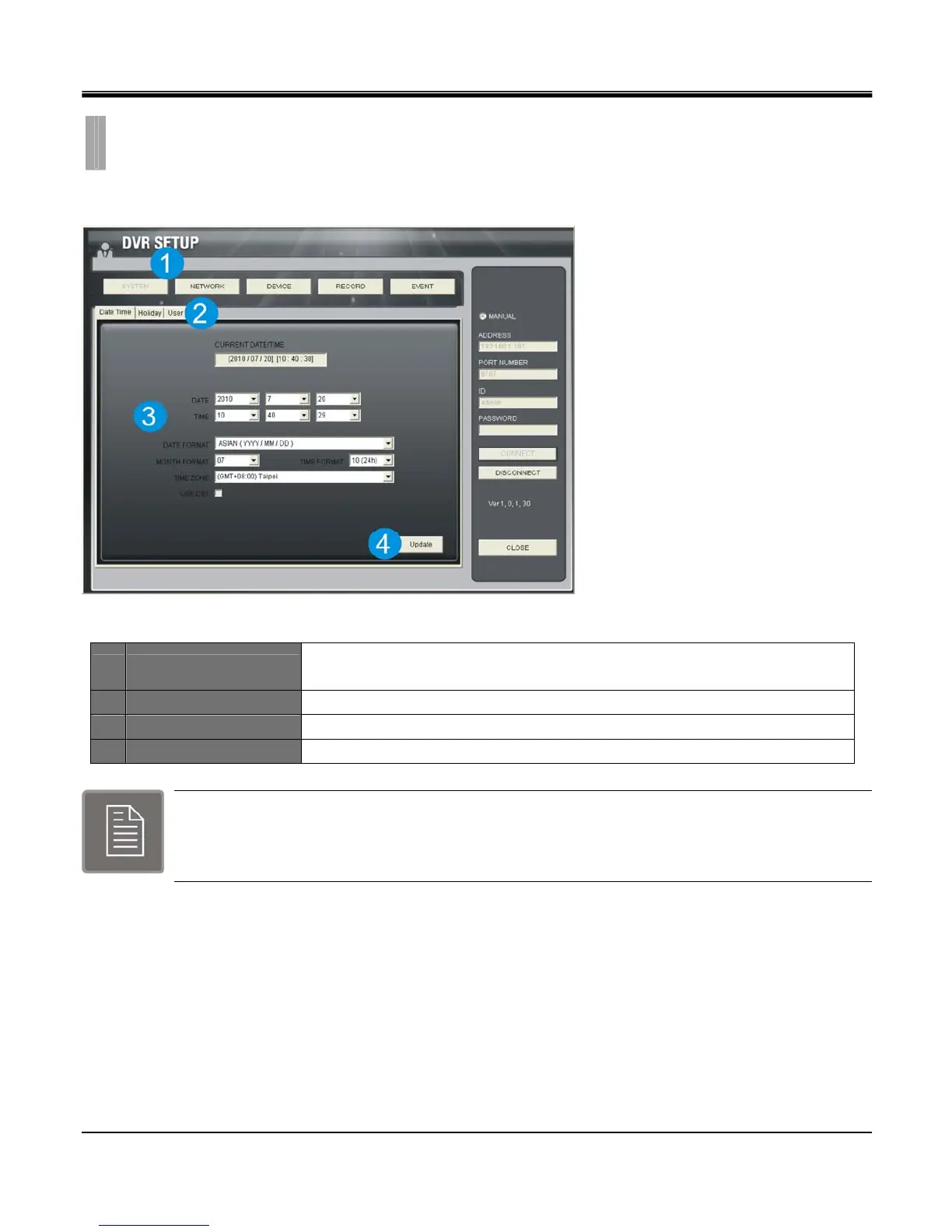
The functions listed below can be changed over network:
1 Main menu
There are System, Network, Device, Record, Event can modify on remote site.
Each menu is identical to the setup menus of the DVR.
2 Sub menu The submenu of main menu.
3 Setting value Display setting item.
4 Update Update setting value to DVR.
Only some function can be modified in the remote site.
CHAPTER 11. REMOTE SOFTWARE
8.REMOTE SETUP



 To Next Page