User Manual
Page 44
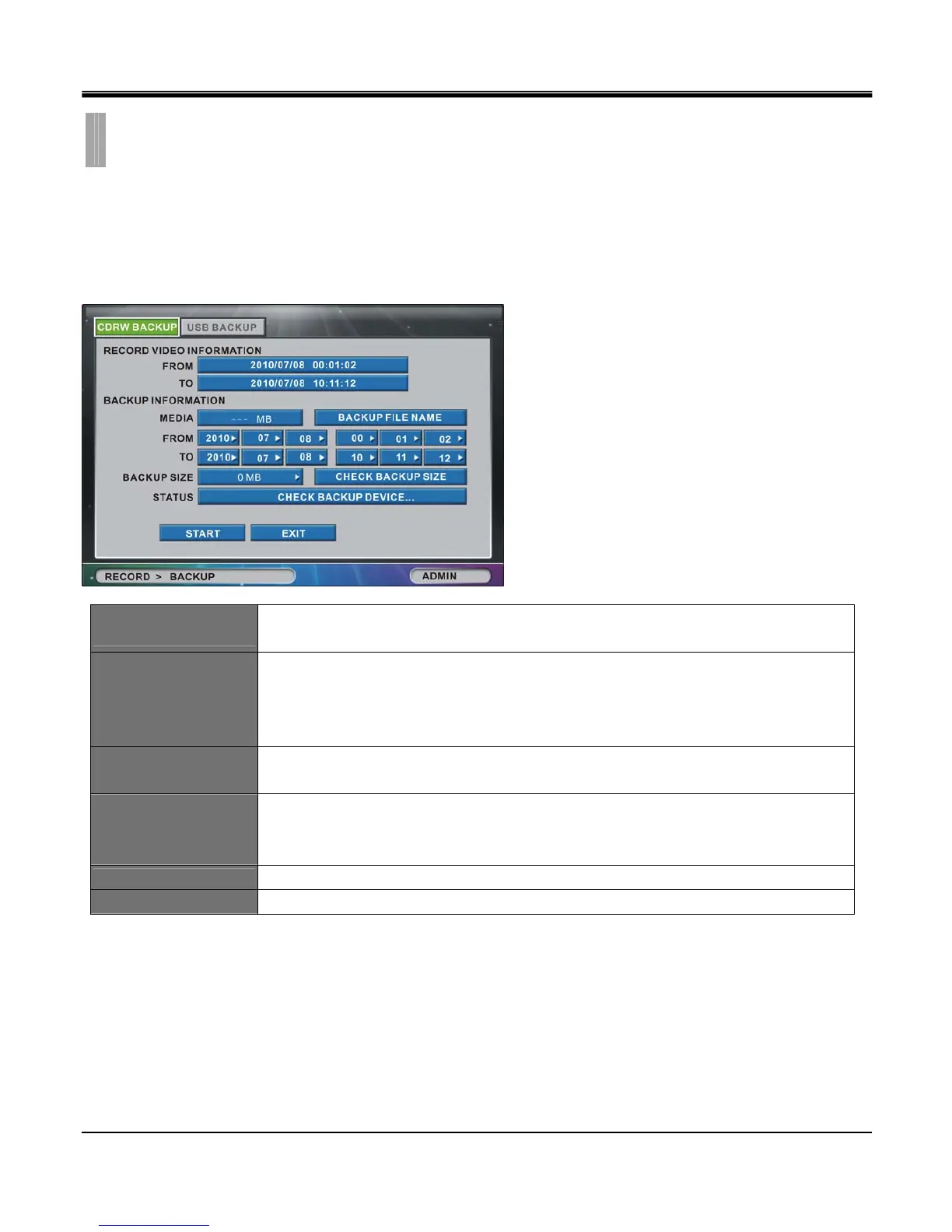
The “BACKUP" list option item is selectable from “RECORD" group icon.
By selecting “BACKUP" list option item, window with “CDRW BACKUP" tab and “USB BACKUP" tab
appears.
[1]CDRW BACKUP
RECORD VIDEO
INFORMATION
FROM - Start time of recorded data on HDD.
TO - End time of recorded data on HDD.
BACKUP
INFORMATION
MEDIA - Available storage size of the inserted optical media(CDR media / DVD+ or – R
media).
FROM - Start time of recorded video data to backup on optical media drive.
TO - End time of recorded video data to backup on optical media drive.
BACKUP SIZE
Total size of data to be backed up ranging from 1MB to space available on inserted optical
media.
CHECK BACKUP SIZE
This button is used in two scenarios:
1. To calculate the end time by selecting FROM and BACKUP SIZE setting.
2. To calculate the backup size by selecting FROM and TO setting
STATUS
Message shows current status of system.
BACKUP FILE
Create backup file name by initiating virtual keyboard box.
CHAPTER 6. RECORD
4.BACKUP



 To Next Page