User Manual
Page 21
1
Display Camera Title for Live and Playback display.
2
Shows recording mode.
Alarm record
Time record
Motion record
Panic record
Stop record
3
Shows current date and time.
4
Shows network connection status.
5
Shows audio channel
6
Overwrite icon.
7
Display current Date/Time and Hard Disk allocation (Live view screen).
Live display
icon
8
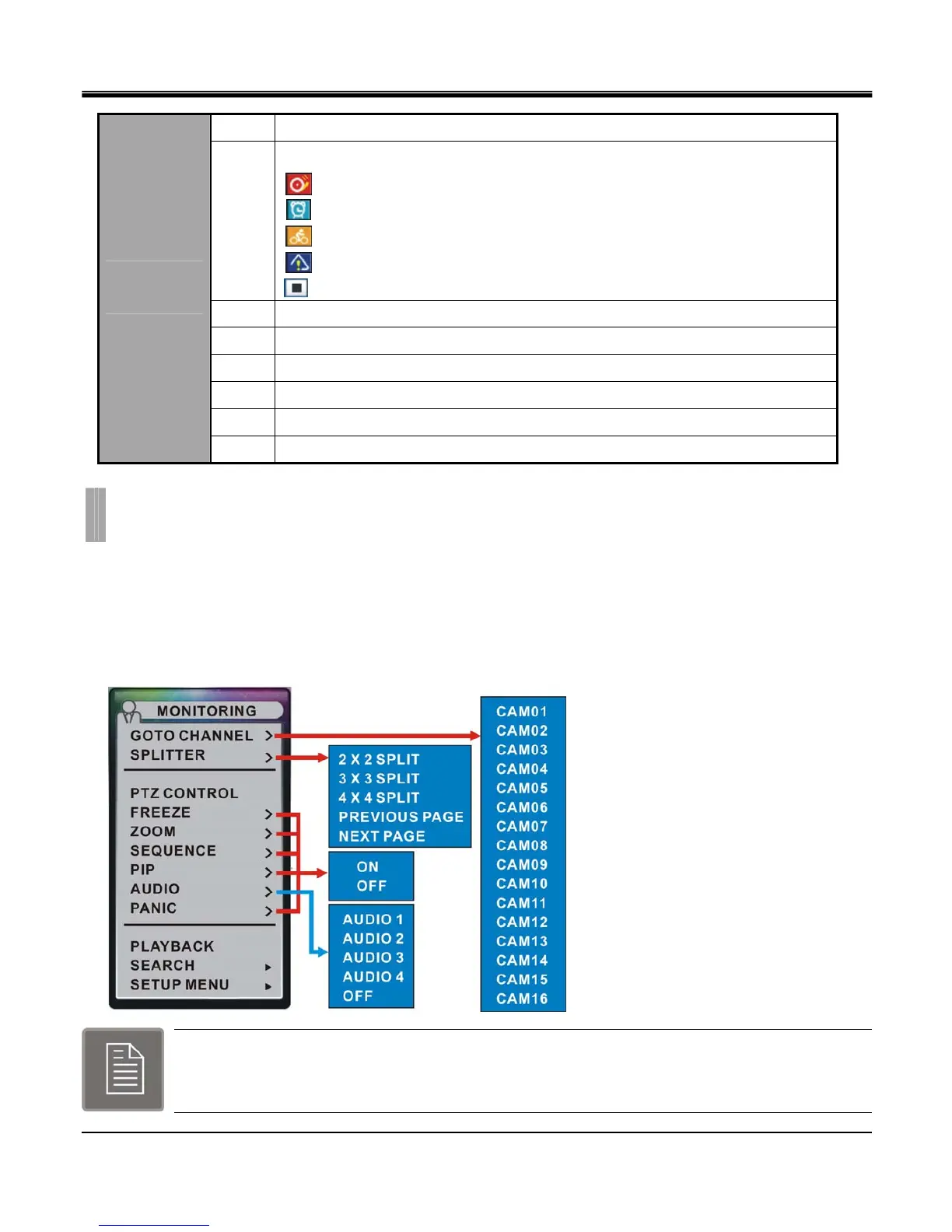
Monitoring popup menu.
z
Popup Menus and their components
There are many popup menus found on the GUI. Some popup menus are simple type and some have sub menu available
for further options.
Monitoring popup menu is the first menu that user will encounter.
This is the main popup menu that will link to all of the operation and configuration options will be accessible.
Right click on mouse or keypad MENU key to open or hide popup menu.
CHAPTER 3. POPUP MENU
2. Monitoring Popup Menu



 To Next Page