User Manual
Page 20
The operation of the DVR is GUI (Graphical User Interface) based. All menus and configuration settings are made
graphically for ease of use and navigation. Specific icons are used to represent a menu, e.g. a Camera icon is used to
represent the camera settings menu for the DVR.
MOUSE CONTROL
All controls located on the frontal keypad of the DVR may also be controlled via a mouse (included).
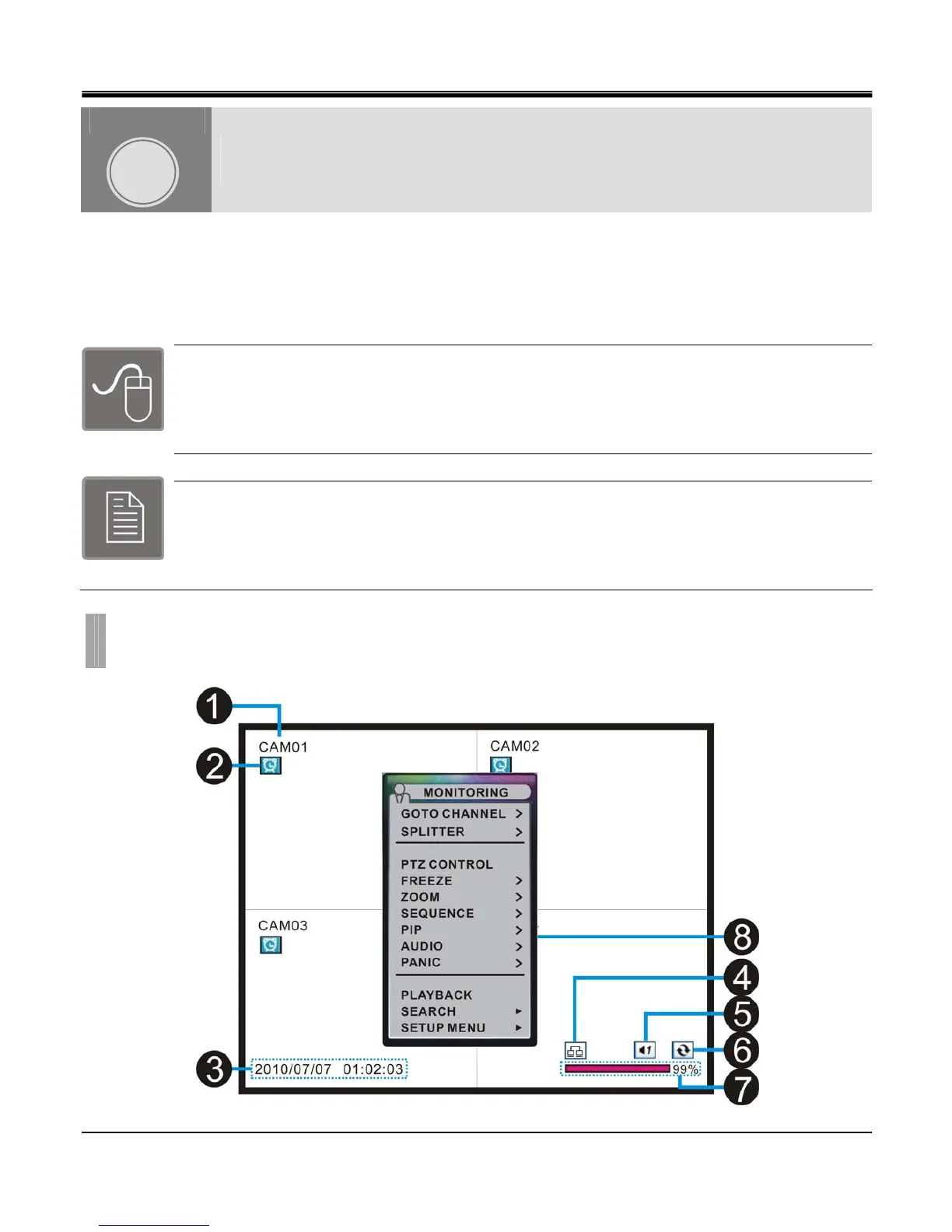
To display and/or access the main menu, simply “right click” the mouse anywhere on the live view
screen and pop-up menu will appear. You can now access all menus of the DVR.
REMOTE CONTROL
All controls located on the frontal keypad of the DVR may also be controlled via the IR remote
controller (included). The buttons located on the remote controller correlate with the frontal keypad
of the DVR. Press the “Menu” button on the remote controller to access the main menu of the DVR.
POPUP MENU
CHAPTER 3. POPUP MENU
1. Display configuration
CHAPTER
3



 To Next Page