User Manual
Page 18
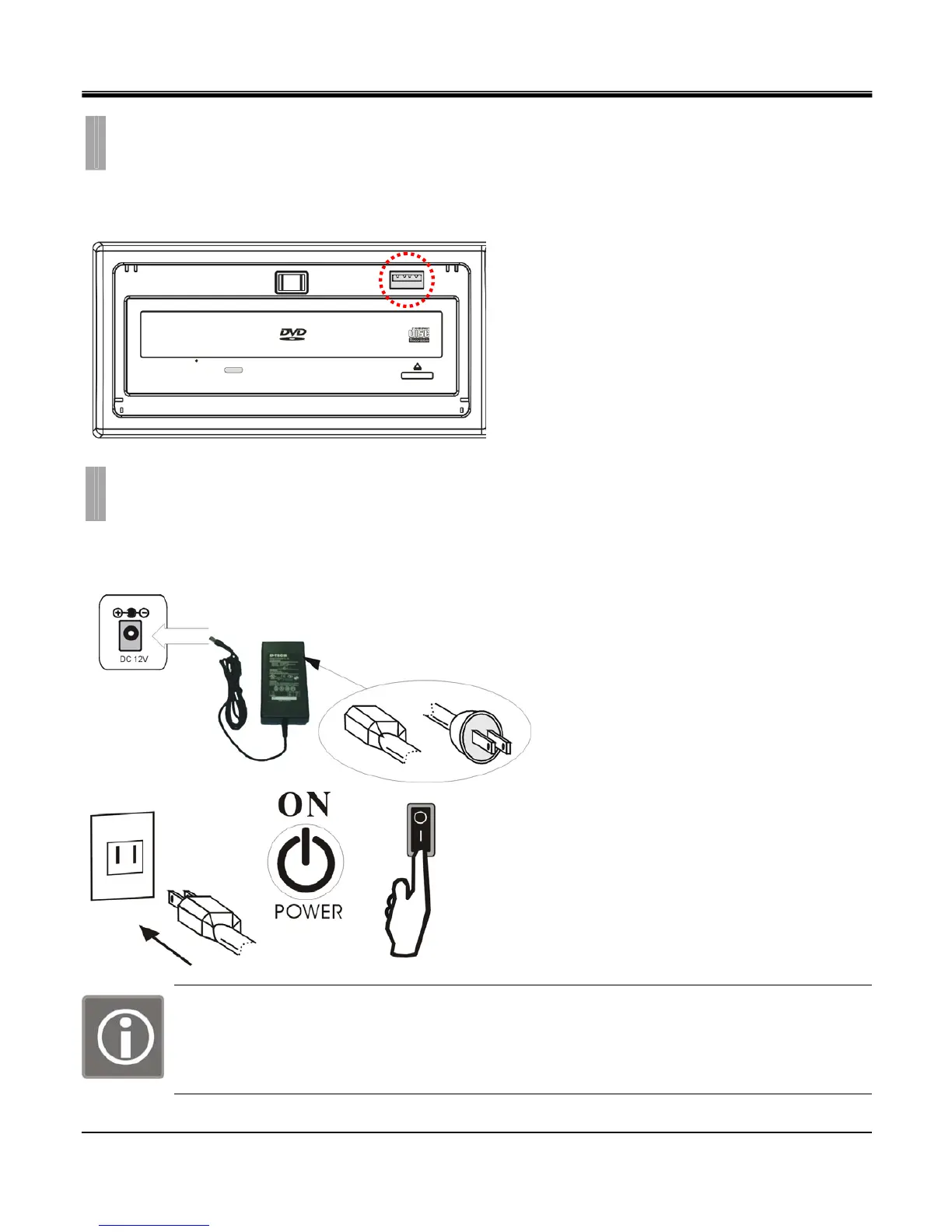
The USB port is located on the front side of the DVR.
This port may be used for USB memory stick back up procedures and Firmware Updates.
The power is supplied to the DVR by an external power supply unit, and can be either switched on or off by the toggle
switch located on the rear panel of the system.
Insert the adapter to the rear power socket of
DVR. Insert the power cable to the other side
of adapter.
Plug in the power cable and power on the
DVR.
WARNING!
This is a live electrical outlet. There is a risk of electrical shock. Do not attempt to open the cover of
the DVR or the power supply unit. Contact your local service center for repair. Warranty is void if the
system is improperly handled
CHAPTER 2. HARDWARE CONFIGURATION
10. USB Connections
CHAPTER 2. HARDWARE CONFIGURATION
11. Power Connections



 To Next Page