User Manual
Page 85
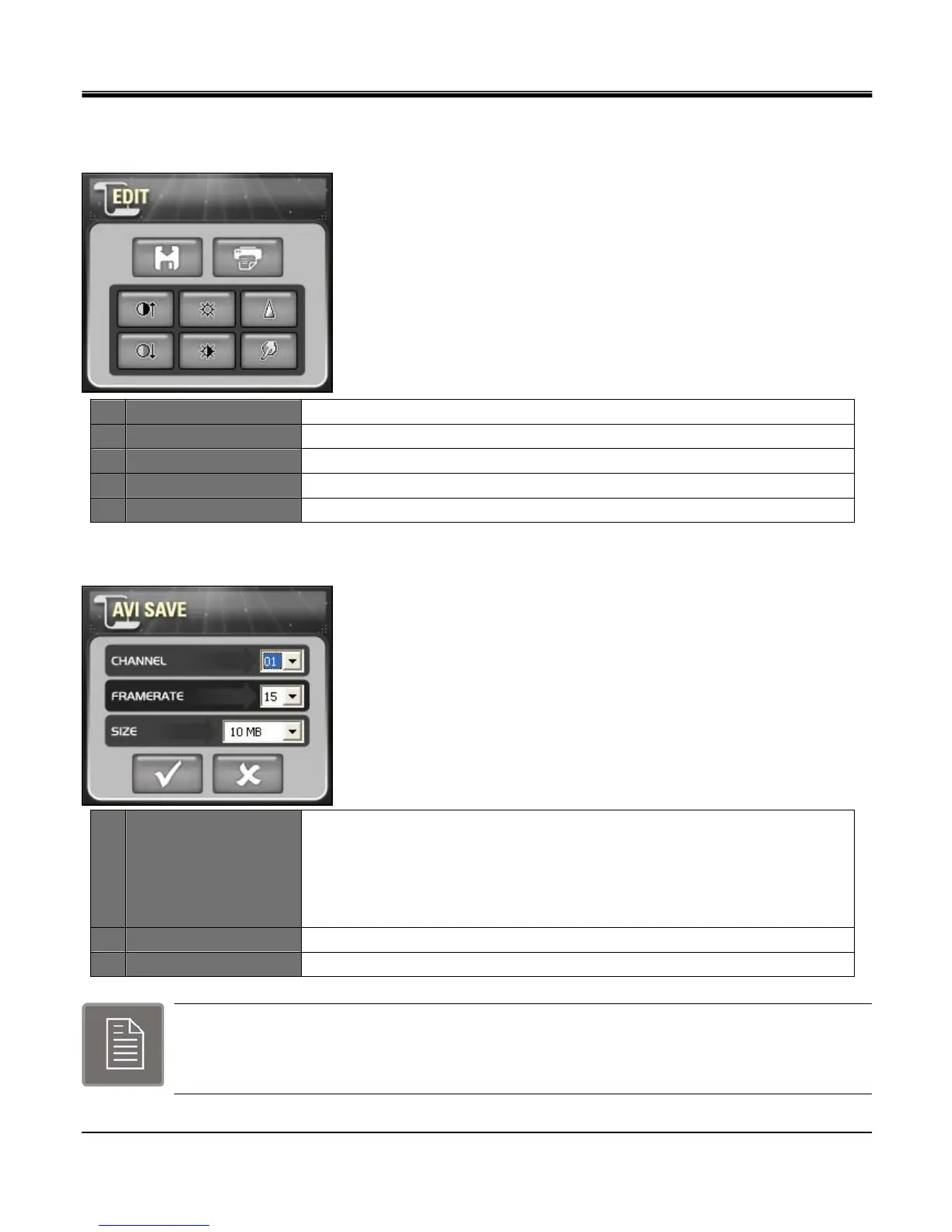
[2.EDIT]
Edit image in full screen mode.
1 IMAGE SAVE Save full screen freeze image to JPEG file format.
2 IMAGE PRINT Print full screen freeze image.
3 CONTRAST Adjust contrast in full screen mode.
4 BRIGHT Adjust bright in full screen mode.
5 SHARP Adjust sharp in full screen mode.
[3.AVI SAVE]
1 AVI Save Option
Set frame rate, size of file to be saved in AVI format.
CHANNEL: Select channel of image to save.
FRAMERATE: Select FPS of image to save.
SIZE: Select file size of the image to save.
2 Start Initiates AVI save action.
3 Stop Terminates AVI save action.
When AVI SAVE is completed,
“
C:\WEB_BACKUP
”
folder pops up
n
o
p
q
r
n
o p



 To Next Page