User Manual
Page 66
If you click
“
EDIT
”
in
“
PASSWORD
”
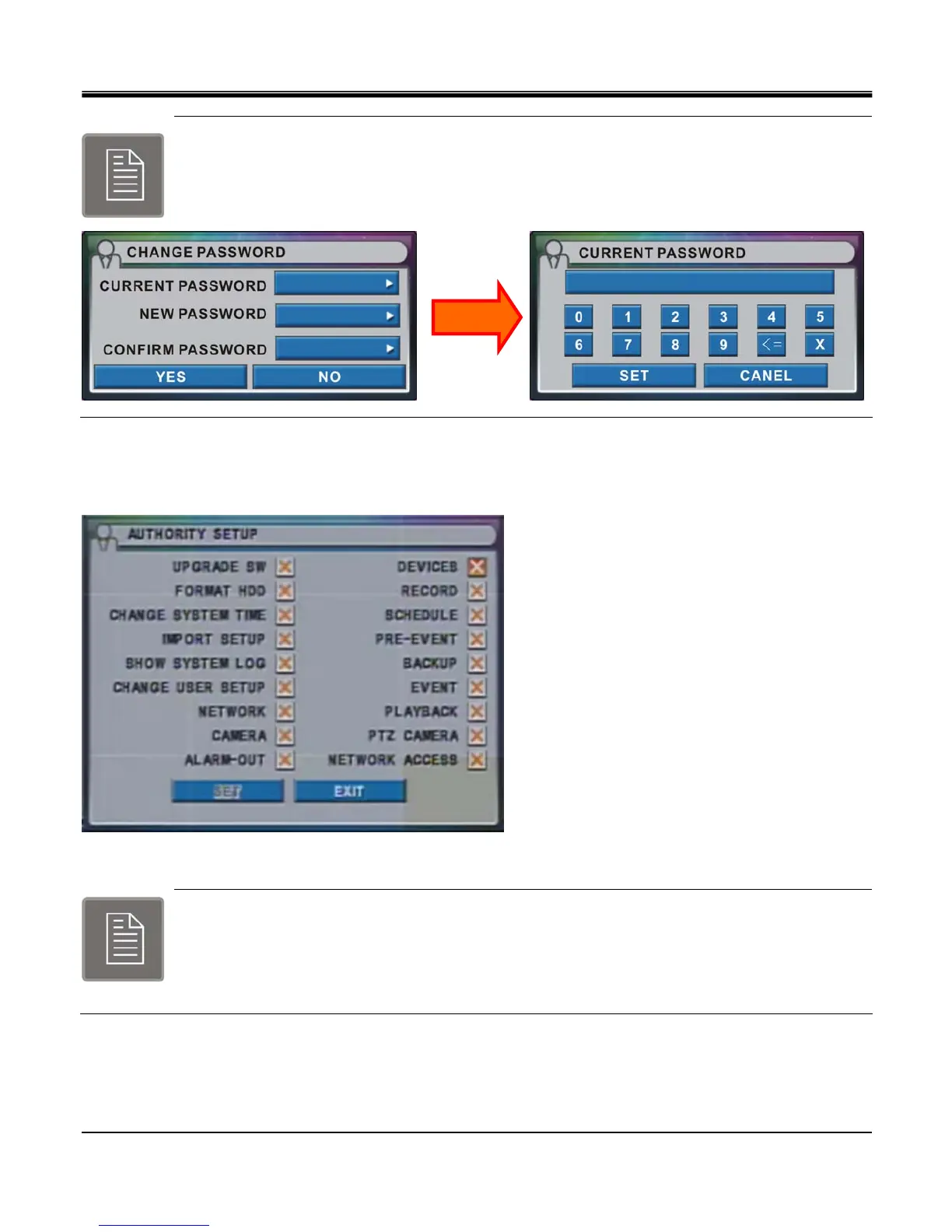
section, CHANGE PASSWORD window pops up.
Click Current Password, CURRENT PASSWORD window pops up.
Password is from 1 digit to 8 digit number.
If you click “EDIT" in “AUTHORITY" section and AUTHORITY SETUP window pops up.
Set authority to access for each user type using this method.
Administrator account has all the menu items enabled and it is only required
Corresponding user type will have authority to access certain menu item and those access items are
shown with check box enabled.
Only Admin has authority to enable checkbox.



 To Next Page