User Manual
Page 56
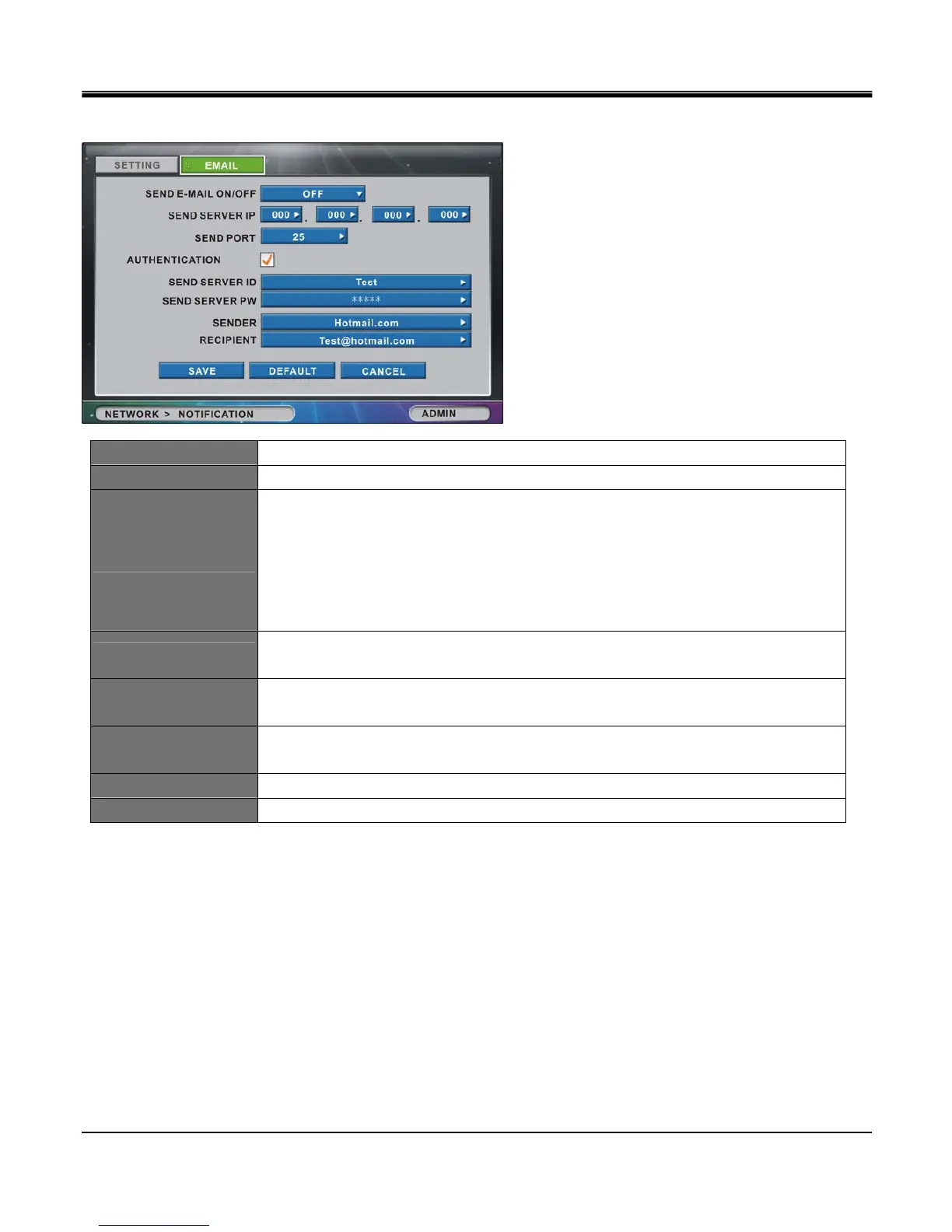
[2]EMAIL
SEND E-MAIL ON/OFF Select ON to enable, OFF to disable
SEND SERVER IP Enter the SMTP (out going mail) server IP.
SND PORT
Enter the SMTP (out going mail) server port number obtained from your ISP.
(in many cases your Internet Service Provider may have special setting
requirements or restriction for SMTP settings. You may have to obtain an email
account service that provides SMTP relay service that lets you bypass the ISP
restrictions.)
Set send server port number from 10 to 65000.
AUTHENTICATION
Enable the check box if your ISP or email account provider requires server authentication
for outgoing mail services.
SEND SERVER ID
Enter the e-mail user ID or ID to authenticate with SMTP (provided by ISP or e-mail
accounts provider) using the virtual keyboard.
SEND SERVER PW
Enter the e-mail PW or PW to authenticate with SMTP (provided by ISP or e-mail accounts
provider) using the virtual keyboard.
SENDER Enter the sender’s e-mail address.
RECIPIENT Enter the recipient’s e-mail address.



 To Next Page