User Manual
Page 35
[2]PTZ
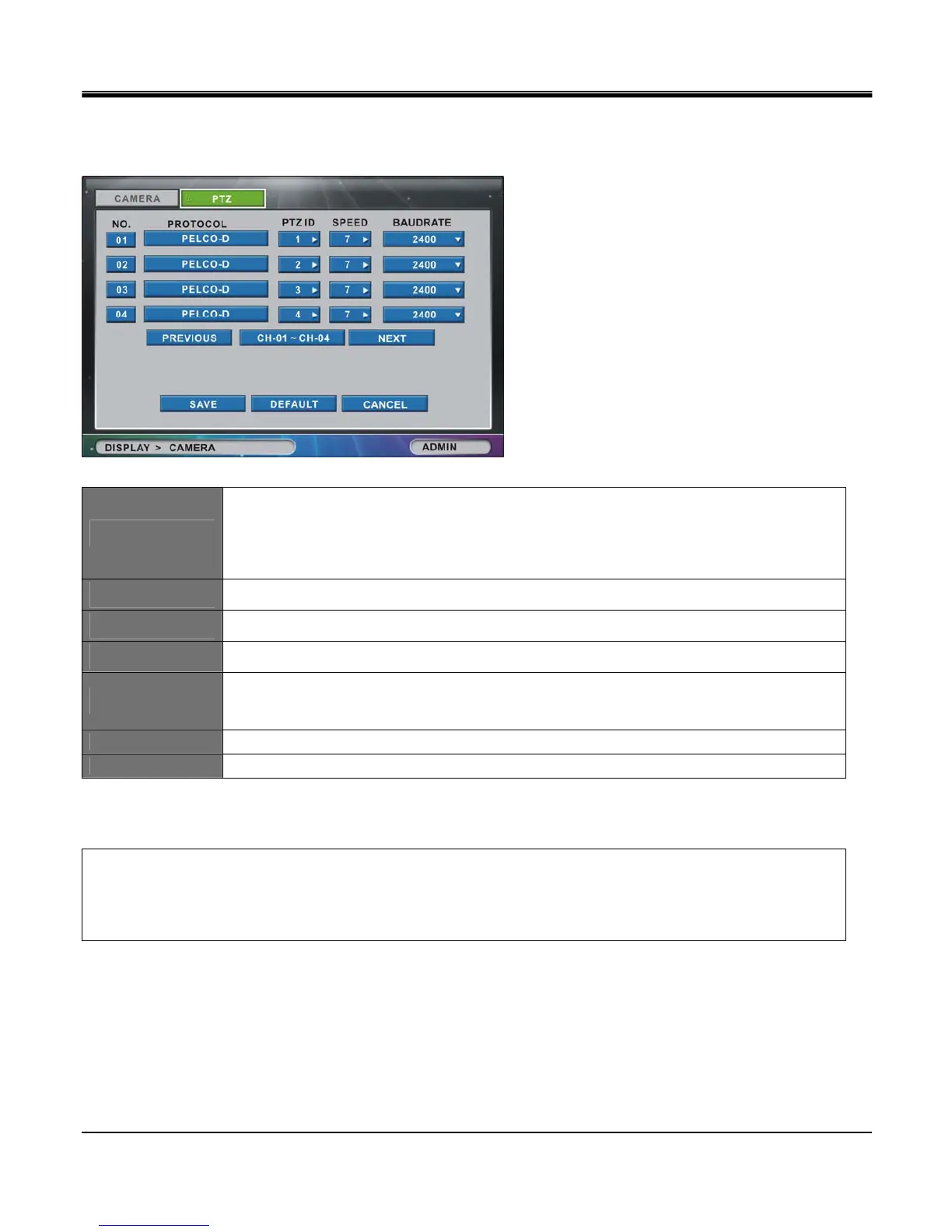
Configuration for PTZ camera is performed in “PTZ" tab window
NO.
To open the “Copy” function window, please click on the NO. button (Corresponds with the line number,
e.g. NO. 1, NO. 2, etc…). By default, Channel 1 will be selected as the source channel. You can
specify which attributes to copy from the selected source channel to the destination channel(s).
PROTOCOL
Click Protocol column and select PTZ camera protocol type from the list.
PTZ ID
Assign device IDs to each camera from 0 to 255
SPEED
Set PTZ control speed from 1 to 7 levels.
BAUDRATE
Set RS485 communication speed.
Set communication speed among 9600, 19200, 38400, 57600 and 115200. (bps)
PREVIOUS
Go to previous channel page. (not available in 4 channel DVR)
NEXT
Go to next channel page. (not available in 4 channel DVR)
[PTZ CAMERA PROTOCOL SUPPORT LIST]
PELCO-D / PELCO-P / SCC-641 / DRX502A / DSC230S / HID240A / NOVUS-C1 / NOVUS-C2 / VIDEOAU-GXX
ON-D / SU320 / SENSORMATIC / MERIT LILIN / AUCOME MODEL / SECD-2000 / HMC250 / TBT / YOKO / FASTRE-IIE
VISTA-POWERDOME / D-MAX / KPT-SPD1000 / NEOTECH-A



 To Next Page