User Manual
Page 40
[2]EVENT
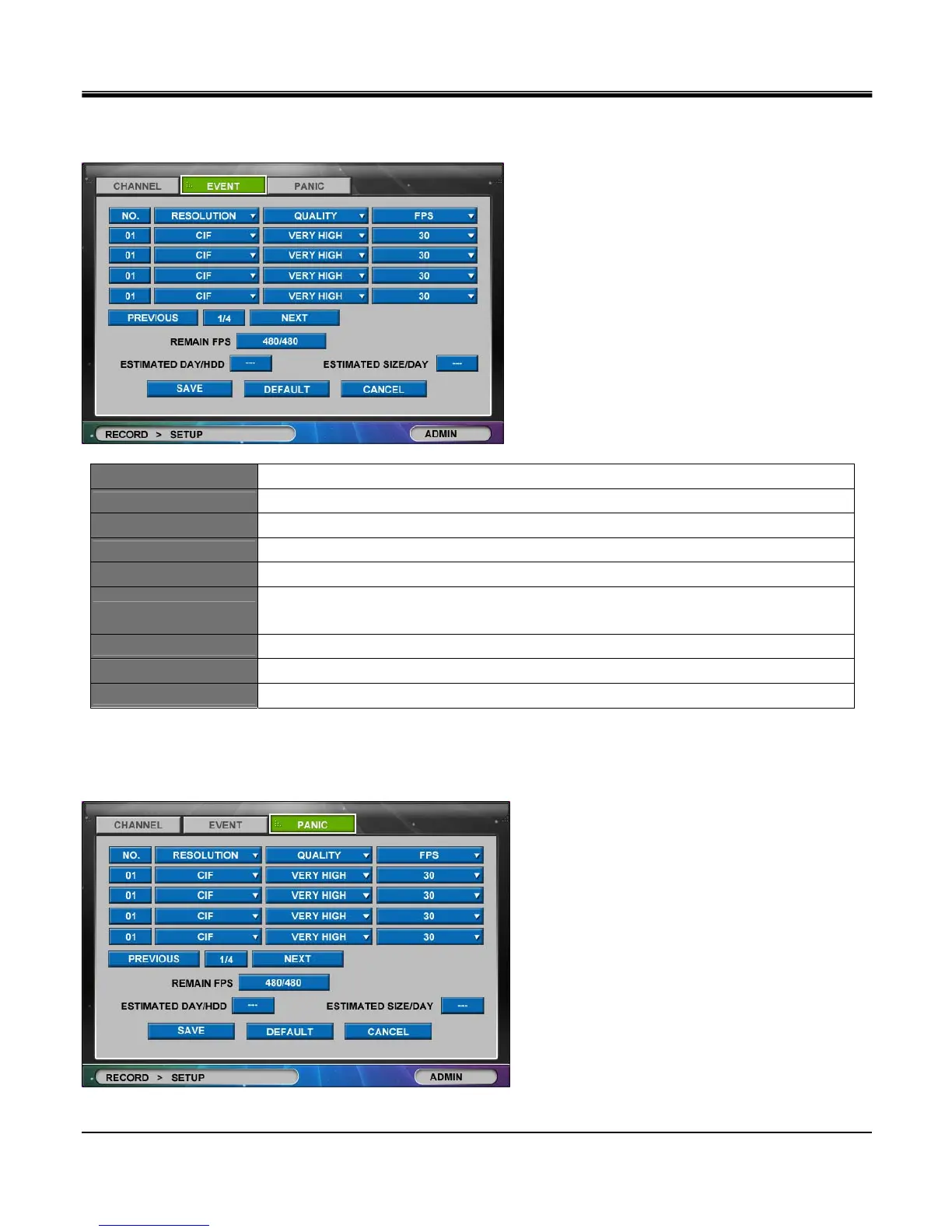
Set event recording quality for each channel. (Below is image of an “EVENT" tab window).
NO.
Click the “NO. (Number)" button to show the “COPY SETTINGS" popup menu.
RESOLUTION
Set resolution between CIF, H-D1 &D1.
QUALITY
Set recording quality among Low, Normal, High and Very High.
FPS
Set frames per second between 1, 2, 3, 4, 5, 6, 7(8), 10(12), 15(25) & 30. (in fps)
REMAIN FPS
Remaining Frames per Second allowed for configuration.
ESTIMATED DAY/HDD
Estimated remaining available time for HDD with no recorded data based on quality related
settings
ESTIMATED SIZE/HDD
Estimated required size of HDD for 24 hour recording based on above settings.
PREVIOUS
Go to previous channel page. (not available in 4 channel DVR)
NEXT
Go to next channel page. (not available in 4 channel DVR)
[3]PANIC
Set Panic recording quality for each channel. (Below is image of an “PANIC" tab window).



 To Next Page