User Manual
Page 48
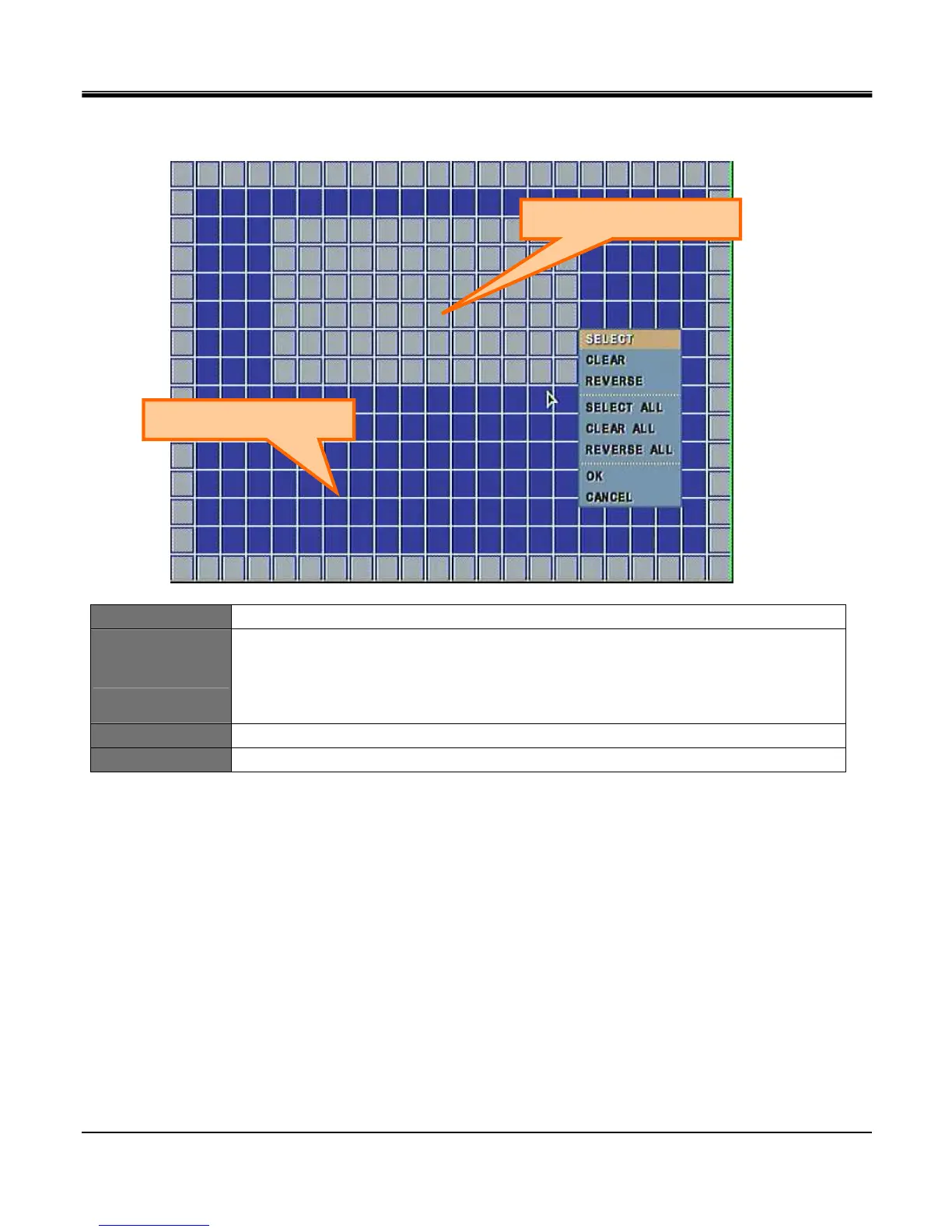
[MOTION MASK ZONE SETUP]
CELL SETUP Click left button on mouse to set Motion Mask Zone by selecting or clearing blocks.
Block Setup
Click selected cell and drag it to desired position. All cells within the block will be selected.
Select: Deactivate motion detection.
Clear: Activate motion detection.
Reverse: Activate inactive blocks and deactivate active blocks.
OK To save setting and exit.
CANCEL To exit motion mask zone setup.
Activates Motion Detection
Deactivates Motion Detection



 To Next Page