User Manual
Page 80
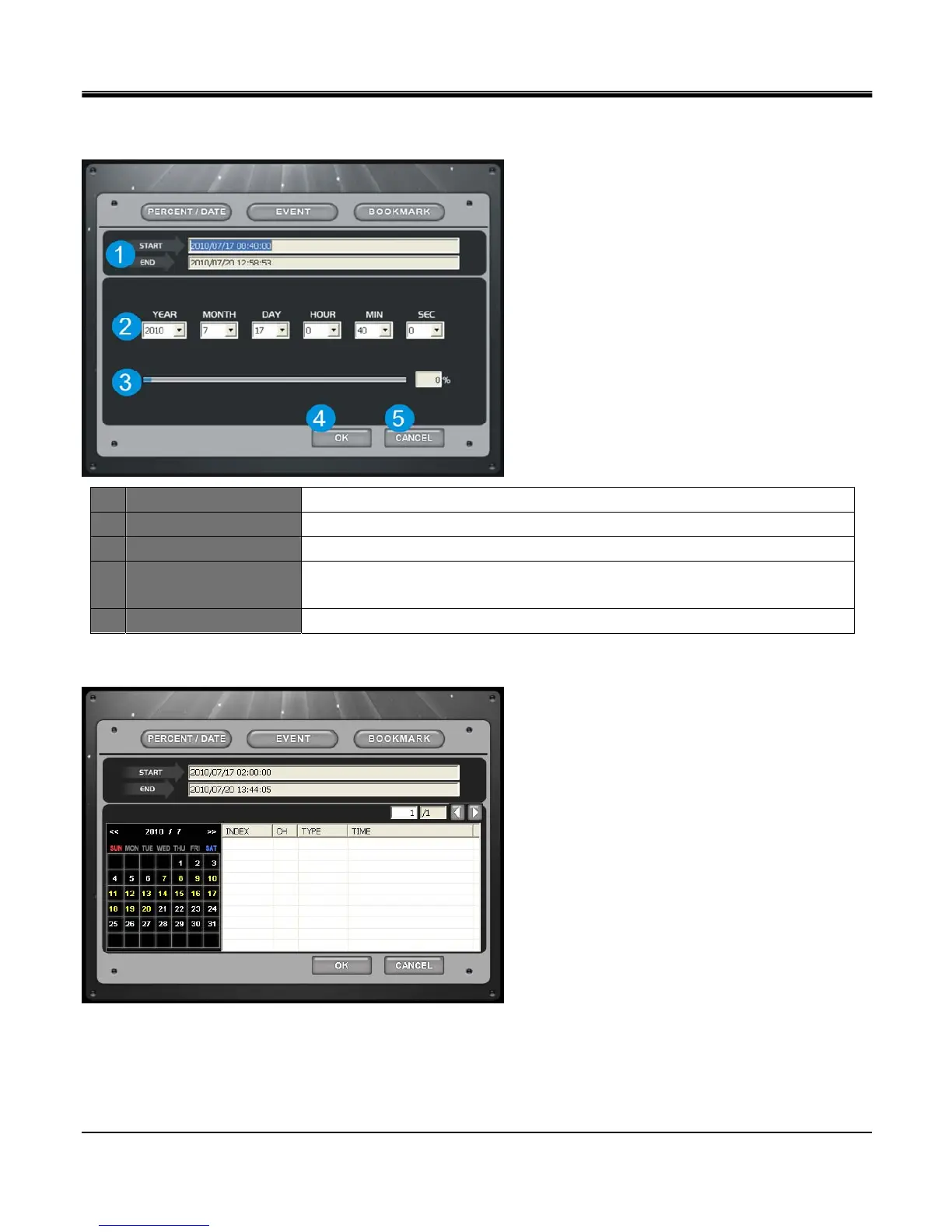
[2.PERCENT/DATE SEARCH]
Click EVENT button from main Search page.
1 Start / End Displays start time and end time of total recorded data on DVR.
2 Date / Time Search by input date and time.
3 Search bar Search by percentage of recorded data on HDD.
4 OK
Request DVR to search data on set time.
From main Search page, click PLAY button to begin playback on set time.
5 CANCEL Close search window.
[3.EVENTE SEARCH]
Click date on calendar, and Event List of the day will be displayed. Select event and click OK to playback, or just double
click the event.
Left / Right button: Displays Previous / Next 100 lists.



 To Next Page