-D2 -91
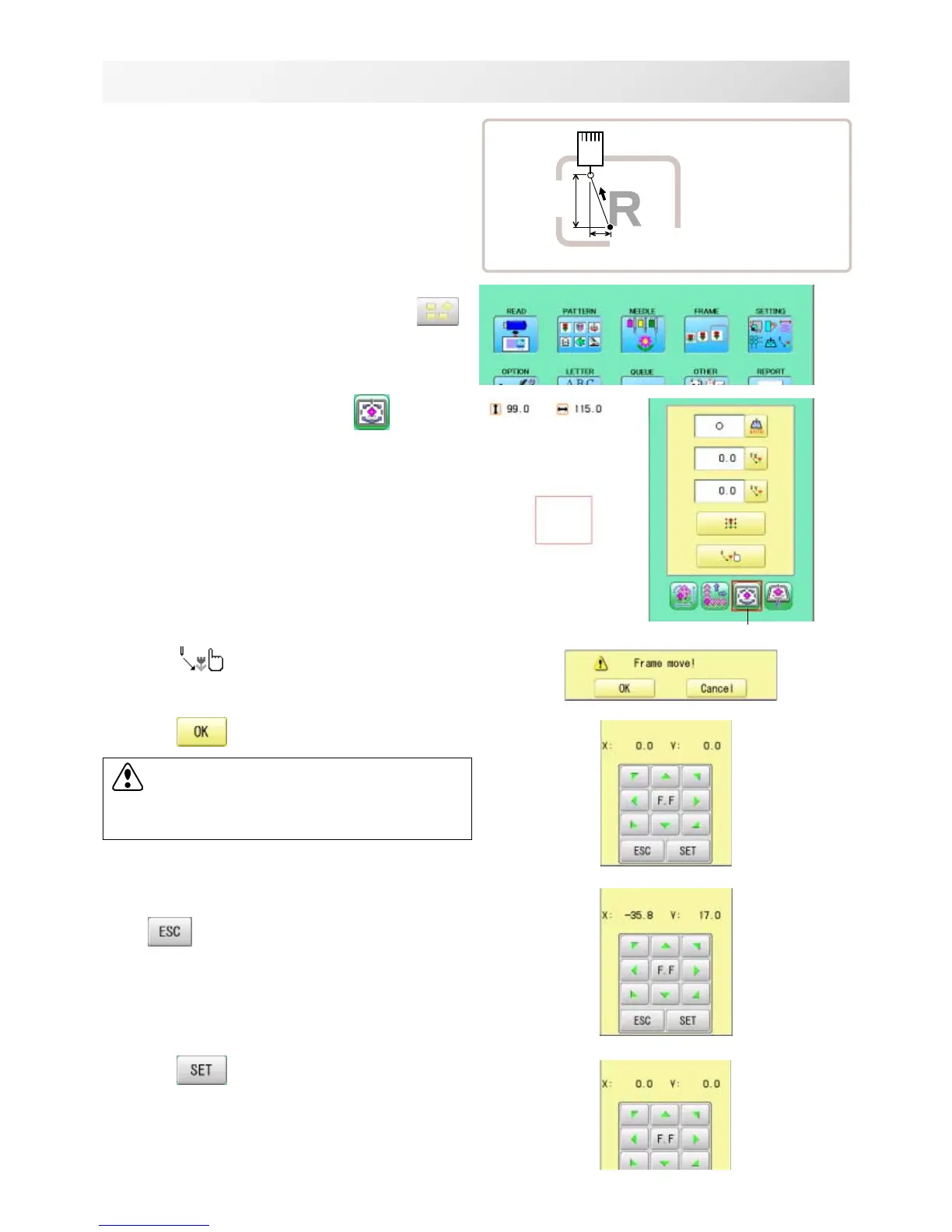
Teaching input
You can set the offset position manually.
1. When the machine is stopped, press
.
2. Select "SETTING" and select
(Offset).
3. Select
.
4. Press
.
5. Move the frame to the pattern start point.
Setting is cancelled.
6. Press .
The setting is fixed.
14-B
PATTERN SETTINGS
12_B NB01
Sidewise move
distance
Lengthwise
move
distance
❍ : Offaet point
● : Start point of pattern
Offset
CAUTION: To prevent accidents.
The frame moves quickly.
Keep hands away from the frame.



 To Next Page