-D2 -90
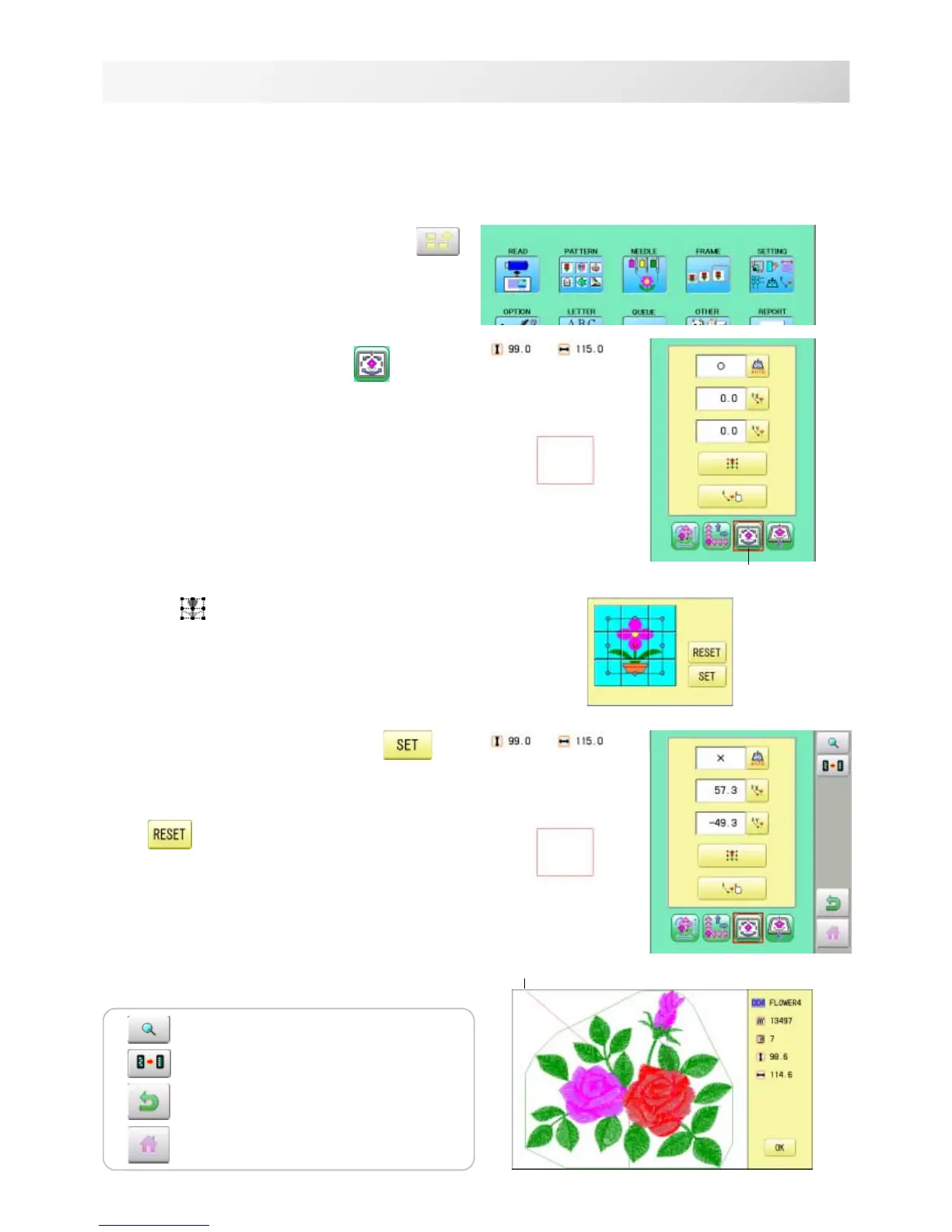
1. When the machine is stopped, press .
2. Select "SETTING" and select
(Offset).
3. Select .
4. Select the offset point and press .
The setting is fixed.
Setting is unset.
14-A
PATTERN SETTINGS
12_A NB01
Preset
There are 9 preset points that can be used for offsets around the or in the center of the pattern.
Offset
Offset point
The pattern data may be shown.
Setting is returned to the default.
To return to Menu mode.
to return to Drive mode.



 To Next Page