-D2 -108
17-2
QUEUE
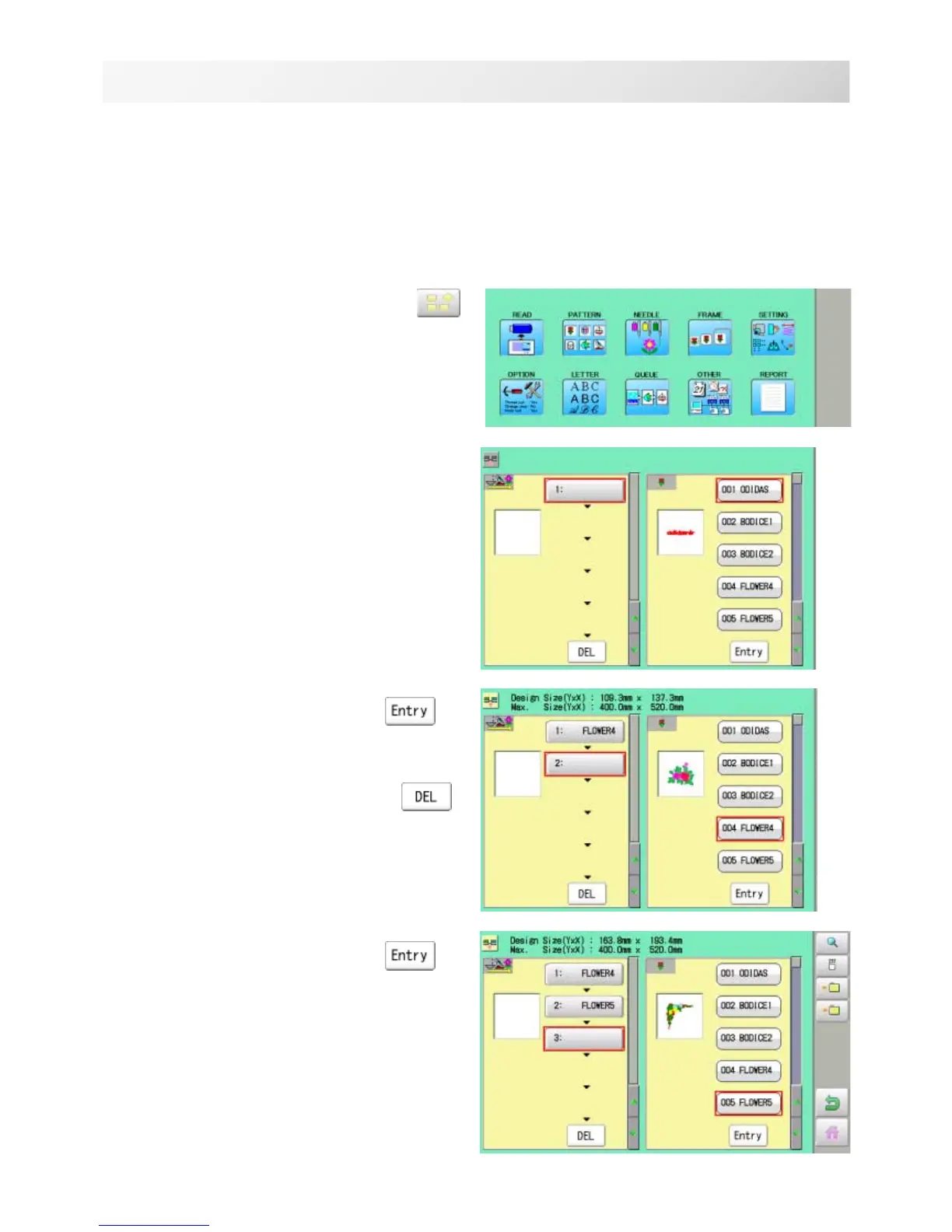
1. When the machine is stopped, press .
2. Select "QUEUE".
The left side shows the pattern data.
3. Select desired pattern and press .
The selected pattern is shown to the left.
If you need to erase the design, press .
4. Select desired pattern and press .
The selected pattern is shown to the left.
If you select other memory pattern data continu-
ously, repeat step 4.
19_2 NB01
Alter and Execution
This allows you to sew any combination of designs in sequence (up to 30 designs), and ex-
ecutes.
Once "QUEUE" is set, the pattern data registered and set in the "QUEUE" is embroidered until
pattern data in "READ" is selected.
Therefore, you need to select other pattern data in "READ" to cancel QUEUE.



 To Next Page