-SA -81
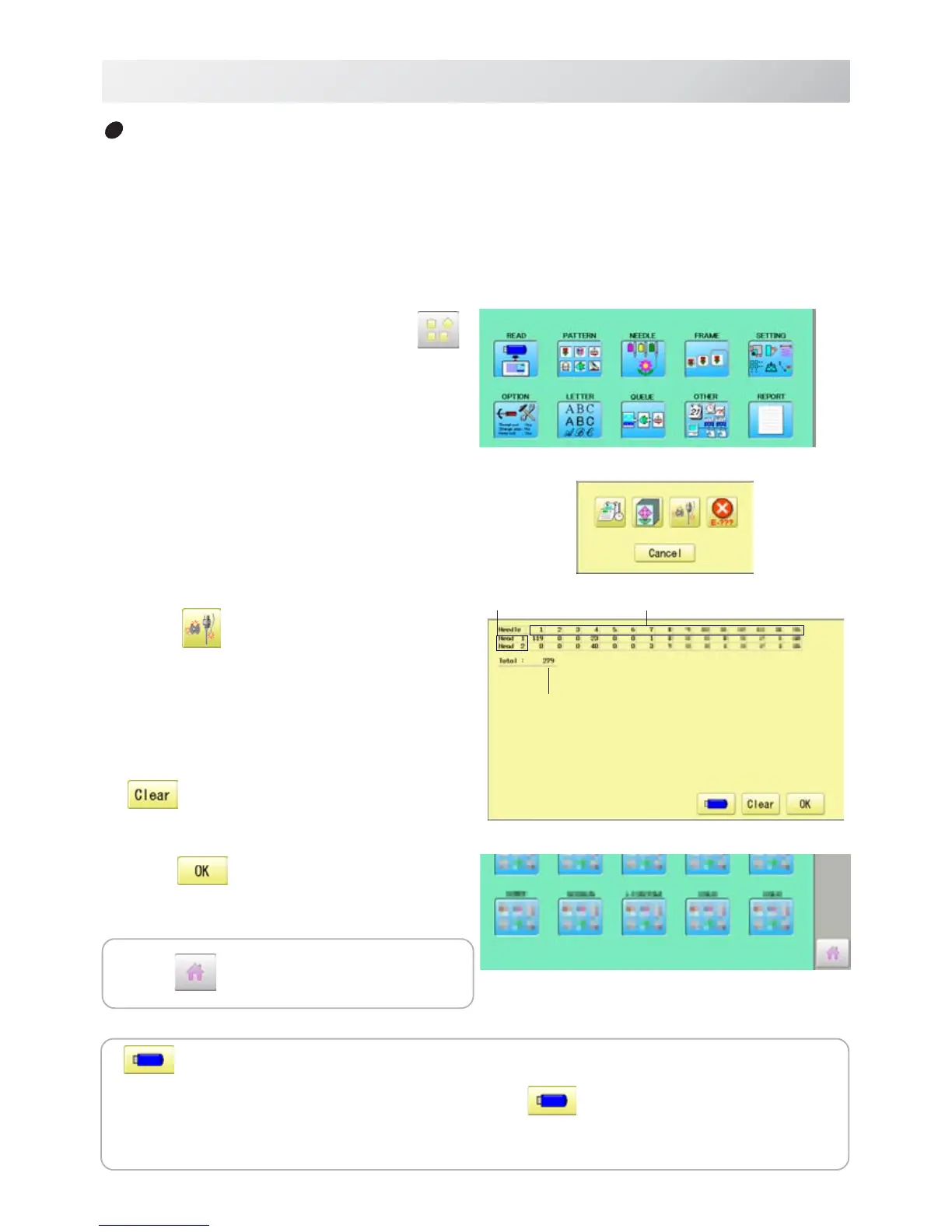
1. When the machine is stopped, press .
2. Select “REPORT”.
3. Select .
4. In order to exit the mode, proceed to the
step 5.
If you want to delete the record, press
.
4. Press
.
The display returns to MENU.
19-1d
REPORT
22_4d O901
Record of thread break
This function will show thread break data of each needles.
In case of Multi-head embroidery machine, data line for each head will be displayed.
Press to return to Drive mode.
Needle number
Total
Head number
Save the report
YoucansavethedisplayedrecordsinCSVformat.
Insert the USB memory into the machine and press
button then, new folder named
"Production Report" will be made and the report data will be saved as file name
"BreakReport_*****".


 To Next Page