-SA -45
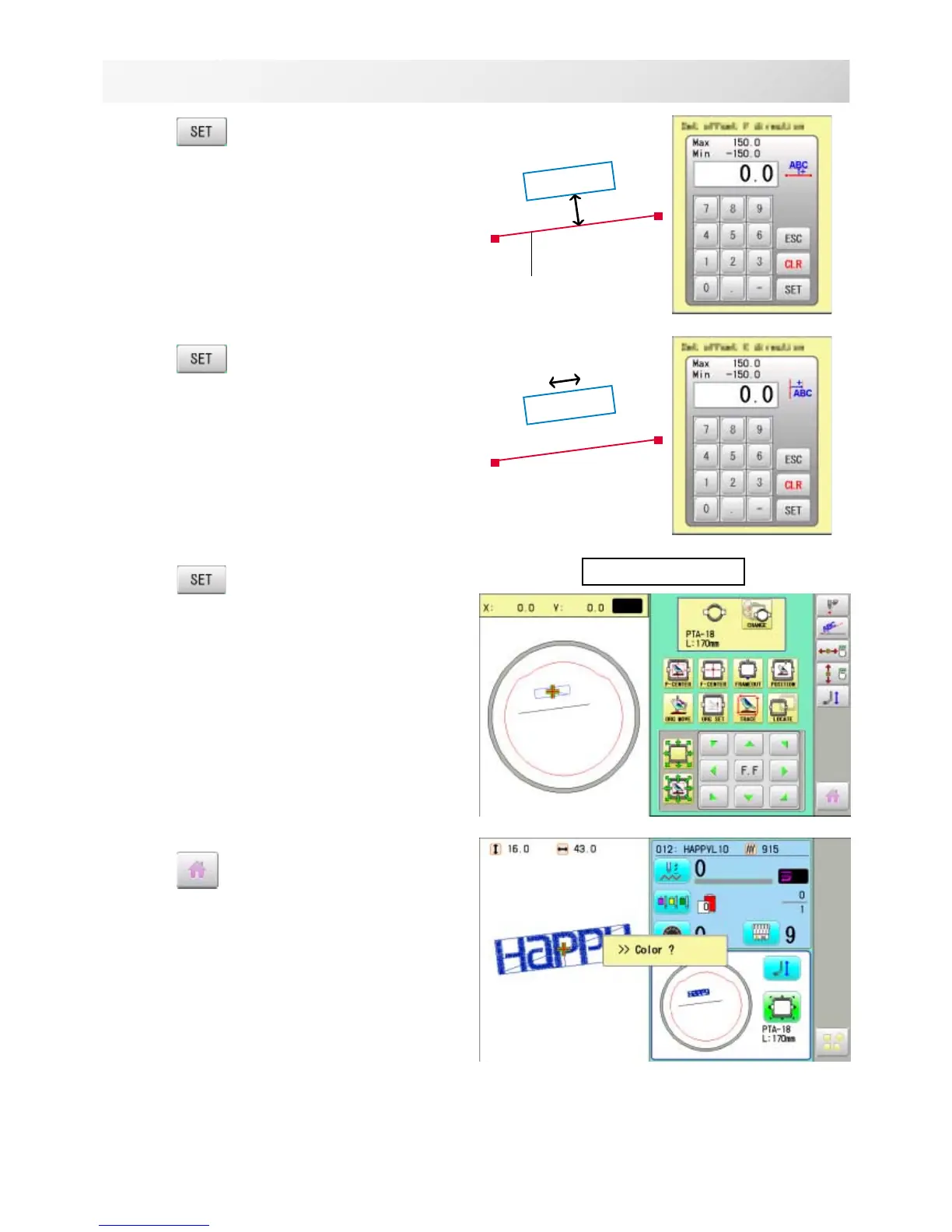
7. Press .
Enter movement of arrow from base line
(edge of pocket) to pattern.
Enter “15.0”(15mm) in this case.
8. Press .
Enter movement of arrow from base line
(edge of pocket) to pattern.
Leave “0.0” when pattern is aligned to the center
of base line (width of pocket).
9. Press .
10.Press
.
Angle and position of embroidery are automati-
cally set.
9-A
POSITION ALIGNMENT BY DEFINING 2 POINTS
15_3 NB01
P1
P2
Base line
P1
P2
Complete



 To Next Page