Mainmenu Generalsettingsmenu
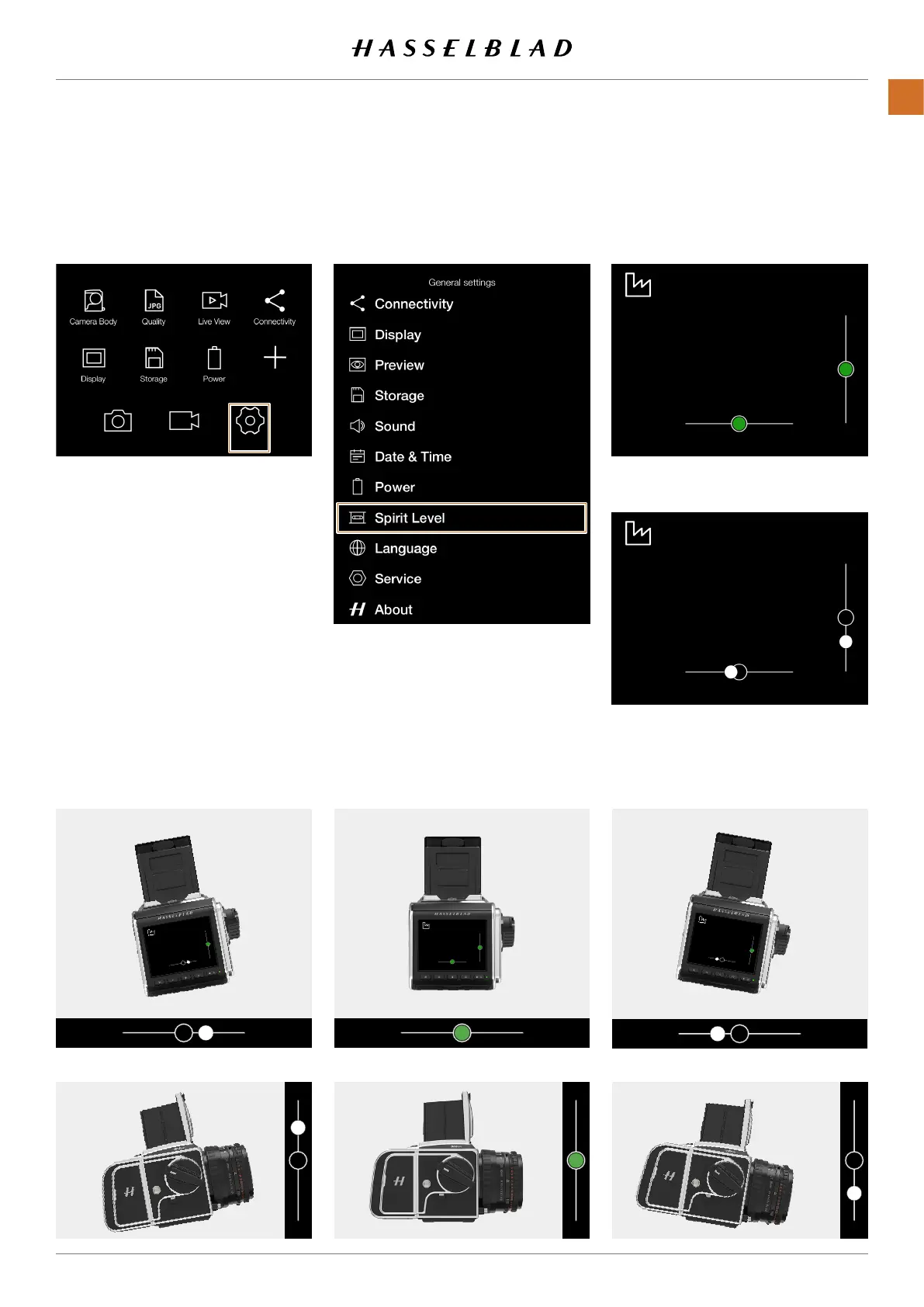
SPIRIT LEVEL
MAINMENU>GENERALSETTINGS>
SPIRITLEVEL
1 Pressthegeneralsettingsiconon
thetouchdisplay.
2 Thegeneralsettingsmenuappears.
SwiperightorpresstheMenubuttonto
getbacktothemainmenu.
Note!
Youcanalsobringupthespiritlevel
overlayinliveviewmodebypressing
theDisplaybuttonuntilitisshown.
Spiritlevelwhencameraisaligned
Spirit level when camera is tilted a little
totherightandmoredown.
Cameratiltedtotheleft.
Camera tilted up.
Cameraalignedhorizontally
Cameraalignedvertically.
Cameratiltedtotheright.
Cameratilteddown.
CFV II 50C USER GUIDE www.hasselblad.com
89
SETTINGS
CONTENTS



 To Next Page
 Loading...










