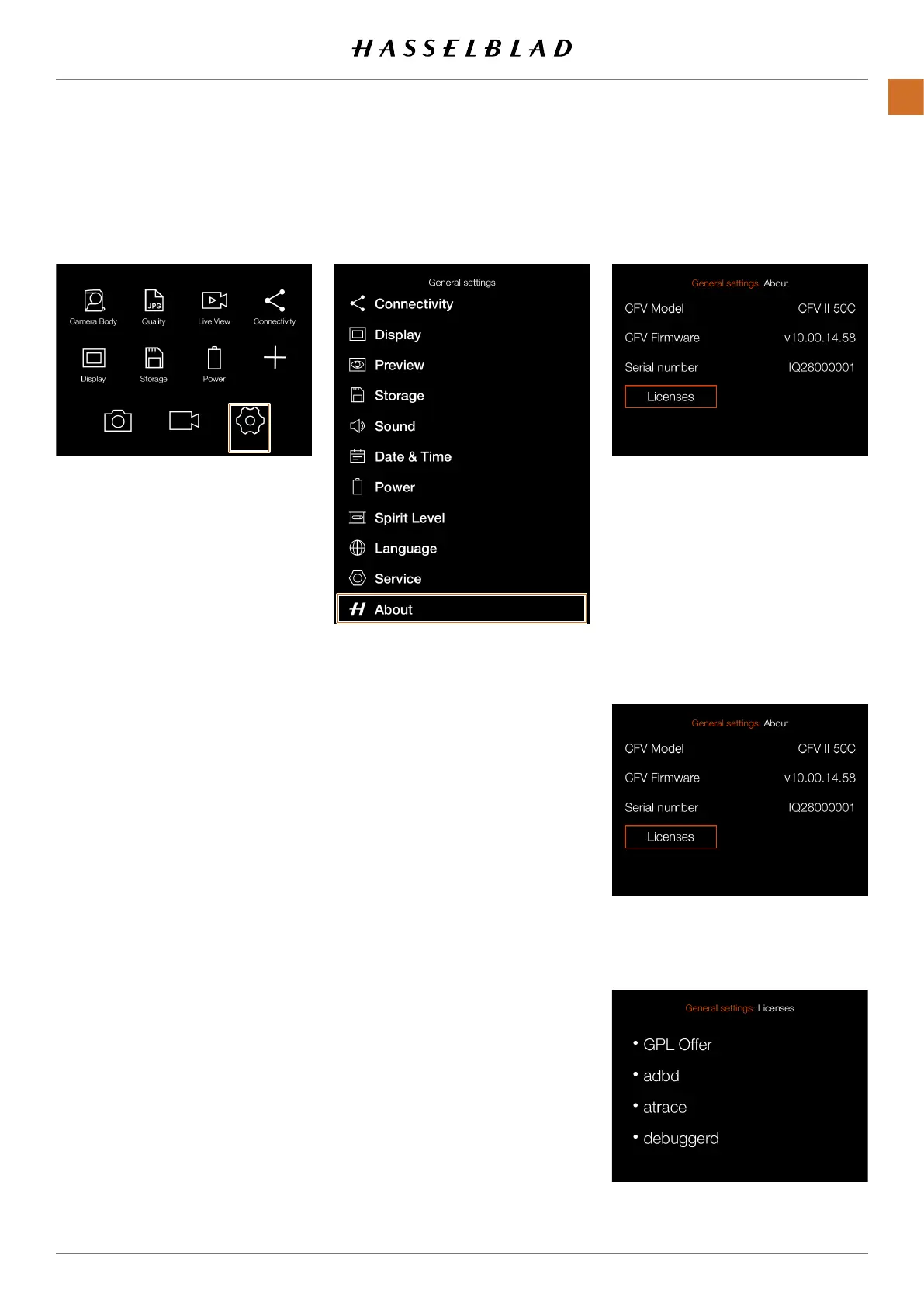
Mainmenu Generalsettingsmenu Aboutsettingsmenu
ABOUT
MAINMENU>GENERALSETTINGS>
ABOUT
1 Pressthegeneralsettingsiconon
thetouchdisplay.
2 Thegeneralsettingsmenuappears.
SwiperightorpresstheMenubuttonto
getbacktothemainmenu.
About settings:
Firmware
TheAboutboxwilltellyouwhich
rmwareversionispresentsoyoucan
seeifyouhavethelatestrmware(can
bedownloadedfromtheHasselblad
website).
Serial number
Theserialnumberisalsodisplayedin
caseHasselbladSupportneedstoknow
itforproblemsolving.
Licenses
Displays the available licenses.
Aboutsettingsmenu
Licences menu
CFV II 50C USER GUIDE www.hasselblad.com
97
SETTINGS
CONTENTS



 To Next Page
 Loading...










