360179-A/B 16
Installation & Conguration
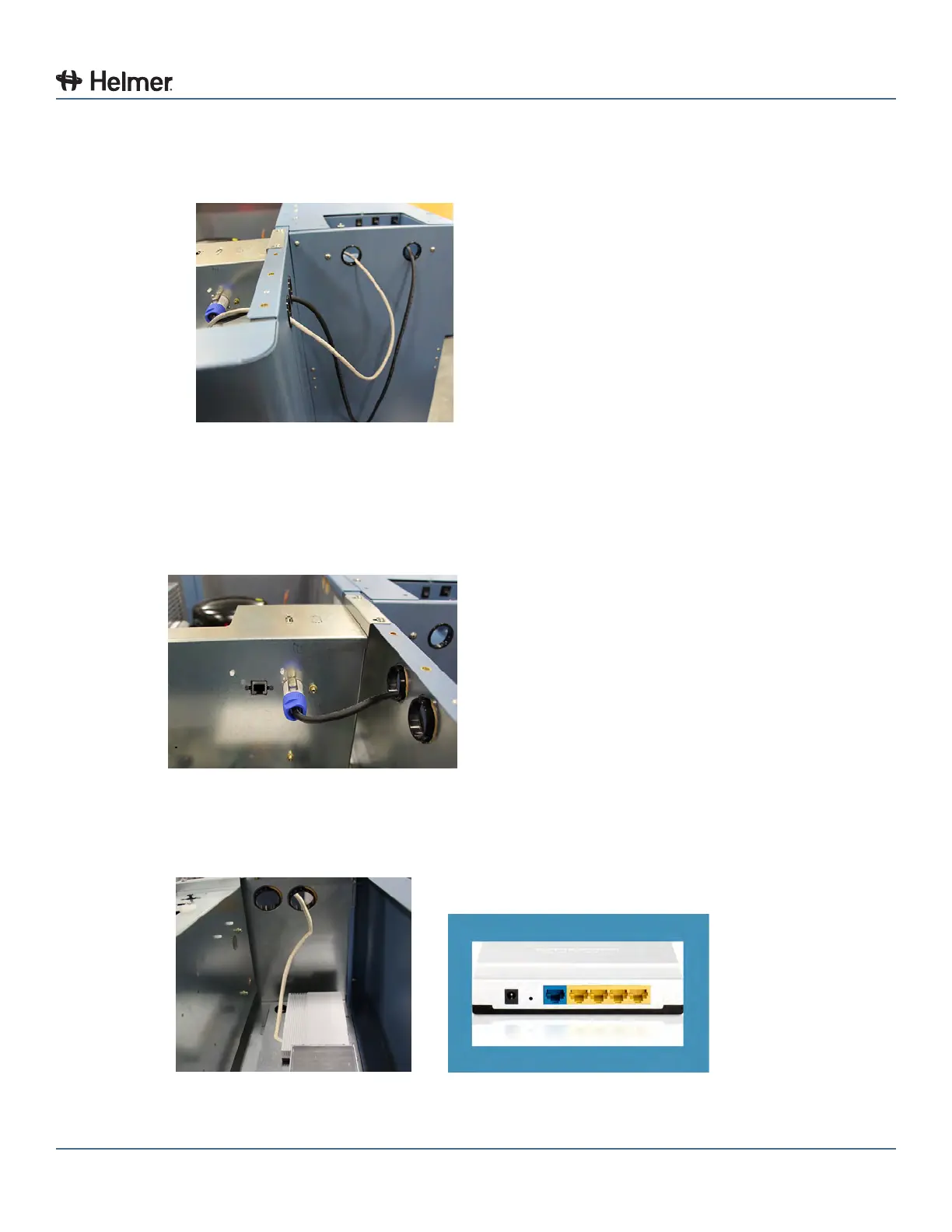
5 Route both cables through the holes in the Access Console and through the holes in the
Compartmental Access Refrigerator compartment.
► Holes are located on the side of the Compartmental Access Refrigerator, at the top
Holes for cable routing
6 Connect the opposite end of the Access Console power cord to the grey receptacle on the
Compartmental Access Refrigerator.
► Insert plug into receptacle
► Turn plug 1/4 turn to the right, plug will lock in place
Compartmental Access Refrigerator AC output power receptacle
7 Connect the opposite end of the Access Console Ethernet cable to an open yellow port on the RJ-45
Ethernet router in the top of the Compartmental Access Refrigerator.
Compartmental Access Refrigerator RJ-45 Ethernet port



 To Next Page