360179-A/B 15
Installation & Conguration
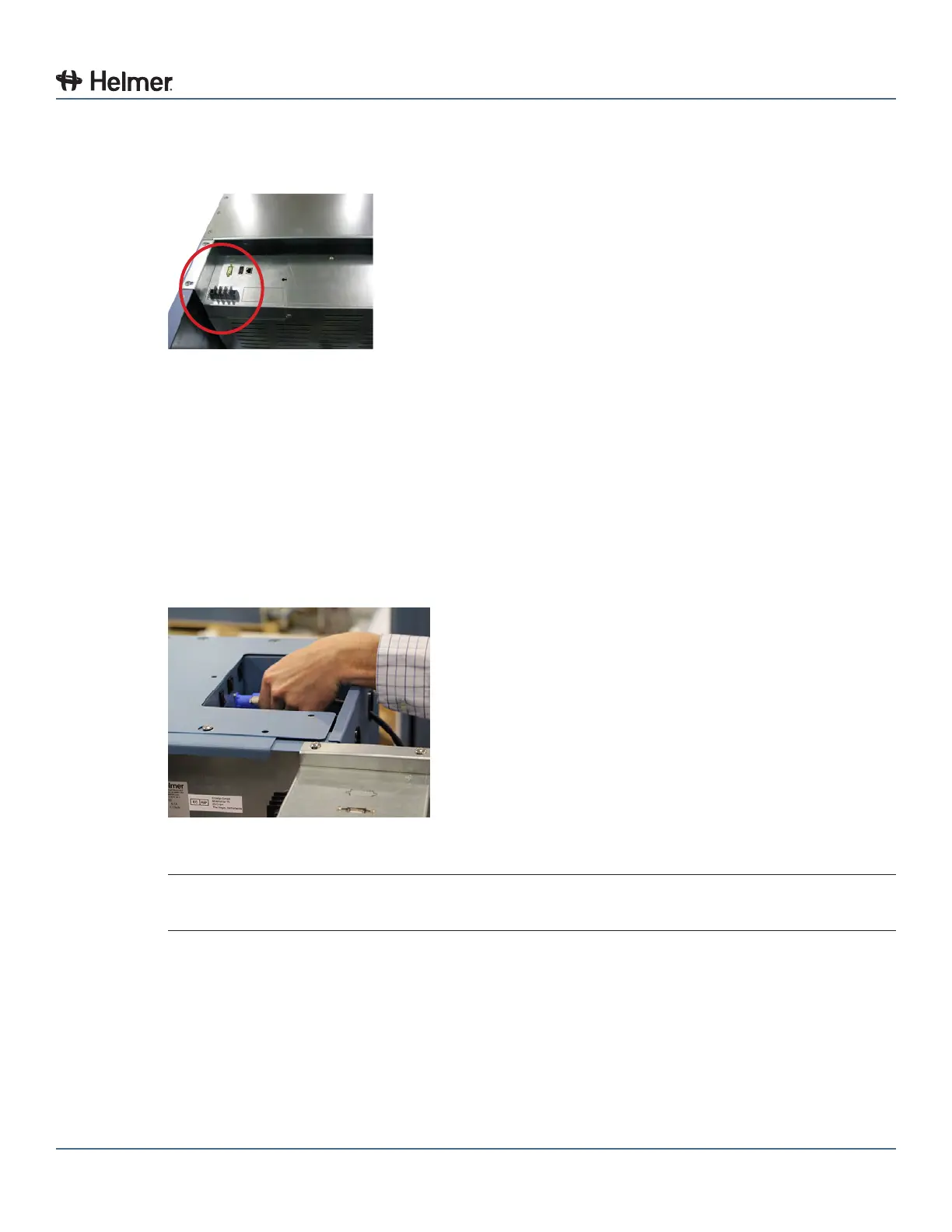
2 Using a #2 Phillips screwdriver, connect remote alarm wires to appropriate terminals, according to
requirements for your alarm system.
3 Use a cable tie to relieve strain on alarm wires (if necessary).
Remote alarm terminals (circled)
6.5 Connect AC Power Cord and Ethernet Cable for Access Console
1 Conrm the Compartmental Access Refrigerator is at room temperature.
2 Connect the Access Console AC power cord to the blue receptacle on the back of the Access
Console.
► Insert plug into receptacle
► Turn plug 1/4 turn to the right, plug will lock in place
3 Connect the Access Console Ethernet cable to the (LAN1) RJ-45 Ethernet port on the back of the
Access Console.
Access Console RJ-45 Ethernet port and Access Console AC power receptacle
NOTE Spare electronic components are stored inside the Compartmental Access Refrigerator
cover. Ensure cover is carefully set aside while connecting cables.
4 Using a #2 Phillips screwdriver, remove the cover from the top of the Compartmental Access
Refrigerator.



 To Next Page