360179-A/B 30
Maintenance & Service
Replace the battery:
1 Switch the Access Console battery ON/OFF switch OFF.
2. Switch the AC ON/OFF switch OFF.
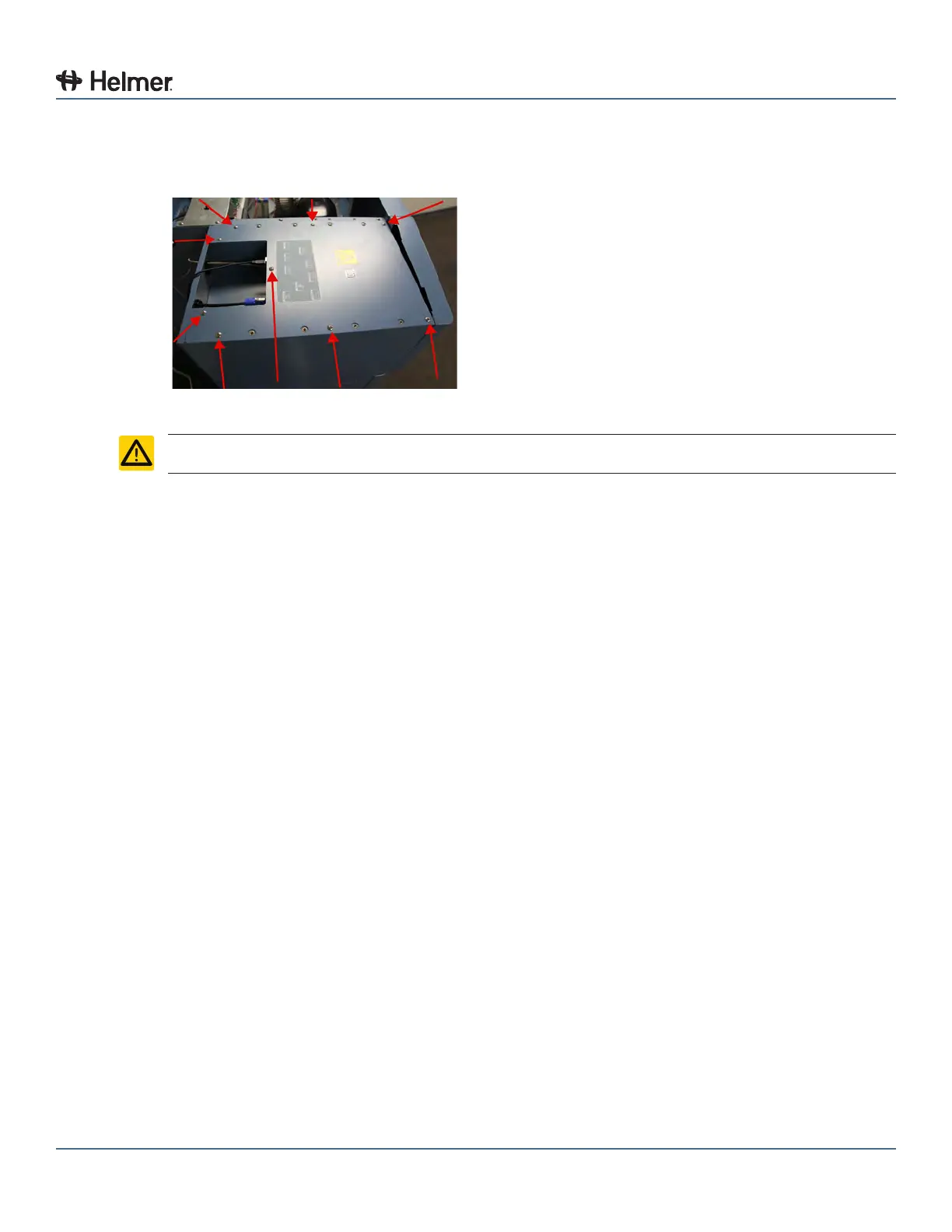
3. Using a #2 Phillips screwdriver, remove the screws (9) from the top cover of the Access Console.
Access Console (screw locations)
CAUTION Do not remove screws that secure top mounting bracket to HaemoBank™.
4 Disconnect the power wires from the battery terminals.
5 Using a #2 Phillips screwdriver, remove the screws securing the battery strap to the top of the Access
Console and set aside.
6 Remove the strap and set aside.
7 Remove the battery from the Access Console.
8 Place the new battery on the top of the Access Console, in the same orientation as the original
battery.
9 Place the strap over the battery.
10 Using a #2 Phillips screwdriver, install the screws to attach the strap to the top of the Access Console.
11 Connect the power wires to the battery terminals, ensuring the wires are connected to the correct
terminals:
► Red (+) wire connected to the red (+) battery terminal
► Black (-) wire connected to the black (-) battery terminal
12 Using a #2 Phillips screwdriver, reinstall the screws in the top cover of the Access Console.
13 Switch the AC ON/OFF switch ON.
14 Switch the Access Console battery ON/OFF switch ON.
9.3.5 Check the Chart Recorder Backup Battery (If installed)
Check the battery:
1 Open the chart recorder door by pressing and releasing the door.
2 Observe the LED on the front of the chart recorder.
► Green LED (constant pattern): Battery charge is sucient
► Red LED (constant pattern): Battery charge has been depleted and the battery must be replaced
3 Close the chart recorder door by pressing and releasing the door.



 To Next Page