360179-A/B 21
Installation & Conguration
8 i.C³
®
Control System
The Compartmental Access System is equipped with the i.C³ monitoring and control system. The i.C³
system combines temperature control and monitoring into a single user interface.
NOTE ► Please refer to the i.C
3
®
User Guide for Compartmental Access Refrigerators
for information regarding network communications for BloodTrack
®
.
► Refer to i.C
3
®
User Guide for Compartmental Access Refrigerators for complete
information on the User Interface.
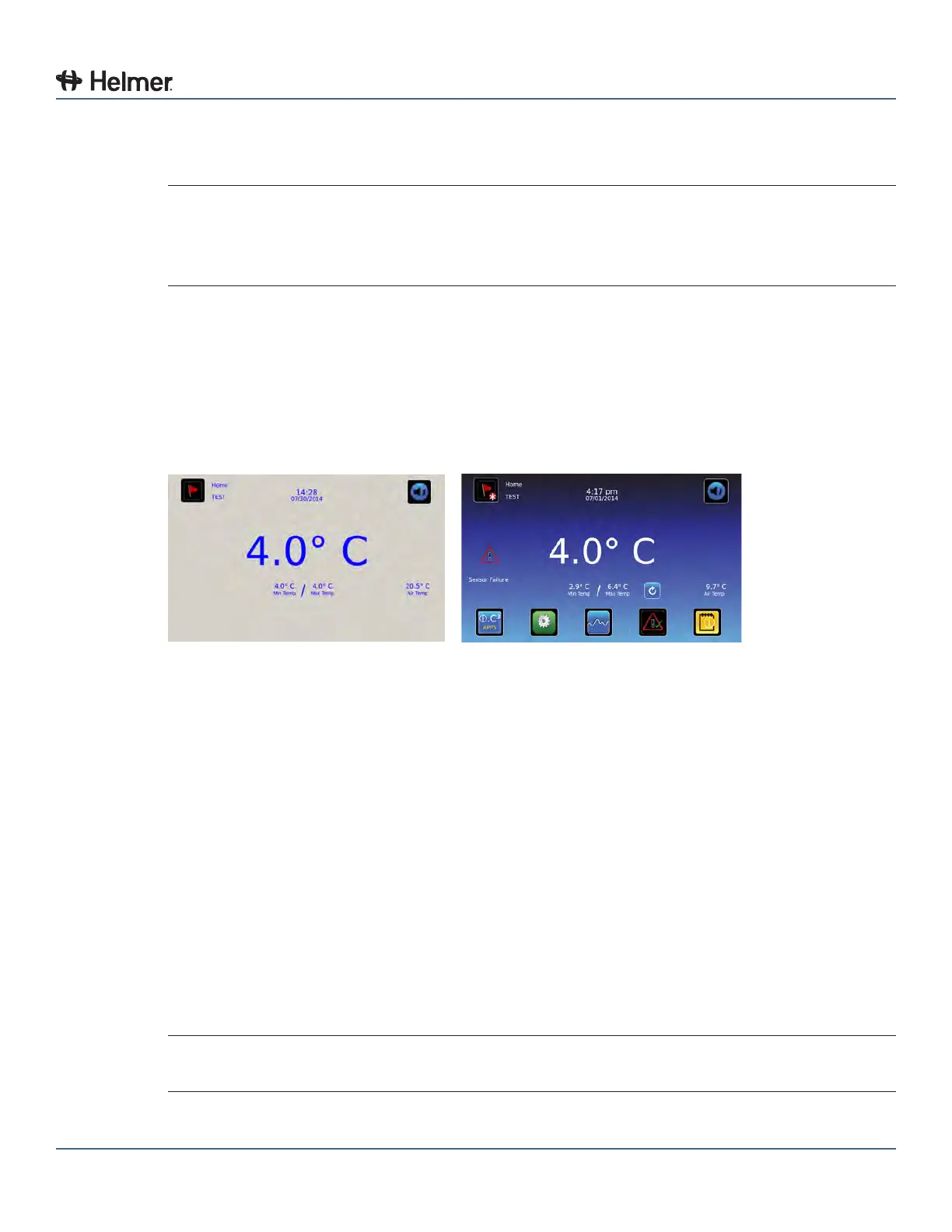
8.1 Home Screen and HaemoBank™ Screensaver
The Home screen is the default screen and is displayed when:
► The Home button is touched from any other screen
► There is no interaction for two minutes on any screen other than those used to enter a password
► The HaemoBank™ screensaver is automatically displayed after two minutes of inactivity on the Home
Screen
HaemoBank™ screensaver Home screen.
8.1.1 Home Screen Functions
► View current interior cabinet and air temperature readings
► View minimum and maximum chamber temperature (recorded at the upper chamber probe) since the
last power-on event, or since the last reset
► View the current system time and date
► Access any of the ve preset applications (touch i.C³ APPS for additional applications)
► View information about current alarm events
► View whether the monitoring system is running on battery power
► Mute audible alarms
► Shortcut to Event log
► View Unit ID
8.2 Alarm Reference
If an alarm condition is met, an alarm activates. Some alarms are visual only; others are visual and
audible. Some alarms are sent through the remote alarm interface.
NOTE During initial pull-down, high temperature alarm may activate while refrigerator reaches
operating temperature.



 To Next Page