360179-A/B 26
Maintenance & Service
Section III: Maintenance & Service
CAUTION Review all safety instructions prior to performing maintenance. Refer to Section I,
Item 2.
NOTICE ► Before performing maintenance, protect items in HaemoBank™ from extended
exposure to adverse temperature.
► Allow HaemoBank™ to stabilize at setpoint after performing service or after the door
has remained open for an extended period of time.
NOTE ► Refer to the Compartmental Access Refrigerator Operation Manual for the preventive
maintenance schedule.
► For service information or to order replacement parts, contact Haemonetics
®
Corporation BloodTrack
®
Customer Support at 877.996.7877.
9 Maintenance
9.1 Alarm Tests
Test alarms to ensure they are working correctly. The HaemoBank™ has alarms for chamber
temperature, door open (time), probe failure, and power failure.
9.1.1 Automatic Chamber Temperature Alarm Test
NOTE ► If the Settings screen is password protected or if viewing settings for the rst time,
enter factory default password of “1234”.
► Test can be aborted by touching Cancel Test.
► Test is only applicable to the upper chamber probe.
► Test takes less than ve minutes.
► If the temperature alarm test does not automatically complete within 10 minutes,
the “Test Stopped” and “Test failed because it took too long and shut o for safety”
messages are displayed.
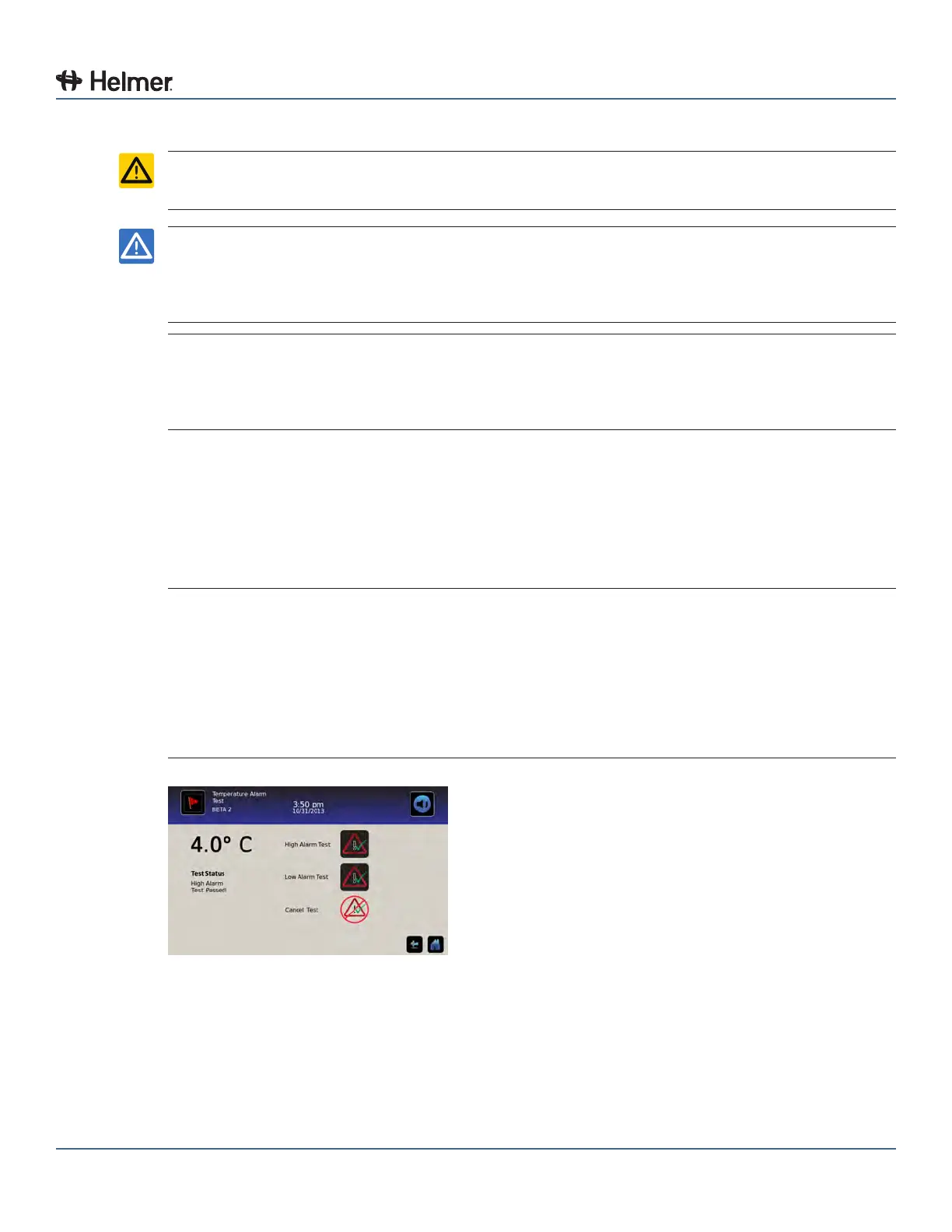
Temperature Alarm Test screen
When performing an automatic temperature alarm test, the Peltier device heats or cools the temperature
probe until the high or low alarm setpoint is reached. An event is added to the Event Log to indicate a
temperature alarm was activated. The Alarm Test icon is displayed on the Temperature Graph to indicate
the temperature alarm was caused by testing.
Test the high alarm:
1 Identify current setting for high alarm setpoint.



 To Next Page